Microsoft 365 and Office | SharePoint Server | For business
A family of Microsoft on-premises document management and storage systems.

This browser is no longer supported.
Upgrade to Microsoft Edge to take advantage of the latest features, security updates, and technical support.
' cx='32' cy='32' r='32' /%3E%3Ctext x='50%25' y='55%25' dominant-baseline='middle' text-anchor='middle' fill='%23FFF' %3EI%3C/text%3E%3C/svg%3E)
I'm just beginning to tinker with shared calender's using Outlok365 and SharePoint. I'd say the most difficult aspect thus far, aside from getting used to the program itself, is finding accurate recent information to draw from.
I have a calendar and have added two additional members. When I post a test comment it's background is green. Unfortunately, when they post to any date or the same date their background is the same green color. Seeing as many people will eventually be contributing to this calendar, each of them posting with their own unique background color would make finding information much easier.
Please tell me specifically where to look/go to assign a color to each individual or how to set things up where an unused color (shade of a color) is assigned automatically when new people joins the calendar. When tracking people's time knowing who is who at a glance is very useful.
Lastly, how does one remove old SharePoint sites or the few learning attempts I used that are now just taking up space.
A family of Microsoft on-premises document management and storage systems.
Answer accepted by question author
' cx='32' cy='32' r='32' /%3E%3Ctext x='50%25' y='55%25' dominant-baseline='middle' text-anchor='middle' fill='%23FFF' %3ECM%3C/text%3E%3C/svg%3E)
Hi @ITDept ,
Per my test, you could use Calendars Overlay feature to color different users.
1.Calendar List Settings > click category column > change the column name and type your users' name.
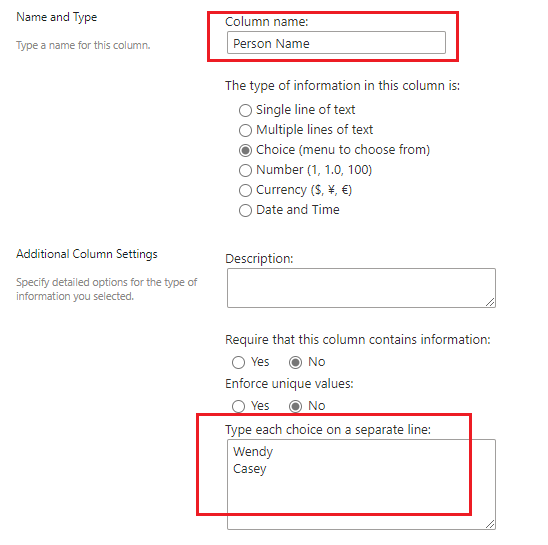
2.Create custom calendar view for each user name.
Create View > Start from an existing view "Calendar" > type user name in view name > Filter > Show items only when the following is true > select "Person Name"+"is equal to"+user name > repeat the process for each user name.
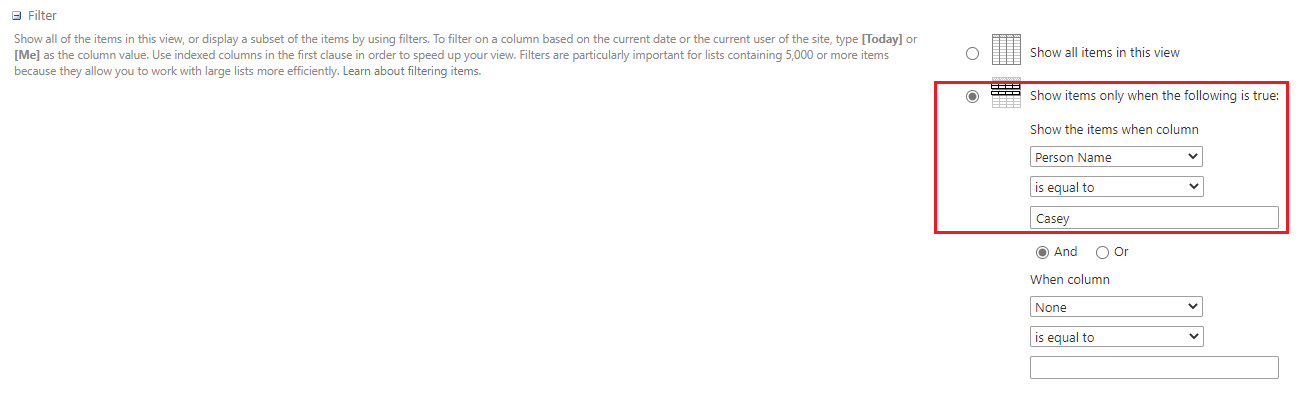
3.modify default SharePoint calendar view > Filter > Show items only when the following is true > select "Person Name"+"is equal to"+Black

4.Create Calendar overlay
Calendar overlay > New Calendar > select list and list view
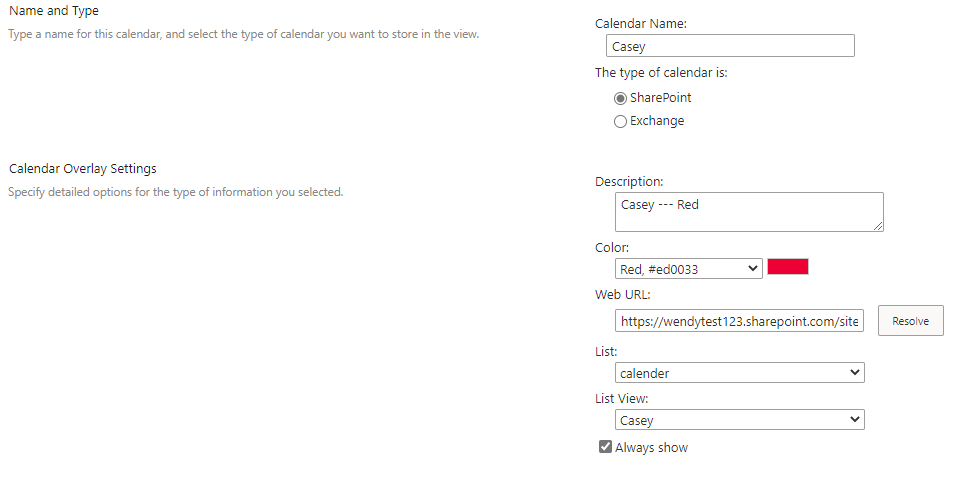
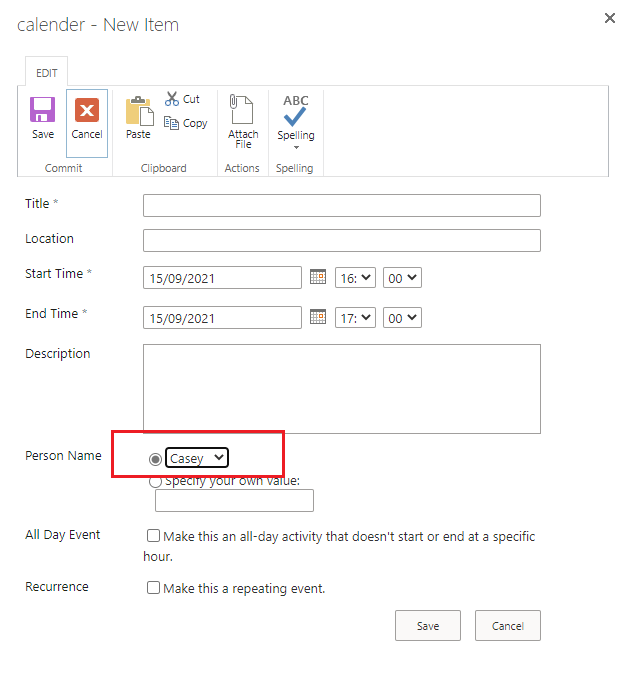
Note: When you new item remember select user name.
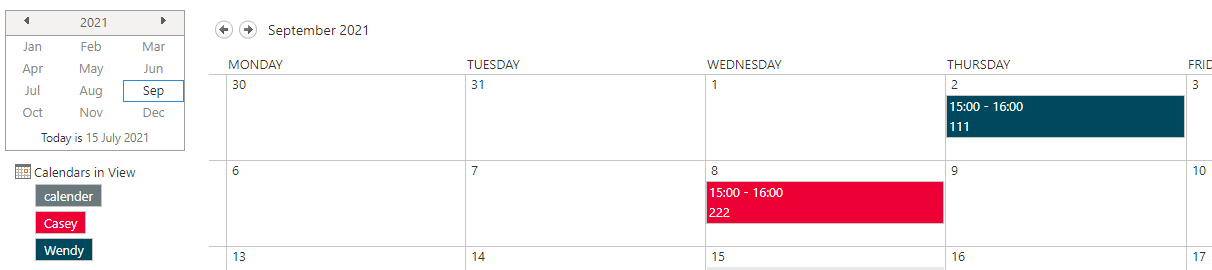
My test result:
Do you want to delete sites in SharePoint online or SharePoint server?
1.SharePoint online:
Microsoft 365 admin center > SharePoint admin center > Sites > Active sites
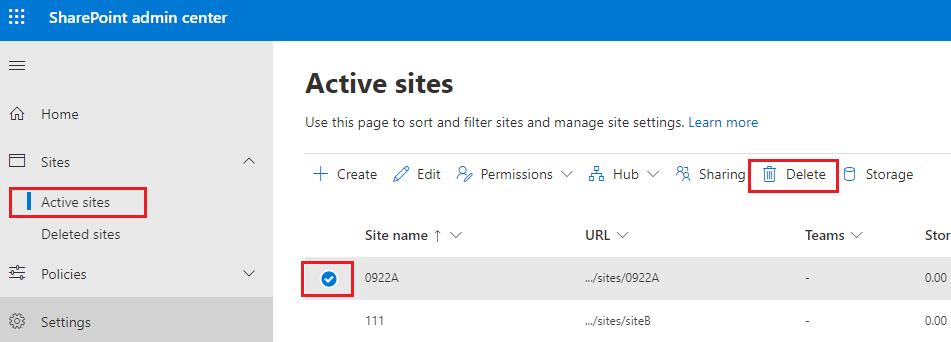
2.SharePoint server:
Settings > Site settings > Site Action > Delete this site
If an Answer is helpful, please click "Accept Answer" and upvote it.
Note: Please follow the steps in our documentation to enable e-mail notifications if you want to receive the related email notification for this thread.
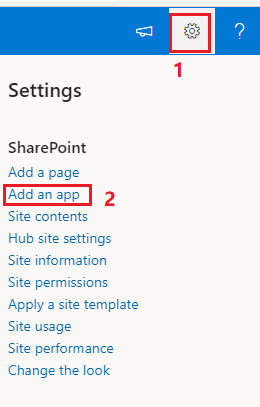
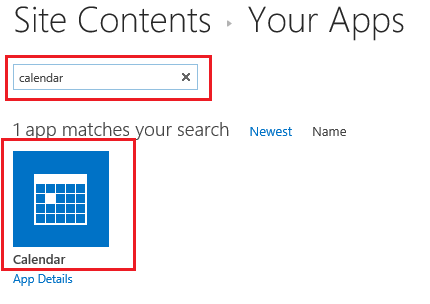
Hello, I can't seem to find the starting point for what your suggesting. Where do I begin looking for the overlay process?
Thank you. You've given me a ton to work with and the information necessary to figure things out.