Azure Data Factory
An Azure service for ingesting, preparing, and transforming data at scale.
This browser is no longer supported.
Upgrade to Microsoft Edge to take advantage of the latest features, security updates, and technical support.
' cx='32' cy='32' r='32' /%3E%3Ctext x='50%25' y='55%25' dominant-baseline='middle' text-anchor='middle' fill='%23FFF' %3EDV%3C/text%3E%3C/svg%3E)
Hello,
I am running into an issue when I am am trying to promote a pipeline that uses Azure Databricks Delta Lake LS through our Azure DevOps release pipeline.
Our ADF pipeline uses the LS to do a quick look up on a parquet file. This parquet file was created using Databricks. In the LS we have fields for domain and existing cluster id.
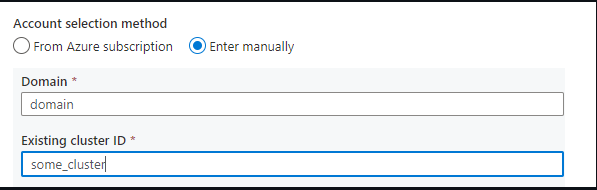
When I hit the publish button I notice that in the "ARMTemplateParametersForFactory.json" file the only parameter that I can I can see is for the domain.

Thus when this pipeline is promoted through our Azure DevOps release pipeline I have no way of overwriting the cluster value with a cluster that is specific to our tst ADF pipeline.
I then tried to add the parameter in the "overwrite parameter" section by copying the test and then adding the following:

-AzureDatabricksDeltaLake_properties_typeProperties_clusterId "some cluster"
I made sure to properly add it into the test file in the same format as other overwrite parameter values (ex: S3, SAP BW , and Teradata LS), but I get a warning that because "this parameter is not part of ARMTemplateParametersForFactory.json" the release process can be broken. I can then see that the format is out of sync.
So the issue seems like that after I hit "publish" in ADF master repo the domain parameter for AzureDatabricksDeltaLake gets added with no issues, but cluster id does not. I checked the json file and I do see that as one of the possible parameters.
Is there a step that I might be missing? As for Teradata, SAP BW and even S3 I was able to see all the different parameters automatically show up in ARMTemplateParametersForFactory.json without having the issue of some of them be missing.
As it stands now the release process does work, but then I have to manually go and update tst and prd ADF pipelines because those values would be overwritten with the dev cluster info.
An Azure service for ingesting, preparing, and transforming data at scale.
' cx='32' cy='32' r='32' /%3E%3Ctext x='50%25' y='55%25' dominant-baseline='middle' text-anchor='middle' fill='%23FFF' %3EMM%3C/text%3E%3C/svg%3E)
Hello @Anonymous and welcome to Microsoft Q&A.
So if I understand correctly, , you have tried altering the ARM parameter configuration, but the cluster ID still does not show up in parameters when publish generates the ARM template.
I will try to repro this on my end, and failing that, inquire whether there are any exception to the parameterization process.
Answer accepted by question author
@Anonymous to add the clusterID to the parameterization template, go to
Management > ARMtemplate > Edit
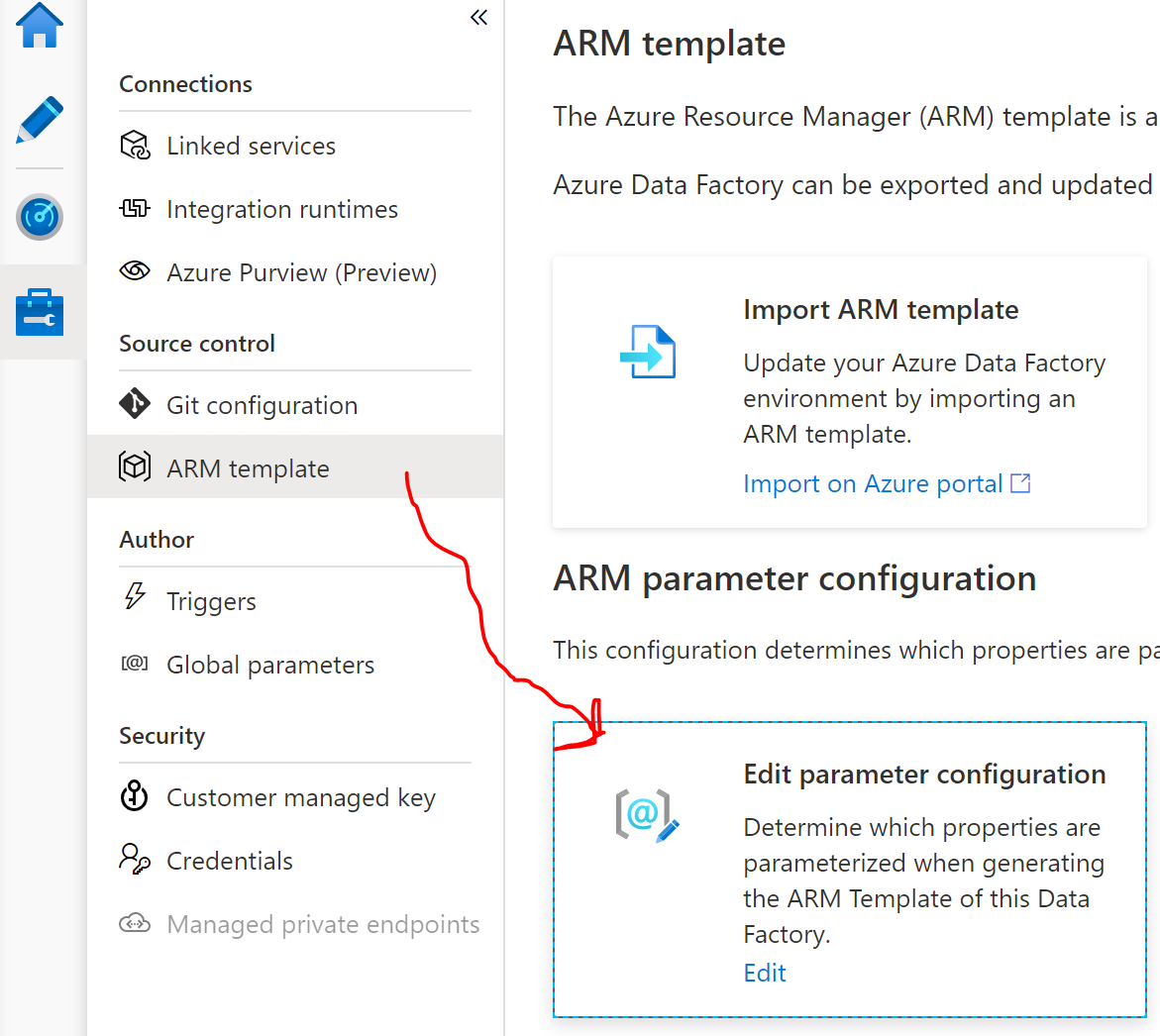
Then find the linked services selection, and add
"existingClusterId": "=",
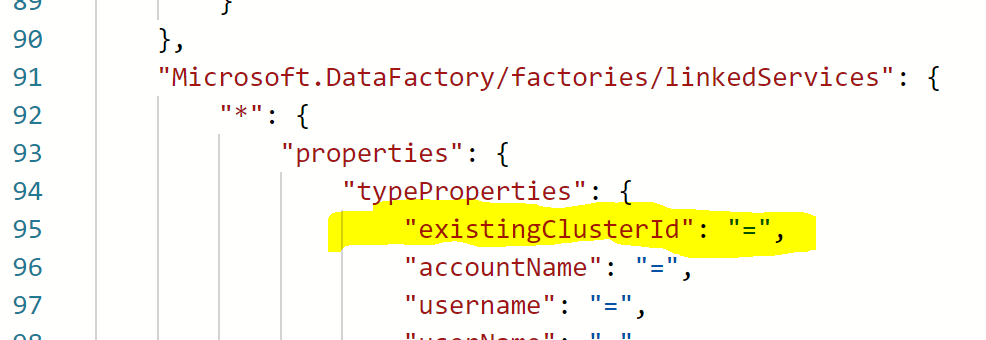
Doing so, adds it to the parameterization template, and when I export ARM template I can see it like this:
       {
            "name": "[concat(parameters('factoryName'), '/AzureDatabricks1')]",
            "type": "Microsoft.DataFactory/factories/linkedServices",
            "apiVersion": "2018-06-01",
            "properties": {
                "annotations": [],
                "type": "AzureDatabricks",
                "typeProperties": {
                    "domain": "https://XXXXXXXXX.azuredatabricks.net",
                    "authentication": "MSI",
                    "workspaceResourceId": "XXXXXXXXXXXXXXXX",
                    "existingClusterId": "[parameters('AzureDatabricks1_properties_typeProperties_existingClusterId')]"
                }
            },
            "dependsOn": []
        }