Azure Maps
An Azure service that provides geospatial APIs to add maps, spatial analytics, and mobility solutions to apps.
This browser is no longer supported.
Upgrade to Microsoft Edge to take advantage of the latest features, security updates, and technical support.
' cx='32' cy='32' r='32' /%3E%3Ctext x='50%25' y='55%25' dominant-baseline='middle' text-anchor='middle' fill='%23FFF' %3EGM%3C/text%3E%3C/svg%3E)
Cross-posting here as I'm wondering if this is more of an Azure Maps issue than a Power BI issue, or if it will take both teams to resolve. Also posted on Power BI Forum but not getting any traction. This feature is in Preview for the past year so no idea where we go for support: Getting started with the Azure Maps Power BI visual | Microsoft Learn
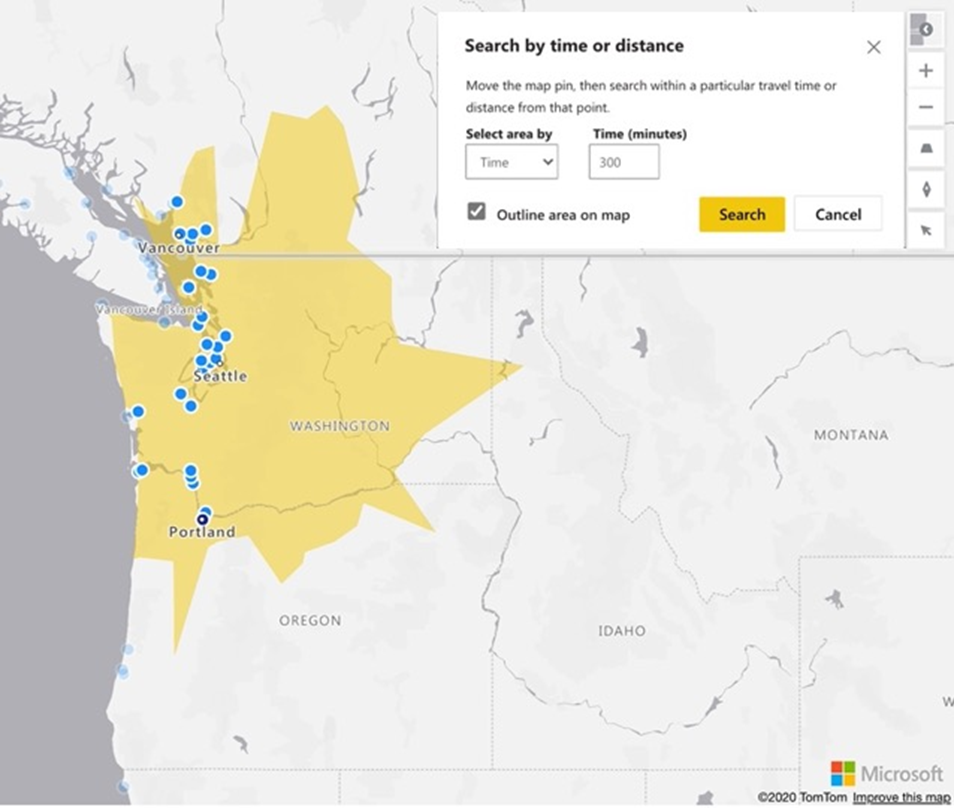
Sometime either late on July 12 2021 or early on July 13 2021, the TomTom integration for custom radius selection for Azure Maps in Power BI is no longer working on either Power BI Desktop or on Powerbi.com, at least for myself and several other Power BI Pro users. If there's a public way to test this I haven't found it. This is supposed to be a free (preview) feature included with the Azure Maps visual and was working up through most of July 12 US, but neither I nor other users testing can see the selection tools anymore nor can I find any errors or blog posts mentioning a breaking change. See screenshots below.
Should look / work like this and did until sometime July 13 2021 https://circyl.co.uk/power-bi-improvements-for-march-2021/
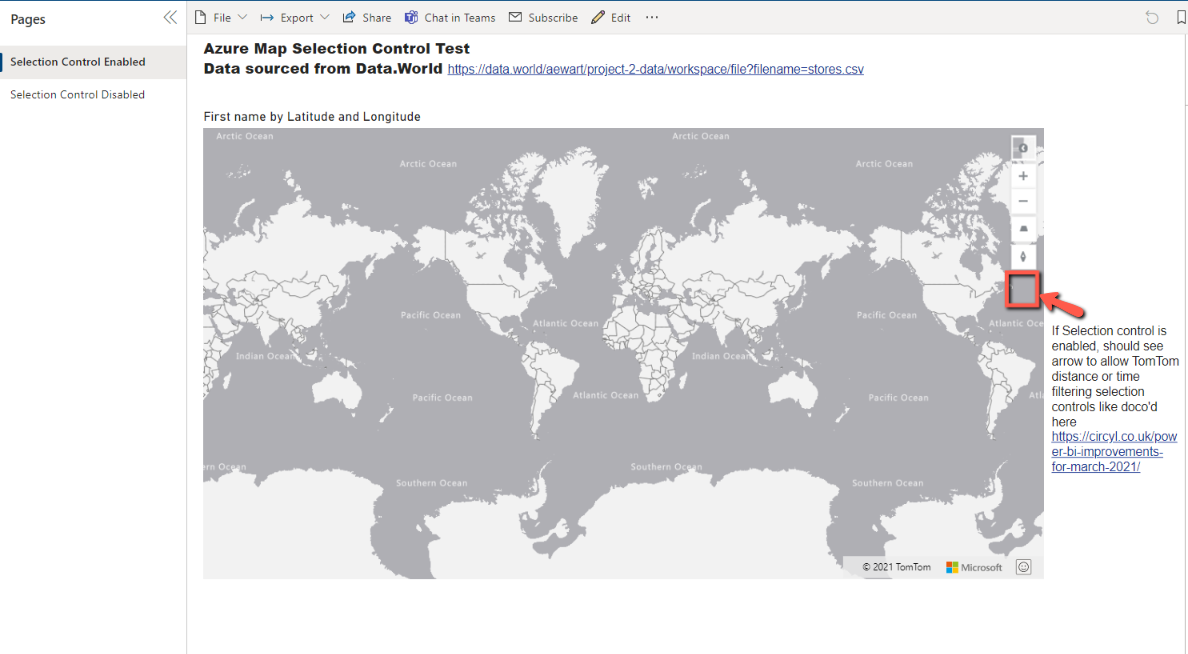
But instead having the control enabled on the Azure Map visual seems to be blocking the point plotting, even with a tiny dataset test from https://data.world/aewart/project-2-data/workspace/file?filename=stores.csv So not only do we no longer have the time or distance selection filtering functionality, we don't see map points either.
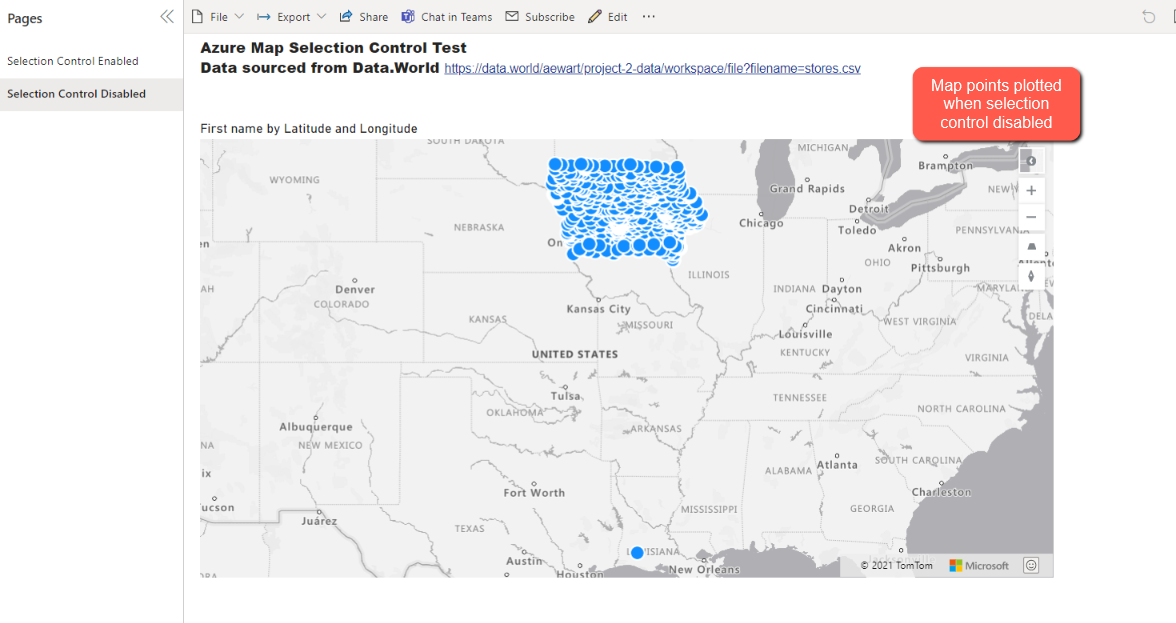
If the selection control is disabled (default), then the map points display.
' cx='32' cy='32' r='32' /%3E%3Ctext x='50%25' y='55%25' dominant-baseline='middle' text-anchor='middle' fill='%23FFF' %3EDC%3C/text%3E%3C/svg%3E)
Hi GinaMeronek-6485,
Thank you for reporting the issue, Azure Maps engineering team is now looking into this.
UPDATE: The team has pushed out a new release. Can you please try again?
Denise Chen
Program Manager
Thank you, I've been able to confirm the fix! I'm sorry I didn't respond sooner, for some reason I didn't get a notification when you updated your reply.
Give my thanks to the team as well for the quick turnaround!