Microsoft Security | Microsoft Entra | Microsoft Entra ID
A cloud-based identity and access management service for securing user authentication and resource access

This browser is no longer supported.
Upgrade to Microsoft Edge to take advantage of the latest features, security updates, and technical support.
' cx='32' cy='32' r='32' /%3E%3Ctext x='50%25' y='55%25' dominant-baseline='middle' text-anchor='middle' fill='%23FFF' %3EFA%3C/text%3E%3C/svg%3E)
Hello,
we have just gotten started with azure and synced our on-prem with AAD.
Everything was working as expected, all details were synced, including their email address.
Let me preface that we have an on-prem mailserver (domino) and we currently do not intend to migrate to exchange.
The isse we are having is with users that have been assisgned MS365 business licenses, which we mostly did for Teams: their Proxy address has been replaced with sAMAccountName@keyman .com, which does not correspond to their email address, and as a consequence, invites sent from Teams are being sent to that address, instead of our external email.
When I go to the affected users' page, I can see multiple Proxy address values, including the correct email, but it's greyed out and impossible to be set.
How can I pretty much "disable" the exchange part of users with 365 licenses? Or at least, how do I make sure Teams invitations get sent to the user's correct email?
Thank you
A cloud-based identity and access management service for securing user authentication and resource access
Hello, thank you for your answer.
The mailserver we use is not synced to AD. Users simply have their "mail" property filled, and people who had a 365 account activated saw their uppercase SMTP proxy address changed to sAMAccountName@keyman .com. We want the default proxy address to remain the AD mail property and remove additional SMTP proxy addresses, as we do not currently intend to migrate to exchange, online or otherwise.

It decided by your AAD connect configuration.
There exist mail property for your AD account, so the AAD connect sync it to Azure AD regardless of whether you migrate your mailbox or not.
My testing shows that: if you are using Exchange on-premises, the phenomenon that your get will not occur.
So, here are two suggestion for you:
In summary, this question is mainly related with AAD connect sync and configuration rather than Exchange hybrid.
No, in summary, you can't understand plain English.
One wrong word in the original comment: You don't want to take the suggestion 1. So, the only suggestion is the second one.
I noticed that you use other mailbox server rather than Exchange on-premises.
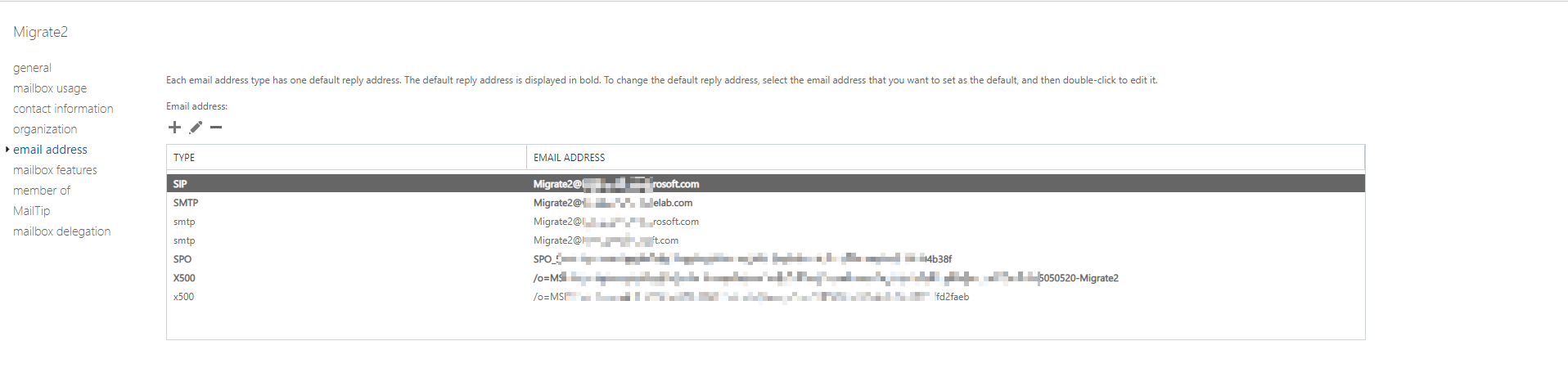
Here is result for a mailbox which sync and migrate from Exchange on-premises to Exchange online, it will change any setting. The uppercase letter “SMTP” is the primary email address for this mailbox. For an Exchange mailbox, all proxy email address could be used to receive email.
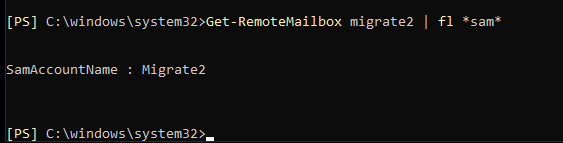
Here is the sAMAccountName for Exchange mailbox, sAMAccountName is same as the display name for this mailbox:
So, I think this phenomenon may caused by the mail server that you used, you may need to migrate to Exchange on-premises then migrate to Exchange online.
Remove Exchange online license will not remove Exchange attribute, because all those attributes are synced from local AD, you need to correct it from the local AD.