' cx='32' cy='32' r='32' /%3E%3Ctext x='50%25' y='55%25' dominant-baseline='middle' text-anchor='middle' fill='%23FFF' %3EKM%3C/text%3E%3C/svg%3E)

' cx='32' cy='32' r='32' /%3E%3Ctext x='50%25' y='55%25' dominant-baseline='middle' text-anchor='middle' fill='%23FFF' %3EA%3C/text%3E%3C/svg%3E)
' cx='32' cy='32' r='32' /%3E%3Ctext x='50%25' y='55%25' dominant-baseline='middle' text-anchor='middle' fill='%23FFF' %3EAK%3C/text%3E%3C/svg%3E)
Hello @khilan maradiya ,
Thank you for posting here.
Based on the description, I understand your request is to set ACEs for one object (such as user object).
Here is an example for your reference.
1.On one DC, log on the DC using Domain Administrator.
2.Open Active Directory Users and Computers.
3.Find a user object (in my case, it is daisy5 ).
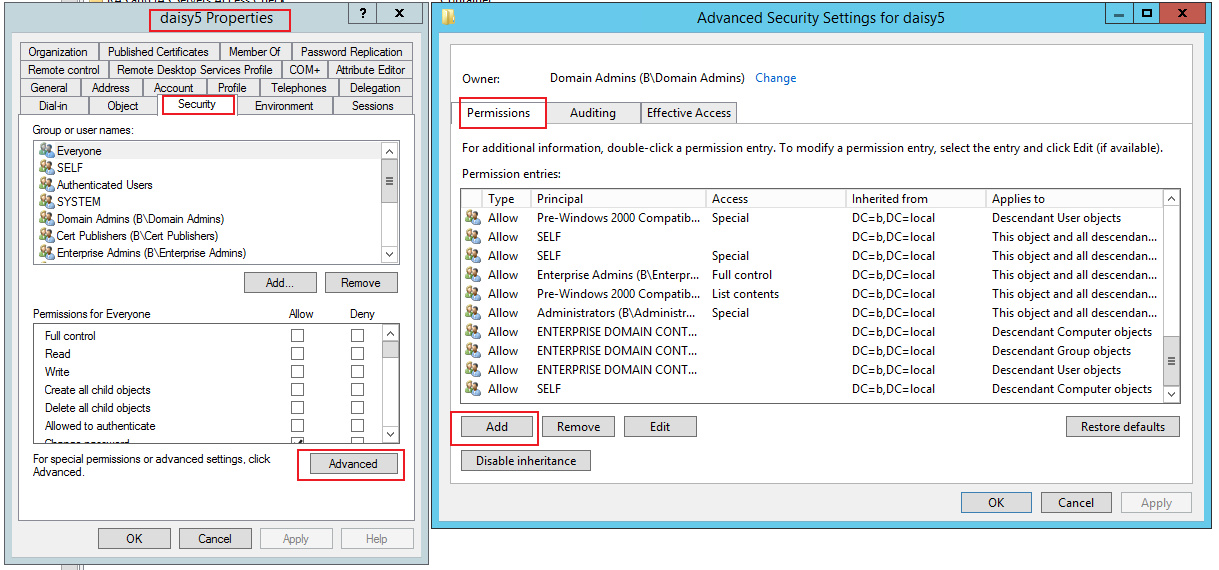
4.Open daisy5 Properties\Security tab\Advanced button\Permission tab\Add.
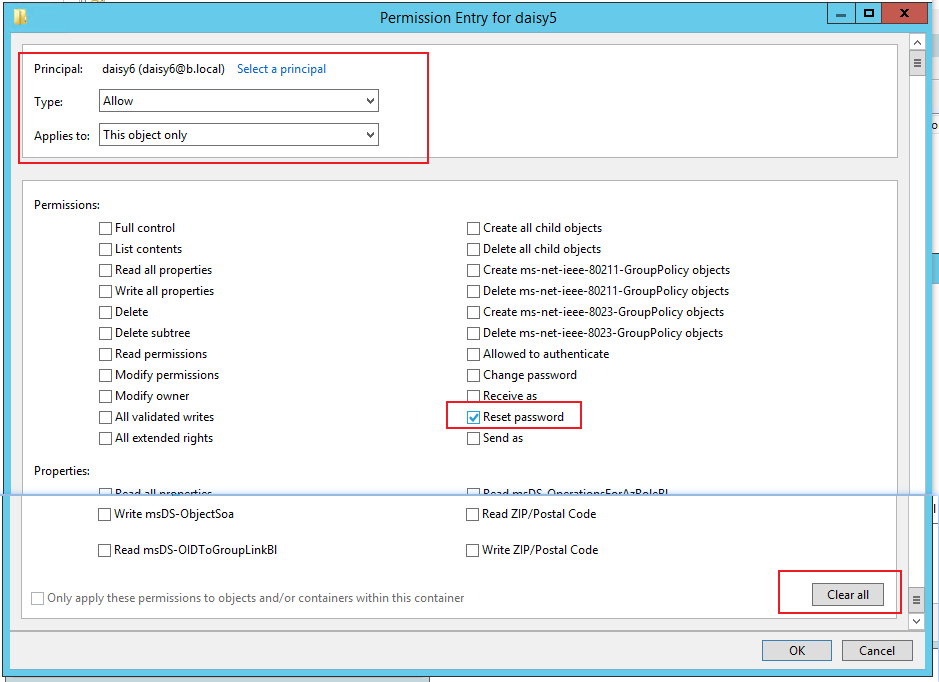
5.Principal: daisy6 ( you can select one user or one group ).
Type: Allow (you can also select Deny, if you want to deny one user or group some permissions on the object).
Applies to: This object only (you can select other options depending on your requirements).
Click “Clear all” button.
Check one permission or more permissions you want.
Click OK button.
6.Then you will see one ACE below.
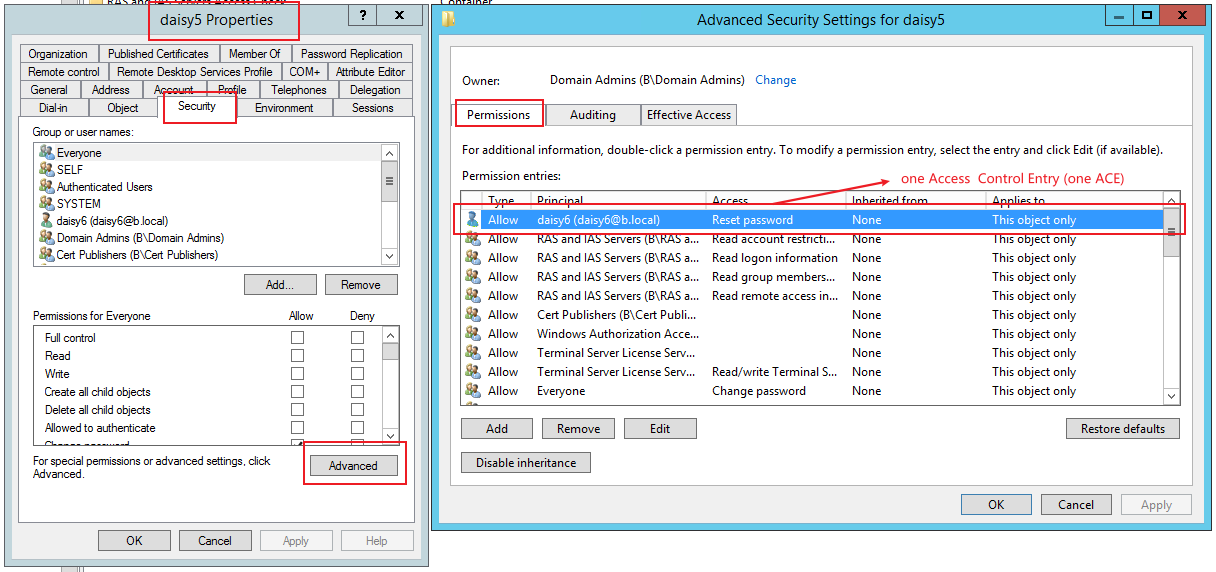
7.It means daisy6 can be able to "reset password" on daisy5 user object.
You can set/configure one or more ACEs on one AD object, to allow or deny user/group to perform any permission on the AD object depending on your requirements.
ACEs to Control Access to an Object's Properties
https://learn.microsoft.com/en-us/windows/win32/secauthz/aces-to-control-access-to-an-object-s-properties
Hope the information above is helpful to you.
Should you have any question or concern, please feel free to let us know.
Best Regards,
Daisy Zhou
============================================
If the Answer is helpful, please click "Accept Answer" and upvote it.
