Microsoft 365 and Office | OneDrive | For business | Windows
A Microsoft file hosting and synchronization service.

This browser is no longer supported.
Upgrade to Microsoft Edge to take advantage of the latest features, security updates, and technical support.
' cx='32' cy='32' r='32' /%3E%3Ctext x='50%25' y='55%25' dominant-baseline='middle' text-anchor='middle' fill='%23FFF' %3E6%3C/text%3E%3C/svg%3E)
Office 365 Desktop Apps error when trying to load files from Onedrive/Sharepoint
Hi,
When loading any file from Onedrive or Sharepoint in any office 365 app all is well. However after 20 to 30 minutes I will start to get the following errors:
When trying to save or open a file from Onedrive or Sharepoint Online: "Your online service credentials has expired. To Refresh it click the back arrow at the top left then click File again"
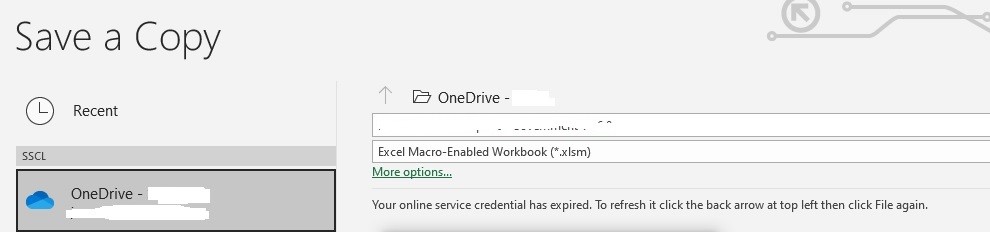
If you try and save a file when this error is displayed you get the following error:
https://****-my.sharepoint.com/*****/Documents
Path does not exist.
Check the path and try again.
Or from Sharepoint:
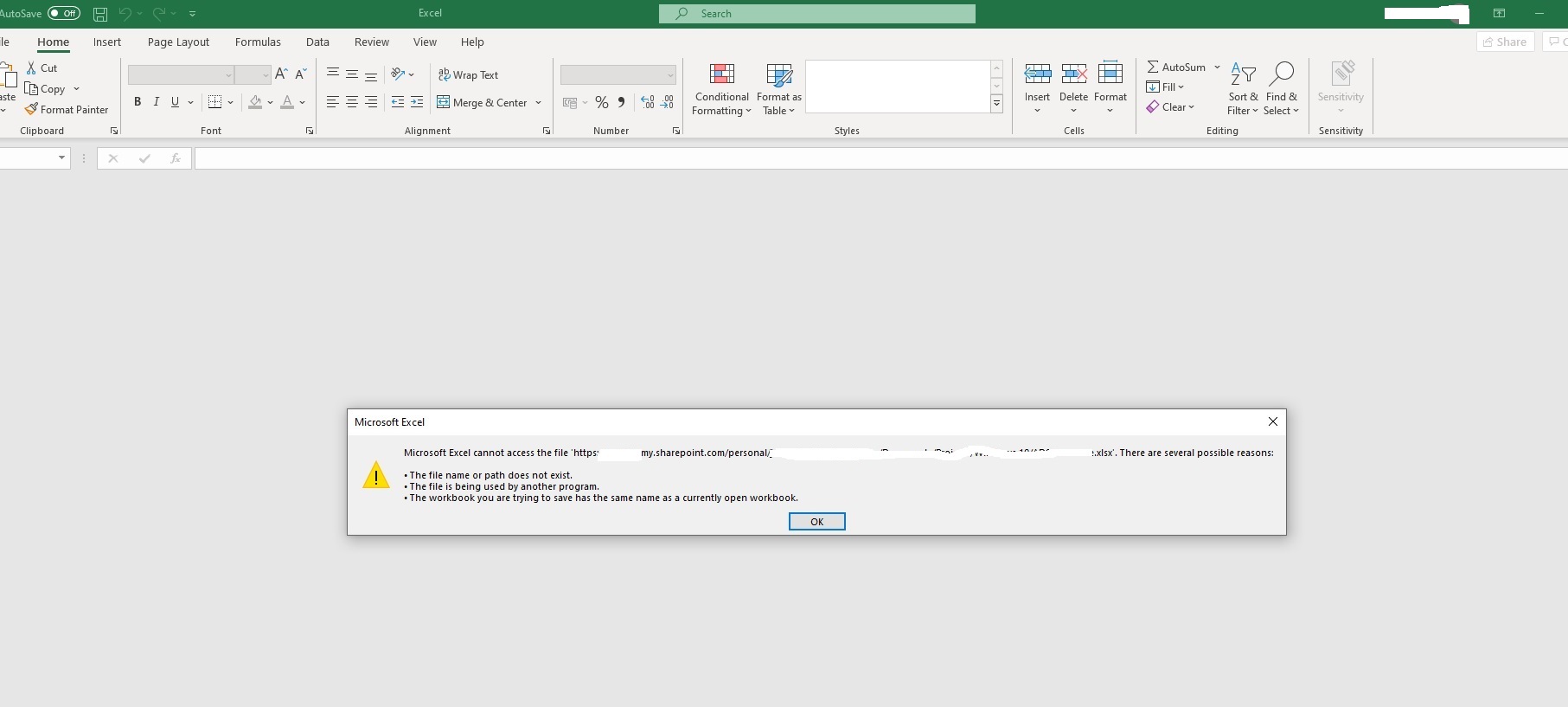
Image
Also if I open a file from Sharepoint online and Onedrive through the browser or Teams it will load fine directly in the browser, when I then select 'Open in Desktop App' O365 will give me the following error:
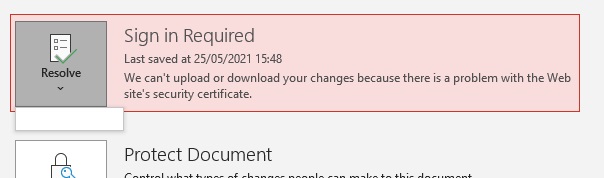
Sign in required: We can't upload or download your changes because there is a problem with the websites security certificate

Clicking the Save button takes you to the usual 'Save As' screen but Onedrive and Sharepoint buttons will be grayed out stating 'Sign in is required'.
I can go into Credential Manager and delete account from under 'Generic Credentials' reboot. Opening from Onedrive/Sharepoint will then work again for another 20 to 30 minutes but these errors return. Saving locally is always fine. A few users have this same issue on different workstations. All Windows 10 20H2.
Hi all,
To confirm the fix for this was to ensure the following ciphers are available as per this article: https://learn.microsoft.com/en-us/sharepoint/troubleshoot/administration/error-0x8004de40-in-onedrive
TLS_ECDHE_RSA_WITH_AES_256_GCM_SHA384
TLS_ECDHE_RSA_WITH_AES_128_GCM_SHA256
TLS_DHE_RSA_WITH_AES_256_GCM_SHA384
TLS_DHE_RSA_WITH_AES_128_GCM_SHA256
Our GPO that configured the cipher suite was a bit of a mess...

@hassassin86-8953,
Welcome to Q&A forum!
According to the information you provided, I would like to confirm the following at your convenience.
When did this issue start? Have any third-party programs been installed before this? Such as third-party Add-Ins.
> However after 20 to 30 minutes I will start to get the following errors:
<< Is this error for all files (.docx, .xlsx, and .ppt) or just one special file? Please create a new blank file to check this issue.
Firstly, I suggest you check and make sure that the files in OneDrive meet the requirements in "Restrictions and limitations in OneDrive and SharePoint", such as file name and path lengths, etc.
Then please try the following to check this issue.
> A few users have this same issue on different workstations.
<< Are you using the same network? Please try to connect to other networks to check this issue.
Hope the information is helpful to you. Any updates, please feel free to post back.
If an Answer is helpful, please click "Accept Answer" and upvote it.
Note: Please follow the steps in our documentation to enable e-mail notifications if you want to receive the related email notification for this thread.
@hassassin86-8953,
I am checking this thread, are there any updates?
Hi,
Thank you for your reply.
To answer your questions:
This is actually a new win 10 build I'm testing, it has never worked for this build. It's currently deployed to 5 workstations. I have onedrive deployed to alot of Win8 workstations without any issues, these are on the same network but have different polices applied. We do have a third party add in, Acrobat PDFmaker, I've disabled this and still have the same issue.
I can load Word or Excel, go to Open and I'll see my Sharepoint and Onedrive connected services, I can then click Onedrive before opening any documents and I'll see 'your cached credentials has expired error' so this isnt file related? The cert error has come up with multiple different files and file types.
Have confirmed none of the files are breaching Onedrive or Sharepoint requirements in terms of file names and paths.
I have now tried clearing the 'use Office application to sync Office files that I open' option. Seems to have reduced how often the issue happens?? I now only get the issue every 1 to 2 hours.
Proxy has always been disabled
Chrome and IE have been used. Both give the issue
All Win10 workstations are on the same network and domain and have the same policies applied to them. As confirmed before the working Win 8 have different GPO's being applied. Are you able to confirm some GPO's to look out for win10? Moving win10 workstations into a new OU so no policies are applying doesnt remove the errors.
Thanks for your help
@63122896 ,
Thanks for your reply and sharing.
Per my reseach, in this thread, after clearing the "Use Office application to sync Office files that I open", LanceD35(the last reply on first page) resolved this issue by signing out of Office app(such as Word) and then signing back in.
If this issue still persists, I suggest you try to Reset OneDrive to have a check.
Any updates, please let me know.
Hi @Viki Ji_MSFT ,
I'm afraid I am still getting the errors, even after a reset and a complete reinstall of all office apps.
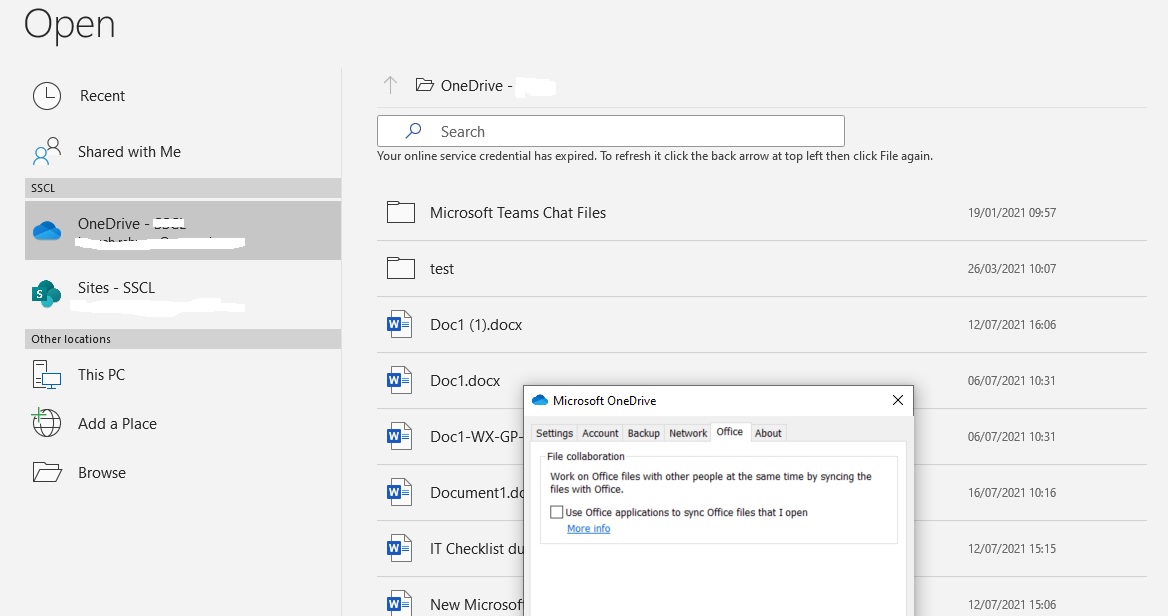
A bit more info about the cert error I get when opening files from the browser/teams in an app:
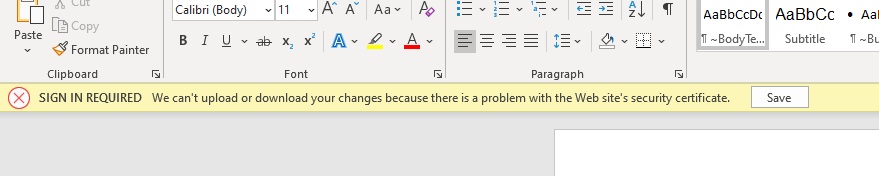
If you click on the Save button if takes you to the following:

Clicking the drop down gives you a dropdown with no options to select
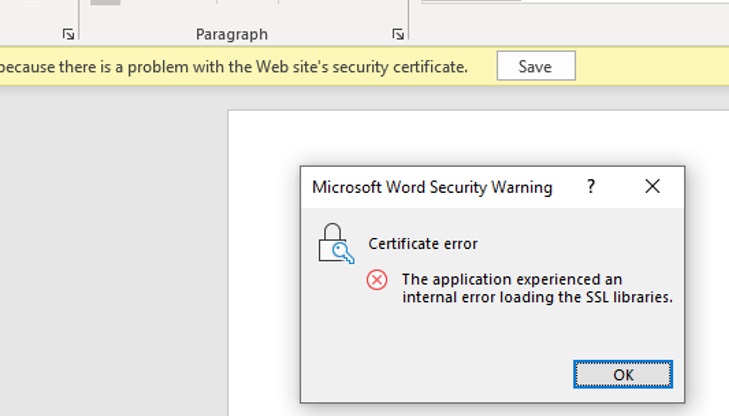
On the original cert error if you click the "We can't upload or download your changes because there is a problem with the websites security certificate" text you sometimes get this error:
Our group polices are restricted. Any idea which ones I can loosen to resolve this? I've had a look through and can't spot anything obvious.
Due to this issue occurs randomly, I apologize for this problem still bothering you.
Please try the following steps and check the results:
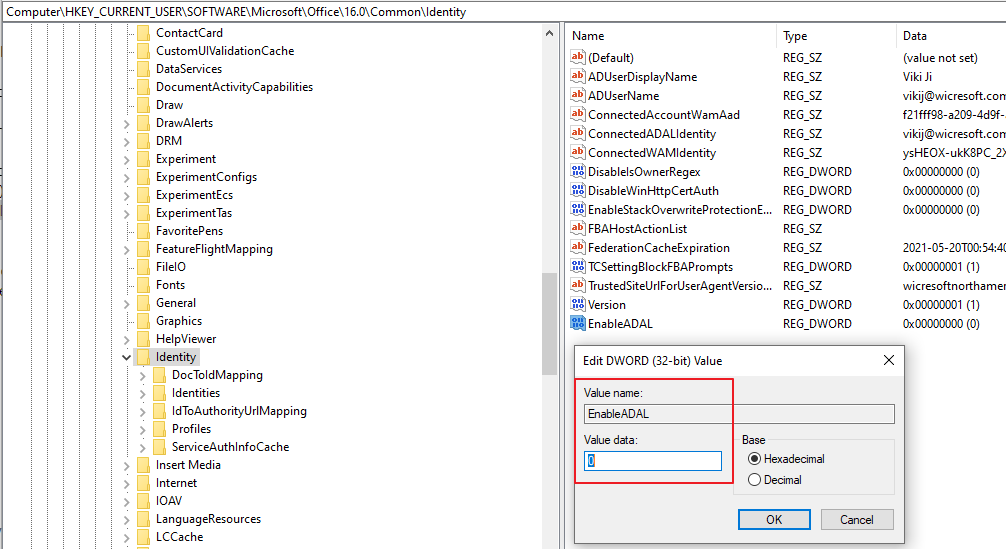
4.Restart the PC and try to sign in again.
If this issue persists, I would suggest you open a ticket with Microsoft Support to help review and help you test remotely to further analyze this issue.
Thanks for your understanding.