Adding Multiple Animations to the Same object - Powerpoint 2016 for Mac

Anonymous
2017-10-25T00:09:44+00:00

Hi,

I animated an object in Powerpoint 2016. With the object still selected, when trying to add another animation, there is no "add another animation" button despite youtube videos suggesting there is. Like most all Microsoft documentation, it is specific to the PC version.

Does anyone know a successful solution to this question?

Is there a list of features that Microsoft does not support for Mac?

One never knows until watching videos etc. that a feature doesn't exist. You have to try the method provided then deduce on your own a solution doesn't exist.  I appreciate any help or guidance.

Thanks again,

Stacey
Microsoft 365 and Office | PowerPoint | For home | Windows

Locked Question. This question was migrated from the Microsoft Support Community. You can vote on whether it's helpful, but you can't add comments or replies or follow the question.

0 comments No comments
{count} votes
Answer accepted by question author
  1. Jim G 134K Reputation points MVP Volunteer Moderator
    2017-10-26T16:34:45+00:00

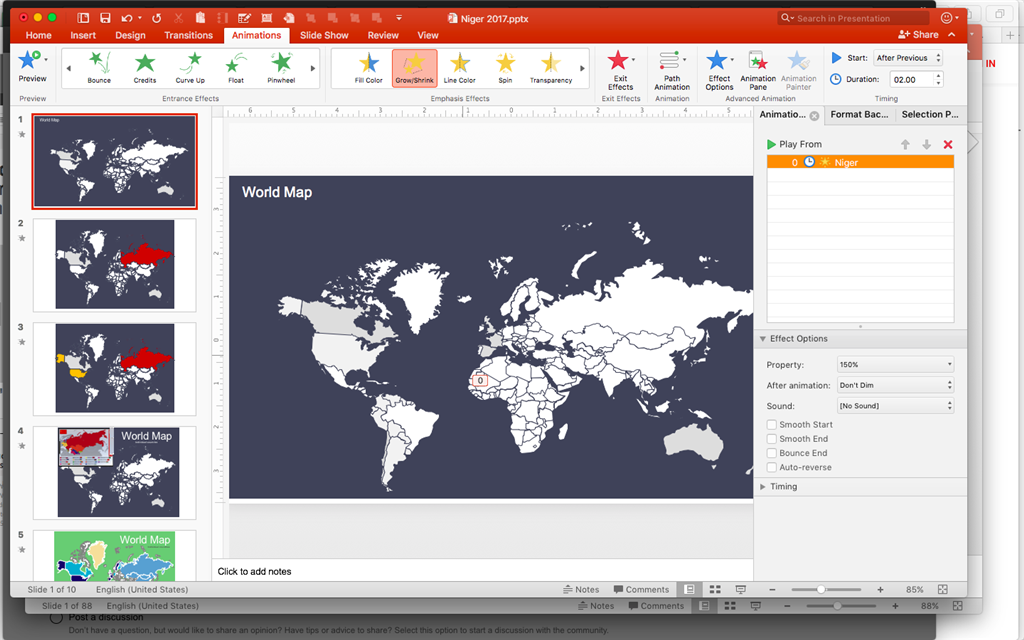
    In PowerPoint for Mac, if you select an object and then apply its first animation, that works fine. If the object remains selected and you apply a different animation, the new animation replaces the first animation.

    If you apply the first animation, then click the background, then select the same object a second time, when you add an animation it gets added to the first animation rather than replacing it.

    21 people found this answer helpful.
    0 comments No comments
Answer accepted by question author
  1. Anonymous
    2017-10-25T12:52:40+00:00

    Hi John SR Wilson,

    Thanks for your reminding.

    Let me add that we should choose the animations from here in Windows like the picture below:

    Regards,

    Zixuan

    1 person found this answer helpful.
    0 comments No comments
Answer accepted by question author
  1. Anonymous
    2017-10-25T03:18:21+00:00

    Hi Stacey,

    I would like to explain that both on Windows and Mac, we can add multiple animations to the same object by repeating the operation that selecting the object and choosing the animation like the picture below:

    For the differences of the feature, you may refer to the following article:

    Compare PowerPoint features on different platforms 

    Regards,

    Zixuan

    1 person found this answer helpful.
    0 comments No comments

3 additional answers

Sort by: Most helpful
  1. Anonymous
    2017-10-25T10:54:25+00:00

    On a Mac this is true. It isn't on a PC in modern versions

    1 person found this answer helpful.
    0 comments No comments
  2. Anonymous
    2017-11-05T20:24:22+00:00

    "After you apply the first animation, click the background..." I appreciate everyone's feedback. From a UE perspective, might it be more intuitive to have a 'save' CTA through which the user ends one task and then moves on? It seems like the notion of completed tasks or steps in a process (such as updating and saving profile preferences), which in many systems requires the user to save as exiting the screen saves none of the changes. The absence of that closure can be paralyzing depending on the effort put forth.

    At any rate, thanks again all!

    Stacey

    0 comments No comments
