Microsoft Security | Intune | Configuration Manager | Deployment
Deploying software and updates using Configuration Manager

This browser is no longer supported.
Upgrade to Microsoft Edge to take advantage of the latest features, security updates, and technical support.
' cx='32' cy='32' r='32' /%3E%3Ctext x='50%25' y='55%25' dominant-baseline='middle' text-anchor='middle' fill='%23FFF' %3ED%3C/text%3E%3C/svg%3E)
Hi everyone.
Our organization is looking for options for upgrading all EOS/EOL Windows 10 in our environment.
I tried running a task sequence but im facing this error.
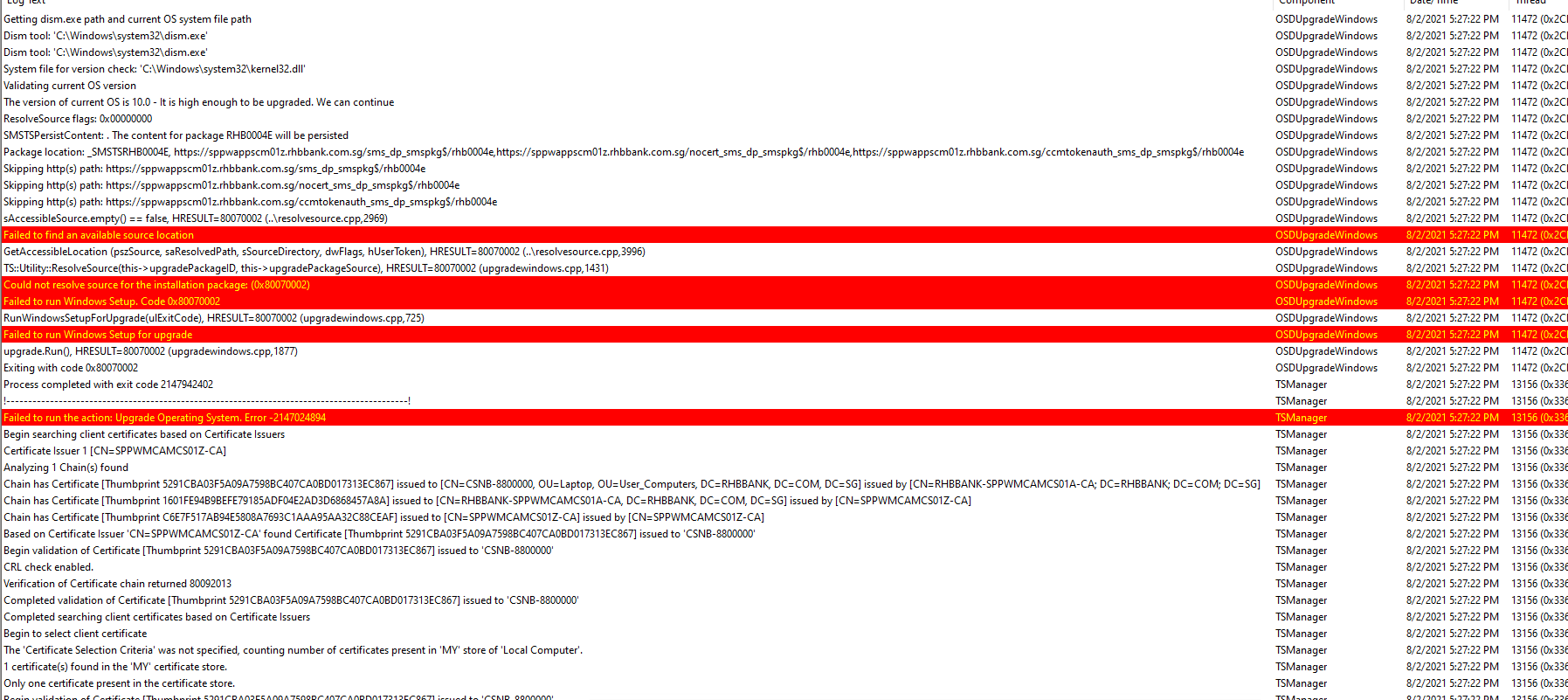
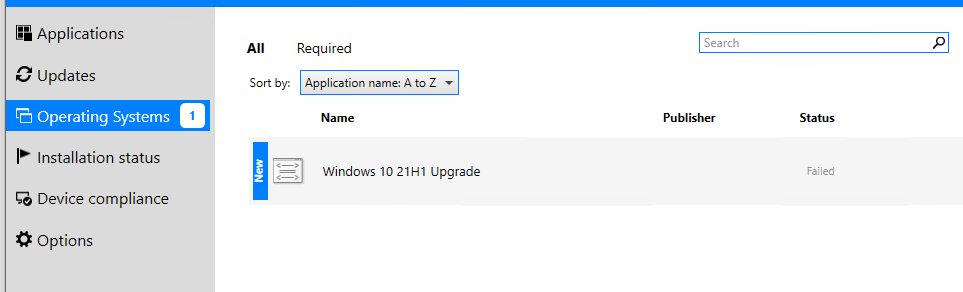
Pushing Windows Updates is working fine. not sure why TS is failing for deploying Windows 10 upgrade
P.S.
This is Windows 1909 to 21h1
and some old Windows 10 to v1909
A guidance is highly appreciated.

What is in the package RHB0004E? Is it successfully distributed to the distribution point that services this machine's subnet?
PS It is a good idea to remove your internal server names from the screenshot.
' cx='32' cy='32' r='32' /%3E%3Ctext x='50%25' y='55%25' dominant-baseline='middle' text-anchor='middle' fill='%23FFF' %3EHM%3C/text%3E%3C/svg%3E)
Hi,
Just checking, how do you deploy the task sequence? Downloading content locally or Accessing content directly from a distribution point?
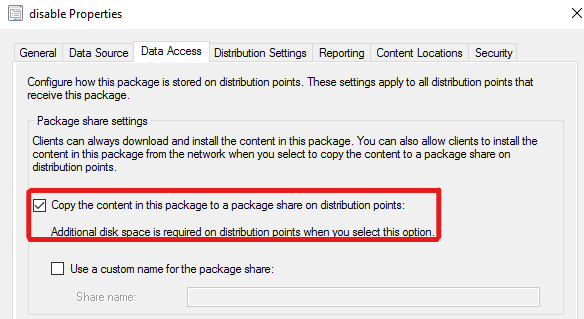
If we choose the option of "Access content directly from a distribution point when needed by the running task sequence", we may need to enable all packages associated with the task sequence to use package share on the distribution point, including package rhb0004e.
We could enable it under Data Access tab in the Properties of the packages.
Below screenshot is for reference, please check:
If the response is helpful, please click "Accept Answer"and upvote it.
Note: Please follow the steps in our documentation to enable e-mail notifications if you want to receive the related email notification for this thread.
HI Hayun Zhu,
I saw that setting , and its not enabled yet. I ticked it on and re-trying at the moment.
but the objective is to get the end-client download the upgrade package and store it locally on its disk before TS to run.
Do you have any other suggestions.
Our key objective is to upgrade or retired Win10 release and upgrade them with minimum downtime.
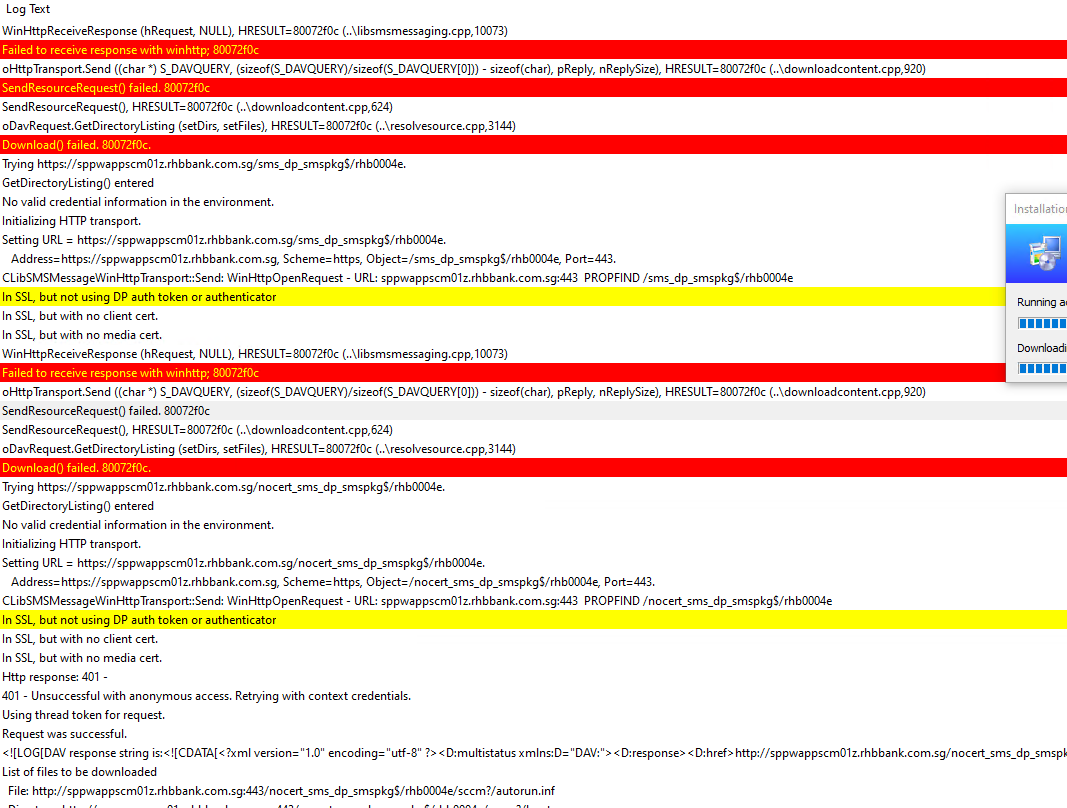
the TS seems to be loading and progressing. but im seeing a lot of red flashes on the logs are these normal?

Hi,
As you mentioned that the TS was running normally and did not terminate due to any errors.
How is the situation now? Did the TS finish completely?
I was able to complete some upgrade from 1909 to 21h1.
Iis this approach also available for earlier version of windows 10
17xx 18xx 1903 ? can upgrade directly to 21h1?
also is there a proper way i can send the upgrade packages prior starting the TS . so i can preload it to clients.
Thanks
Hi abermudez,
Sure, it is possible for these versions to update directly to version 21H1.
And for the second question, updates will download ahead of time after the available time when the deadline is set.
So there's no need to send the package to the clients in advance.
The Windows Upgrade failed with some errors on the logs.
Failed to delete previous value SetupProgress of reg key SYSTEM\Setup\MoSetup\Volatile OSDUpgradeWindows 8/5/2021 2:27:28 AM 9680 (0x25D0)
Could not read Windows Setup progress regkey value 'SetupProgress' at 'HKLM\SYSTEM\Setup\MoSetup\Volatile'. Stopping UI progress. (0x800703fa) OSDUpgradeWindows 8/5/2021 2:29:00 AM 9680 (0x25D0)
Windows Setup failed with hexadecimal exit code 0xC1900204 (decimal 3247440388). To identify the type of issue, lookup it against the table of known values of Windows Setup errors online. OSDUpgradeWindows 8/5/2021 2:29:00 AM 9680 (0x25D0)
Failing this task sequence step OSDUpgradeWindows 8/5/2021 2:29:00 AM 9680 (0x25D0)
Failed to run the action: Upgrade Operating System. Error -2147467259 TSManager 8/5/2021 2:29:00 AM 10444 (0x28CC)