Microsoft 365 and Office | SharePoint | For business | Windows
A group of Microsoft Products and technologies used for sharing and managing content, knowledge, and applications.

This browser is no longer supported.
Upgrade to Microsoft Edge to take advantage of the latest features, security updates, and technical support.
' cx='32' cy='32' r='32' /%3E%3Ctext x='50%25' y='55%25' dominant-baseline='middle' text-anchor='middle' fill='%23FFF' %3EA%3C/text%3E%3C/svg%3E)
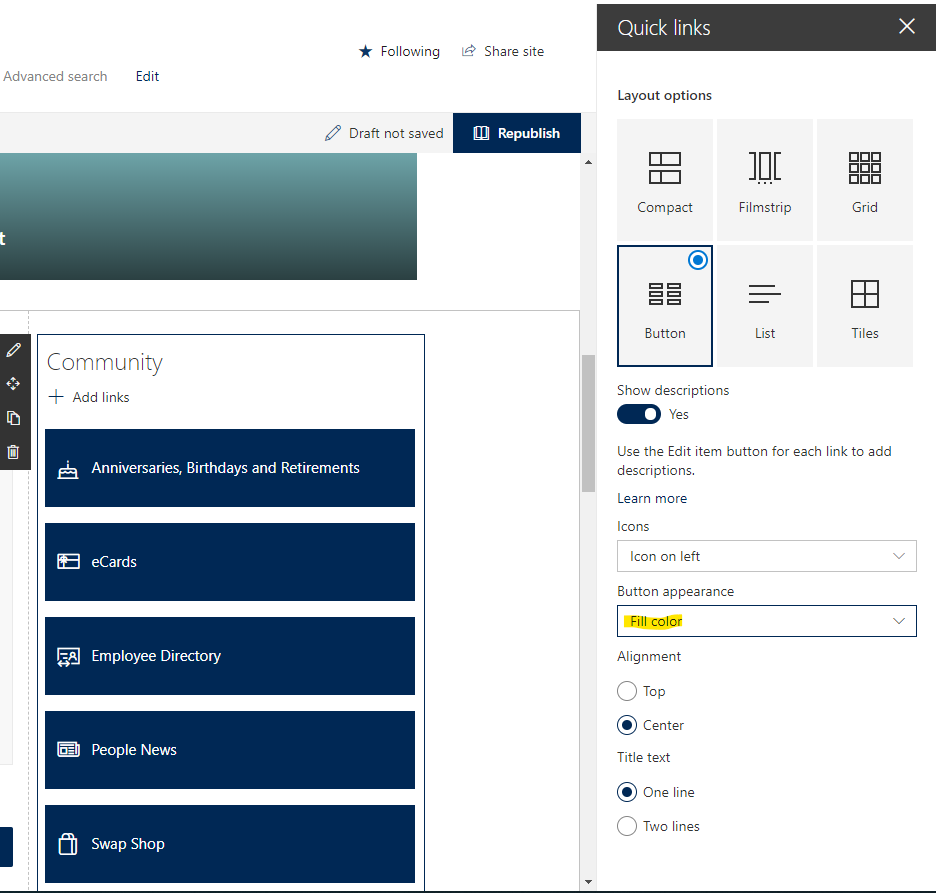
For the Quick Links web part, using the button layout, when I switch nothing other than the ‘Button appearance’ option from ‘Outline’ to ‘Fill color’, the height of each button drastically increases in size (both set to 'one line'):
‘Outline’ button appearance:
'Fill color' button appearance:
Locked Question. This question was migrated from the Microsoft Support Community. You can vote on whether it's helpful, but you can't add comments or replies or follow the question.
Hi Marissa,
Sorry for the inconvenience caused. From your description, you find that when you select Fill color option for Button appearance, you found that the height of the buttons is getting higher compare to “Outline” button appearance. We have also test on this situation from our side. We found that the height of the buttons is changed as your description as well which the height of the buttons was increased. I understand the changes on the button size may not fit to your site design. I suggest you can send this feedback via SharePoint UserVoice, which it is the most efficient way to let the relevant product team aware this problem. Thank you for your understanding.
Best regards,
Dihao
I understand the changes on the button size may not fit to your site design. I suggest you can send this feedback via SharePoint UserVoice,
This isn't a matter of it not "fitting a site design", it's a clearly a result of poor coding. It should be escalated and fixed.
Hi Marissa,
Thank you for your reply and providing all the detail information above. UserVoice is not only a place for new items or functions but also a place for existing features improvement. Your feedback is always important to us.
I understand that UserVoice channel would not get response very soon. If you have strong concern and think it should be a bug, I suggest you try to raise a support ticket via service request in Admin center. We also want to help you directly, however, our support team doesn’t have the related escalate channel for this while that support team have the resource to check it.
Apologize for the inconvenience and we appreciate your understanding.
Best regards,
Dihao
Thank you for the response! I was under the impression User Voice is more for suggestions for new items/features, is there a place I can submit an actual problem with existing functionality, so that it can be addressed quicker than needing to get votes on UserVoice? Also, I have an update to the issue below, as well:
So, it seems that when ‘Show descriptions’ is set to ‘yes’, the following happens:
When the ‘outline’ appearance is used: the button height auto-resizes so that there isn’t extra (height) space for the individual Quick Link button’s non-existent description (see screenshots, below)
1. If just one Quick Link has a description, just that one button will increase in size to fit the description, the other buttons that don’t have descriptions remain the more compact height (preferable)
1. [
- None of the Quick Links in the web part have descriptions, however, ‘Show descriptions’ is selected in case a description is need at some point. The Quick Link buttons all increased in height, even though they don’t have descriptions (NOT preferable)
-