Microsoft Security | Microsoft Entra | Microsoft Entra External ID
Managing external identities to enable secure access for partners, customers, and other non-employees

This browser is no longer supported.
Upgrade to Microsoft Edge to take advantage of the latest features, security updates, and technical support.
' cx='32' cy='32' r='32' /%3E%3Ctext x='50%25' y='55%25' dominant-baseline='middle' text-anchor='middle' fill='%23FFF' %3EAS%3C/text%3E%3C/svg%3E)
Hi Expert,
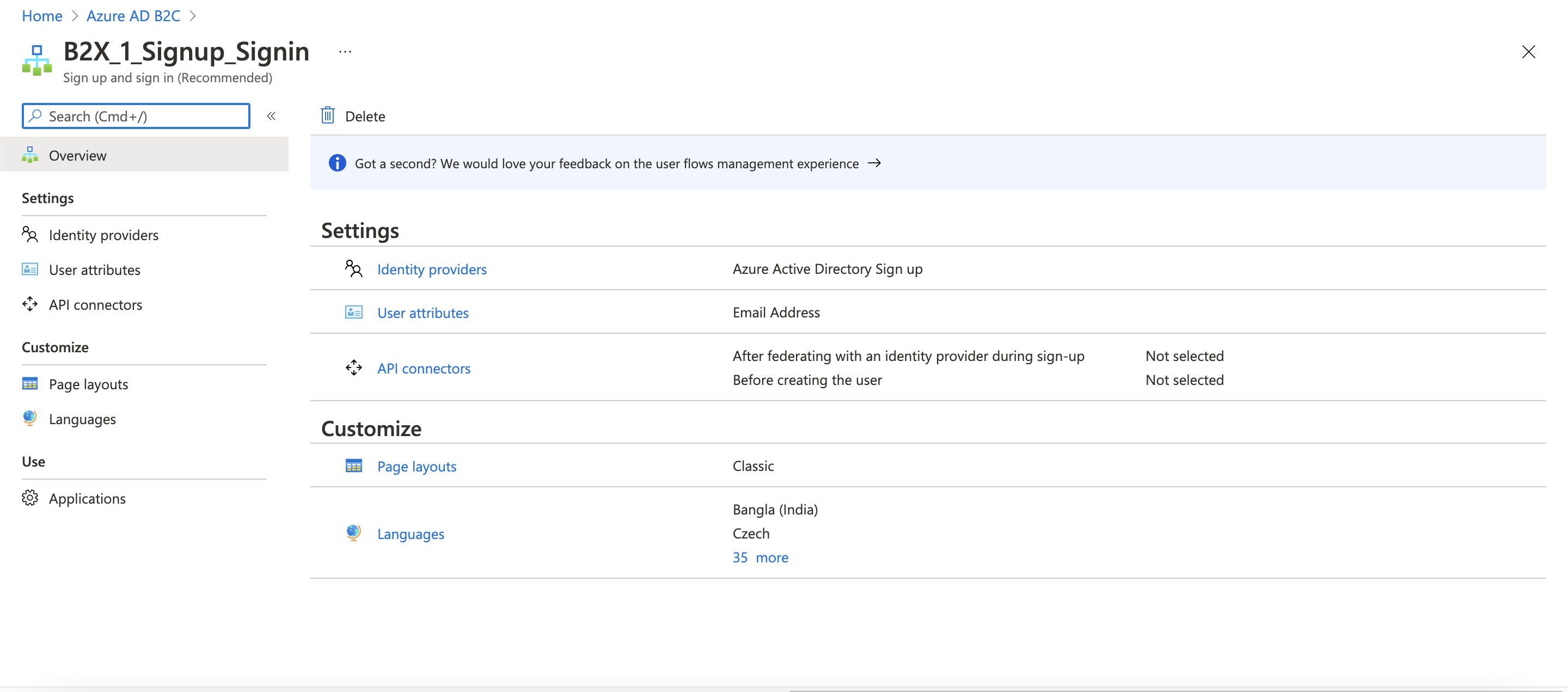
Why in My Azure Active Directory B2C .. User Flow, i cannot see Run User Flow Button after create user flow, and the B2X_1_Xxxxxxx not B2C_1_Xxxxxxx any more,
How i can get that Run User flow button or in AAD 2021 Run User Flow not support anymore
' cx='32' cy='32' r='32' /%3E%3Ctext x='50%25' y='55%25' dominant-baseline='middle' text-anchor='middle' fill='%23FFF' %3ERJ%3C/text%3E%3C/svg%3E)
Hi, if any of the posted answer resolves your question, please mark it as the answer by clicking the check mark. Doing so helps others find answers to their questions.
' cx='32' cy='32' r='32' /%3E%3Ctext x='50%25' y='55%25' dominant-baseline='middle' text-anchor='middle' fill='%23FFF' %3EMT%3C/text%3E%3C/svg%3E)
Make sure that you have registered a reply URL of type "Web" and enabled the implicit flow. The "Run user flow" experience is not currently compatible with the SPA reply URL type using authorization code flow.
Also, please check if you have permissions to access the registered application. If you can't read the application, that can cause this issue. Try using a Global Administrator, Application Administrator, or Application Developer role for this.
See related thread.
' cx='32' cy='32' r='32' /%3E%3Ctext x='50%25' y='55%25' dominant-baseline='middle' text-anchor='middle' fill='%23FFF' %3EAS%3C/text%3E%3C/svg%3E)
Dear MarileeTurscak-MSFT,
when create Apps in B2C, select web, and insert redirect url then create, its ok, but when go to User Flow --> create user flow -- finished but there is no Run User Flow
 ]2
]2

@Amat Sam Muri Ismail
Thank you for your post!
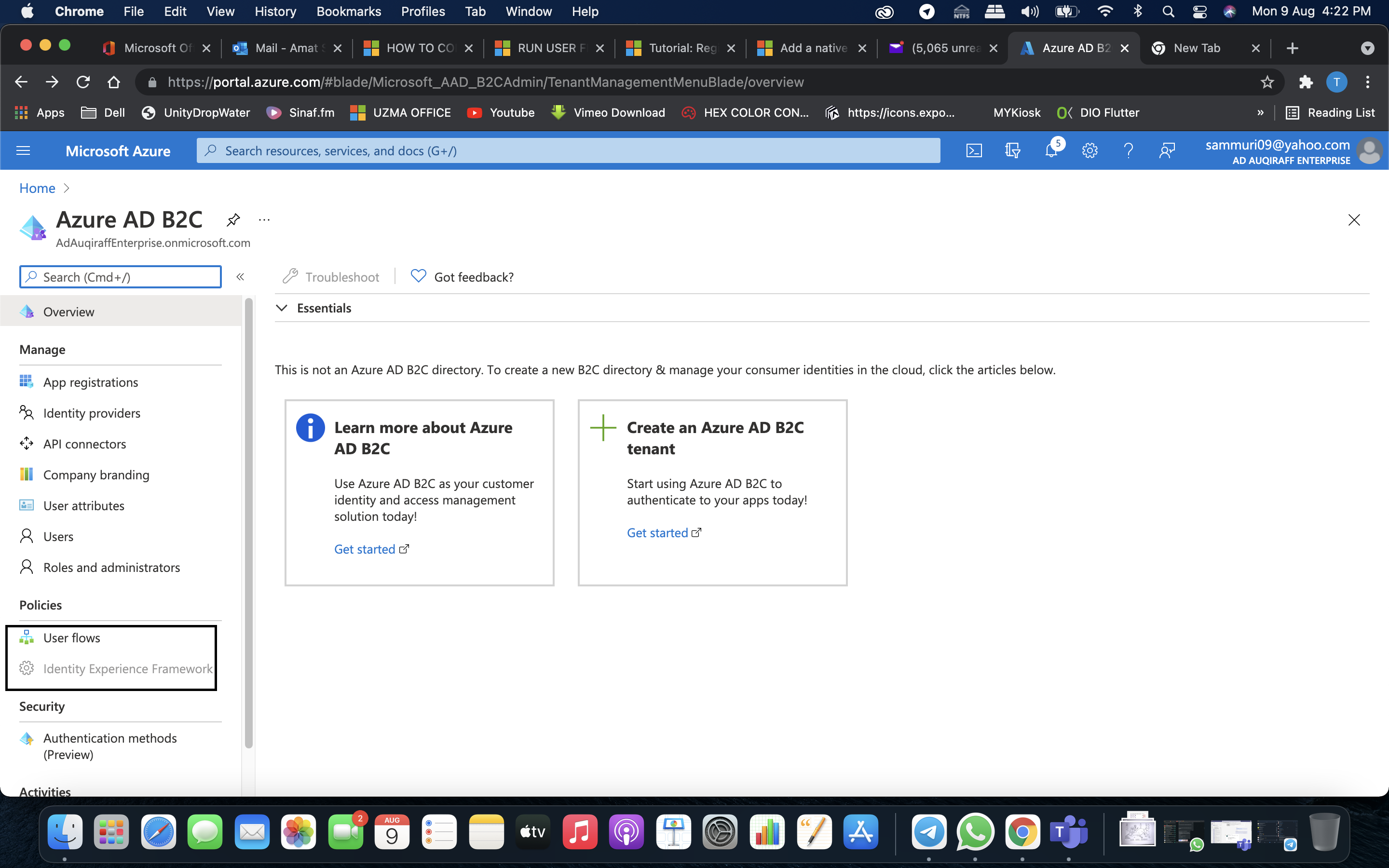
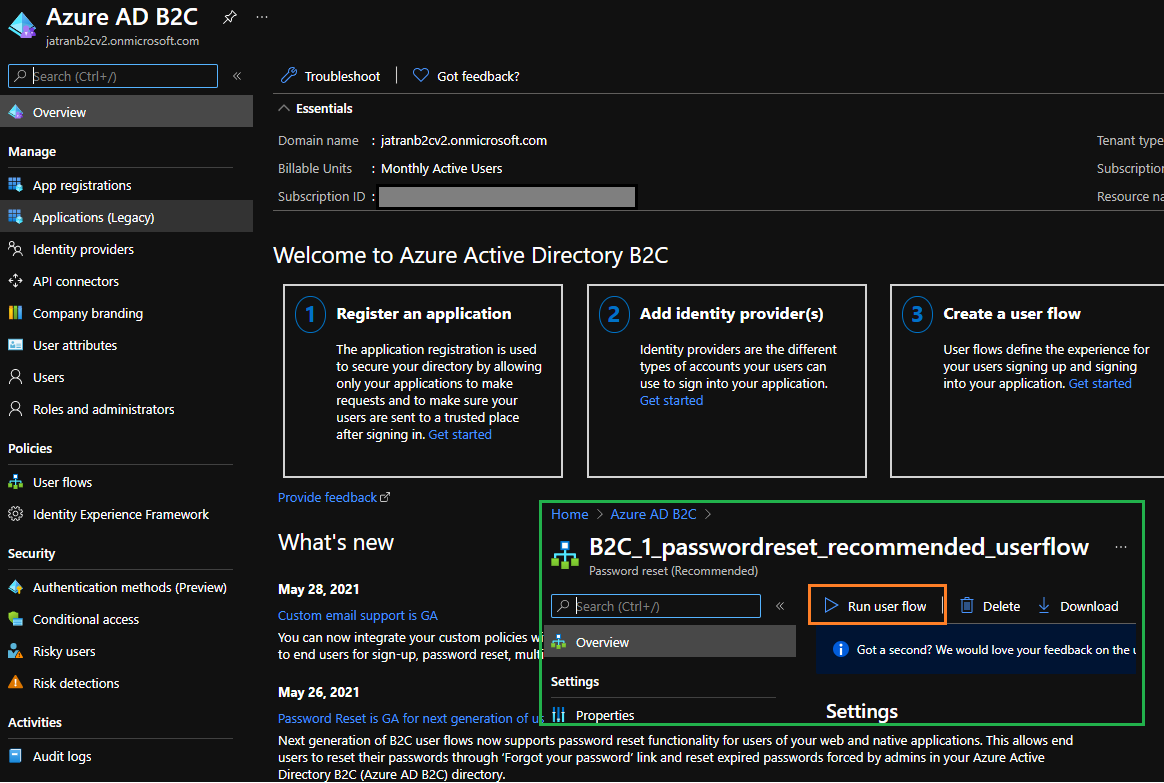
Based off your screenshots it looks like you might be trying to access the B2C dashboard from within your Azure Active Directory Tenant. If this is true, you'll have to follow our Create an Azure Active Directory B2C tenant documentation in order to run User Flows. If you already created a B2C tenant and linked a subscription to it, please make sure that you switched to your B2C directory prior to running your User Flow.
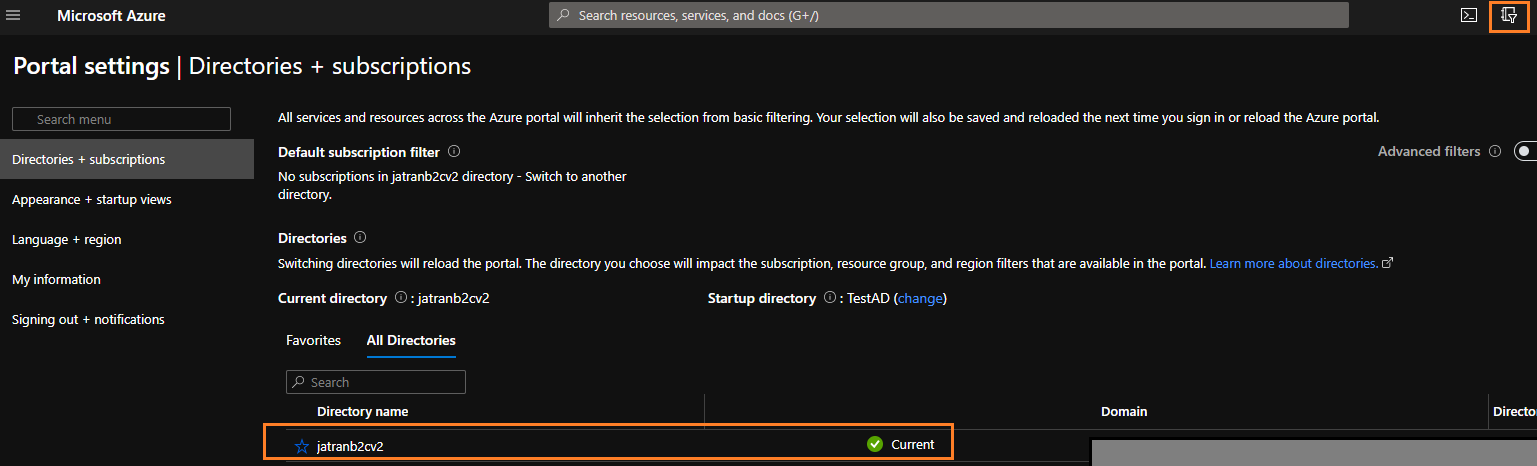
Azure B2C Dashboard within an Azure Active Directory Tenant:
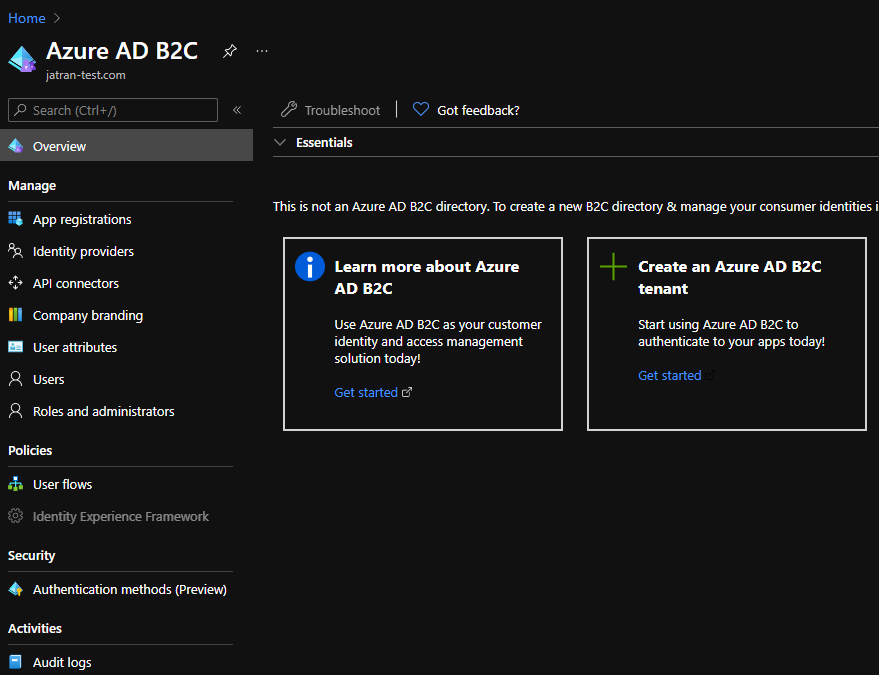
Azure B2C Dashboard within an Azure B2C Tenant:
If you have any other questions, please let me know.
Thank you for your time and patience throughout this issue.
----------
Please remember to "Accept Answer" if any answer/reply helped, so that others in the community facing similar issues can easily find the solution.
Hi JamesTran-MSFT,
for your info when login 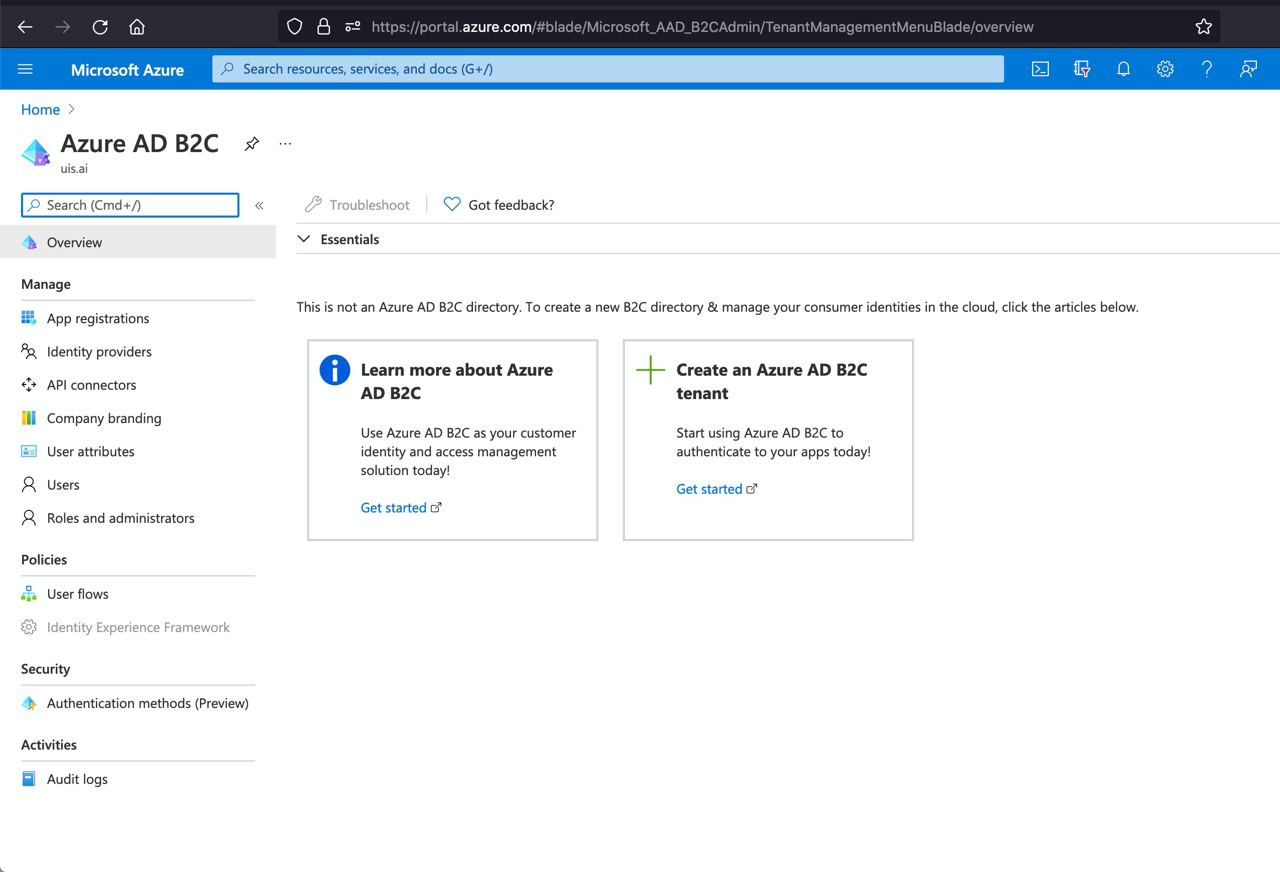
when 'Administrator' login, Application(Legacy) was hide and 'Identity.Experience Framework' was disable when page load in B2C tenant
what should we do for that able to used it..
thanks Sam
@Amat Sam Muri Ismail
Thank you for the quick reply!
Based off your screenshot it looks like you might be trying to access the B2C dashboard from within your Azure Active Directory Tenant. You'll have to follow our Create an Azure Active Directory B2C tenant documentation in order to create a B2C tenant. Or if you already created a B2C tenant, you'll have to switch directories to your B2C tenant.
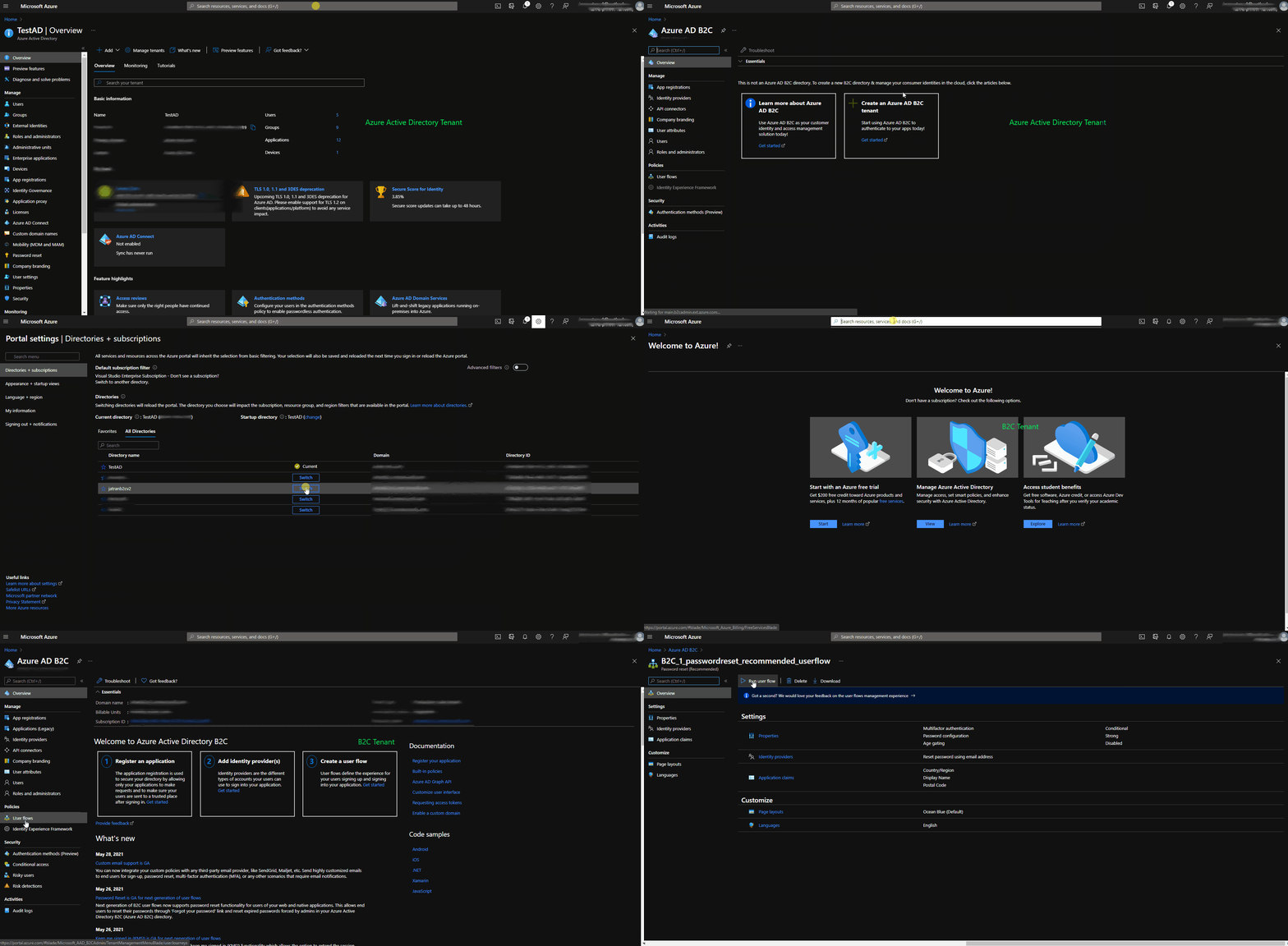
If you have any other questions, please let me know.
Thank you for your time and patience throughout this issue.
@Amat Sam Muri Ismail
I just wanted to check in and see if you had any other questions?
hi JamesTran-MSFT,
im working on the solution that you provided, get to you soon when get stuck,
thanks Sam