Hello Krystian,
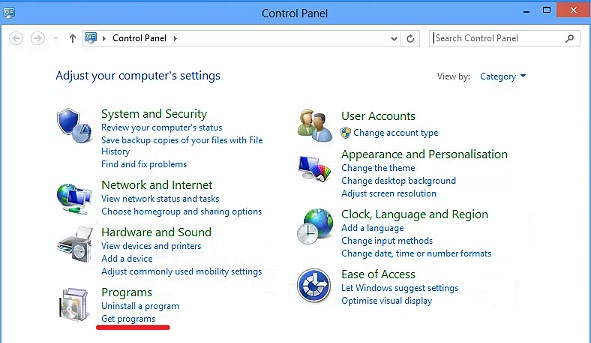
Here's how you can hide and enable Get Programs in control panel.
This setting prevents users from accessing the "Get Programs" page from the Programs Control Panel in Category View, Programs and Features in Classic View and the "Install a program from the netowrk" task. The "Get Programs" page lists published programs and provides an easy way to install them.
To enable it , Open Registry (Type reg.edit in Run ) and follow below path,
Registry Hive HKEY_CURRENT_USER
Registry Path Software\Microsoft\Windows\CurrentVersion\Policies\Programs
Value Name NoGetPrograms
Value Type REG_DWORD
Enabled Value 1
Disabled Value 0
At Last, to open Get Programs you can use "appwiz.cpl" command.
If the reply was helpful, please don’t forget to upvote or accept as answer.
MD S
' cx='32' cy='32' r='32' /%3E%3Ctext x='50%25' y='55%25' dominant-baseline='middle' text-anchor='middle' fill='%23FFF' %3EKM%3C/text%3E%3C/svg%3E)