Hi Daneclay,
First, my pleasure to assist you.
As per your description, please don’t worry, we can work together to narrow down and resolve the situation.
Based on my test result, it seems I’m able to insert Microsoft form (created from Form portal) into PowerPoint sidle without ant issue. If the issue happens to all PowerPoint files including a new created one, the issue is more related to the Office app itself or your computer environment.
Since your tired all above troubleshooting steps but issue still persist from your side. However, I really appreciate your effort and your precious time doing those tests. First, please accept my apologize you meet such an issue and I understand it effort on your daily work.
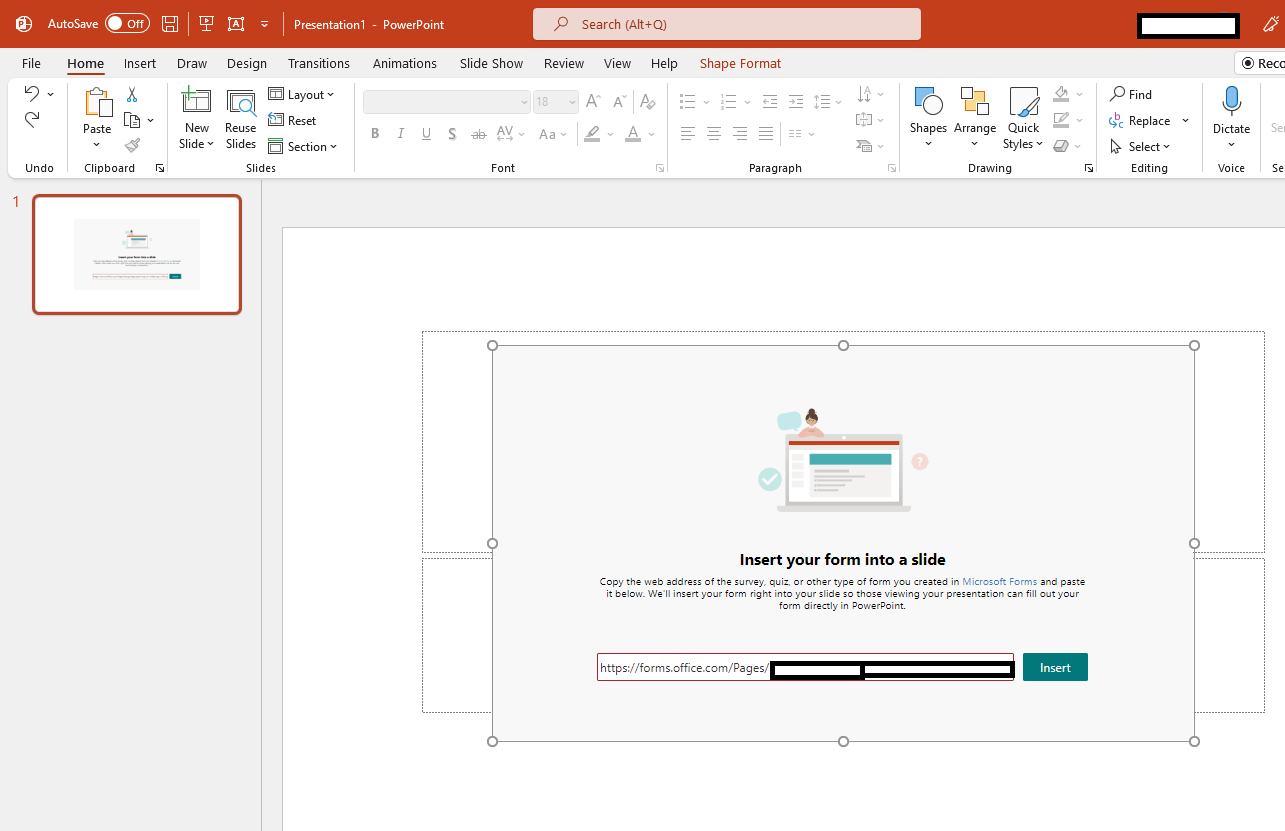
As you mentioned, “by using the Forms ad-in in PowerPoint” I test using Add-in or under “Insert” tab in PowerPoint there is a built-in Form feature to insert Form into PowerPoint file.
Using Add-in:

Using Insert Form built-in feature:
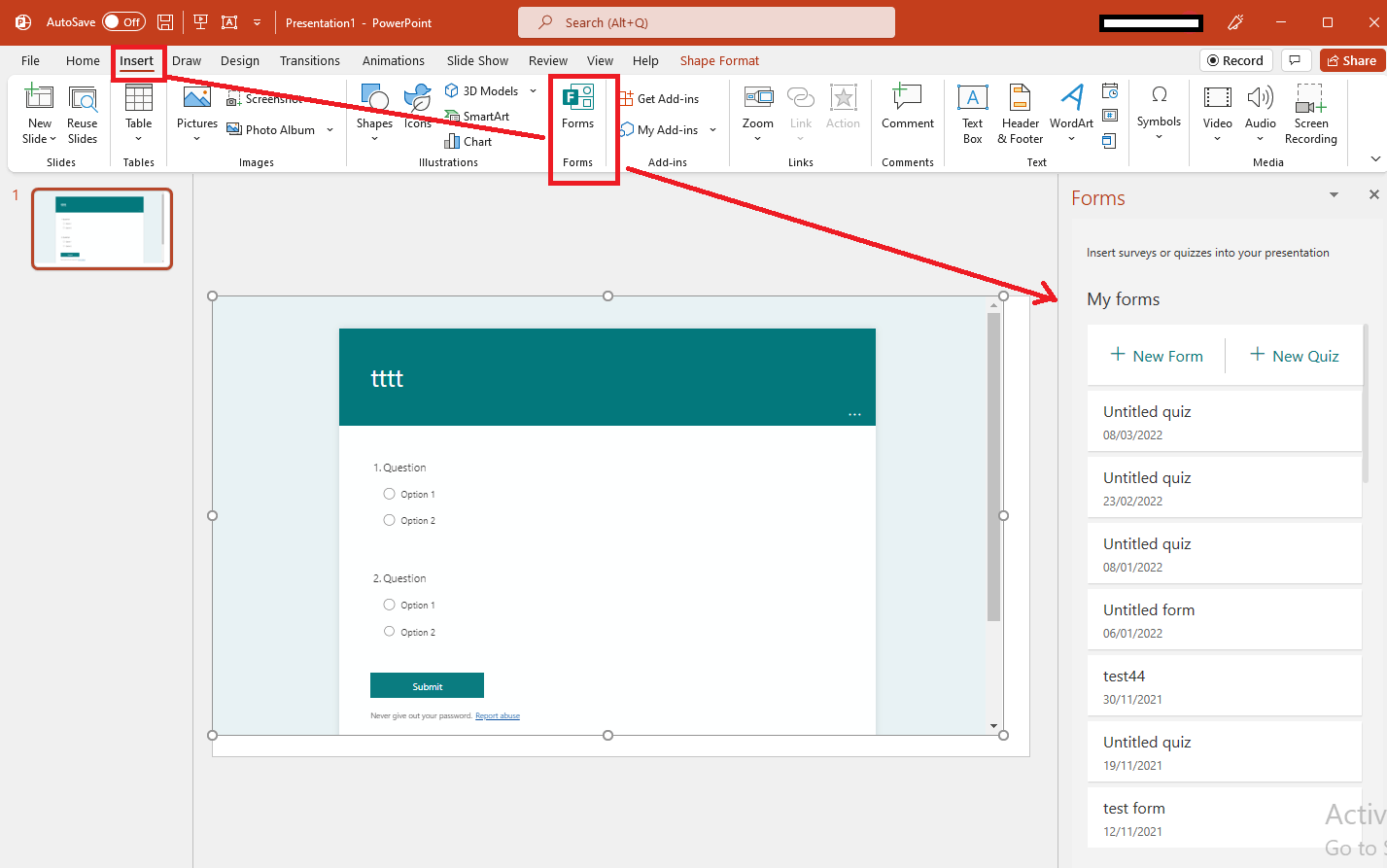
If possible, could you please try to use built-in Form feature to insert Form into your PowerPoint file to check the outcomes. For reference: Insert a form or quiz into PowerPoint
Also, may I know does this issue happened to specific Microsoft Form or all Form? If you don’t mind (my humbly request please don’t mind) could you please try to create a new Microsoft Form and check if there is any different, it will help for us to narrow down your issue.
In the meantime, to confirm whether this is a bug in a specific version, please provide us the version information. To check version: Open PowerPoint>File>Account>Product Information and capture a full screenshot and share here (Please mask your private message for protecting your private message) and we will be tested on that version and verify the result with you.
I appreciate your understanding and stay safe!!
Best Regards
Waqas Muhammad
' cx='32' cy='32' r='32' /%3E%3Ctext x='50%25' y='55%25' dominant-baseline='middle' text-anchor='middle' fill='%23FFF' %3EA%3C/text%3E%3C/svg%3E)
