Azure Files
An Azure service that offers file shares in the cloud.
This browser is no longer supported.
Upgrade to Microsoft Edge to take advantage of the latest features, security updates, and technical support.
' cx='32' cy='32' r='32' /%3E%3Ctext x='50%25' y='55%25' dominant-baseline='middle' text-anchor='middle' fill='%23FFF' %3EAD%3C/text%3E%3C/svg%3E)
Hi,
We have built a DFSN environment with a single DFSN share, with 3 target folders (Site A, Site B, and Site C).
Once target (Site A) is in Azure (Azure File Share), with the other 2 targets set as local shares on on-premise file servers, at two of our other sites.
I want to know how I can set it so Azure VPN users (users with an IP address in the Azure AD site) are directed to the Azure folder target (Site A), users with Site B IP addresses be directed to the Site B target, and users with a Site C IP address be directed to Site C target.
Is this done via DFS Management or Sites and Services?
Thanks
Andy

Hi anonymous userDuffield-0078,
You will have to configure your site costs and subnets in the Active Directory Sites and Services MMC snap-in, there you can create subnets and associate them to your sites so that the target priority of your DFS goes correctly.
You should associate your Azure subnets to your Azure site, then your clients who belong to a subnet which is in Azure should automatically prioritize the Azure Site (target).
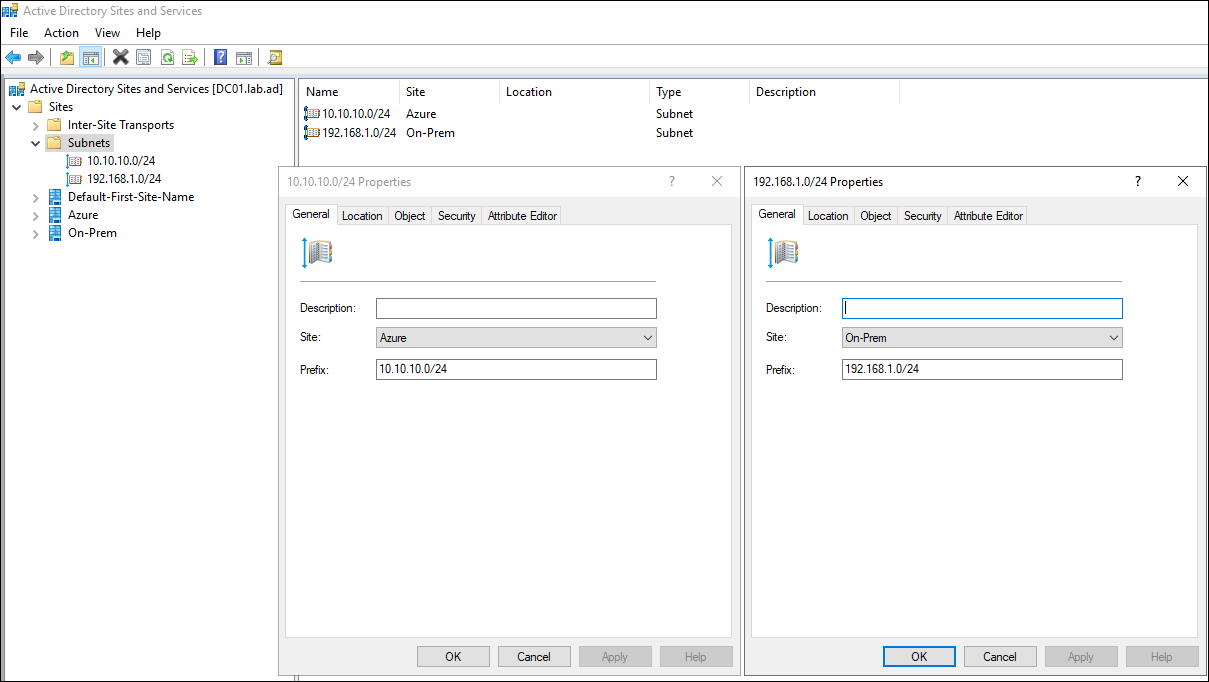
If you want more information on how sites and subnets work, you'll find some documentation here:
Understanding Sites, Subnets, and Site Links
For more information regarding the DFS ordering methods, see:
Set the Ordering Method for Targets in Referrals
----------
If the reply was helpful please don't forget to upvote and/or accept as answer, thank you!
Best regards,
Leon
Hi Leon,
Thanks so much for your reply.
I have all my sites and services organised with all IP addresses up to date.
I guess another question is, with the Azure Files location (xxxxx.file.core.windows.net) being the target for the Azure clients, how do I set the target for the clients if it isnt part of AD, ie doesnt have an IP address in the Azure Site IP list.
Also, would the 'Lowest Cost' method be the best choice of ordering in this instance:
Cheers,
Andy
