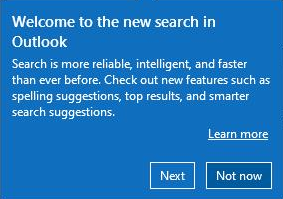
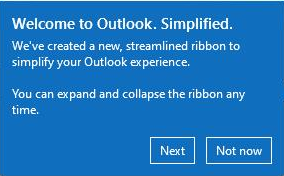
Here is a registry entry to disable all the teaching callouts that I've experienced so far. It's probably not comprehensive, because another annoying popup interfered with my work again today.
Windows Registry Editor Version 5.00
[HKEY_CURRENT_USER\Software\Microsoft\Office\16.0\Common\TeachingCallouts]
"SLRToggleReplaceTeachingCalloutID"=dword:00000002
"UseTighterSpacingTeachingCallout"=dword:00000002
"Olk_SearchBoxTitleBar_SLR_Sequence"=dword:00000002
"PPT_RecordVideoPresentation_Callout"=dword:00000002
"RibbonOverflowTeachingCalloutID"=dword:00000002
"AutoSaveToggleOnPPT"=dword:00000002
"CloudSettingsSyncTeachingCallout"=dword:00000002
"EnhancedLocationWellTeachingCallout"=dword:00000002
"AutoSaveToggleOnWord"=dword:00000002
"AccCheckerStatusBarTeachingCallout"=dword:00000002
"AutoAltText1"=dword:00000002
"PPT_GraphImportReuseSlides_Callout"=dword:00000002
"AutoSaveFirstSavePPT"=dword:00000002
"PPT_RecordTab_Callout_Sequence"=dword:00000002
"TabbedPanesTeachingUI"=dword:00000002
"AutoSaveFirstSaveExcel"=dword:00000002
"AutoSaveToggleOnExcel"=dword:00000002
"PPT_Editor_Intro_Callout"=dword:00000002
"PPT_OnInsert_Section"=dword:00000002
"Word_CanvasContextual_v3"=dword:00000002
"MeetingAllowForwardTeachingCallout"=dword:00000002
"OneNoteModernLayoutHorizontalSequence"=dword:00000002
"CreateLiveComponentTeachingCallout"=dword:00000002
"MessageExtensionsTeachingCallout"=dword:00000002
"PPT_InsertCameo_Callout"=dword:00000002
"LiveSubtitlesPodiumViewTeachingCallout"=dword:00000002
"OneNoteSingleLineRibbon"=dword:00000002
"AutocreateTeachingCallout_MoreLocations"=dword:00000002
"VersionHistoryRenameCalloutPPT"=dword:00000002
"a79db66d-e74d-41e8-a138-558044fae3cb"=dword:00000002
"AccCheckerPaneTeachingCallout"=dword:00000002
"AutoSaveFirstSaveWord"=dword:00000002
"ComingSoonTeachingCallout"=dword:00000002
"CreatePivotTableFromPowerBITeachingCallout"=dword:00000002
"DataVisualizerRibbonTeachingCallout"=dword:00000002
"e78dda87-8b86-4aa2-8036-a2dcf9d8cc44"=dword:00000002
"ExportToWordProcessTabTeachingCallout"=dword:00000002
"FocusedInboxTeachingCallout_7"=dword:00000002
"GroupAdvancedSettingsTeachingCallout"=dword:00000002
"GroupUnreadCountTeachingCallout"=dword:00000002
"HubBarTeachingCallout"=dword:00000002
"LineageDiscoverabilityTeachingCallout"=dword:00000002
"LineageFilterTeachingCallout"=dword:00000002
"MeetDarkModeComposeTeachingCallout"=dword:00000002
"MeetDarkModeReadTeachingCallout"=dword:00000002
"OneNoteQuickNoteToolbarToggleButtonCallout"=dword:00000002
"PinAppTeachingCallout"=dword:00000002
"PowerQueryAsDefaultGetDataTeachingCallout"=dword:00000002
"PPT_RecordingTab_Callout_Sequence"=dword:00000002
"PPT_Rehearse_Callout"=dword:00000002
"PPT_Rehearse_Callout_Last_Shown"=dword:00000002
"PreviewPlaceUpdate"=dword:00000002
"RoamingSigTeachingCallout"=dword:00000002
"Search.TopResults"=dword:00000002
"SearchIncludeDeletedItems"=dword:00000002
"StatusBarFormulasTeachingCallout"=dword:00000002
"SuggestedRepliesCallout"=dword:00000002
"SyncProgressUITeachingCalloutA"=dword:00000002
"ThreadedCommentsCallout"=dword:00000002
"UseToDoAppTeachingCallout"=dword:00000002
"VersionHistoryRenameCalloutExcel"=dword:00000002
"VersionHistoryRenameCalloutWord"=dword:00000002
"Word_TextPredictor_InCanvas"=dword:00000002
"PowerQueryChangeDefaultTableStyleTeachingCallout"=dword:00000002
"AutoDismissOptionTeachingCallout"=dword:00000002
"DynamicArrayFirstSpillCallout"=dword:00000002
"LOR_TeachingCallout_SequenceID"=dword:00000002
"LoopComponentTeachingCallout"=dword:00000002
"OneNoteFullPageViewButtonCallout"=dword:00000002
"TabbedPanesTeachingUI "=dword:00000002
"Word_CanvasContextual_CurrentAuthor"=dword:00000002
"Word_CanvasContextual_EditorPane"=dword:00000002
"WordaddInX::TC::NHAnXRVklaacU3W8FxlRyE4YGiwE5ZIFbGy2nytCEbhsIYuO/Z+h6yBNoqiU7mWbod7b0gebu1SCMd3kEdNUHw=="=dword:00000002
"PPT_InsertPowerBI_Callout"=dword:00000002
"AutocreateTeachingCallout_PickMoveLocations"=dword:00000002
"CaptionDiscoverabilityEnterShowPopoverTeachingCallout"=dword:00000002
"AccessibleColorsCategoryTeachingCalloutV2"=dword:00000002
"SyncProgressUITeachingCalloutB"=dword:00000002
"OneNoteDisableTextPrediction"=dword:00000002
"addInX::TC::3b8c36a1-9a1a-4699-8432-de3b6c26e7a51714051294"=dword:00000002
"NavigationPaneTeachingCallout"=dword:00000002
"OneNoteLaserPointer"=dword:00000002
"OneNoteDrawAndHoldCallout"=dword:00000002
"Word_ModernComments_ShowRevisionsInline"=dword:00000002
"LineageContextMenuDiscoverabilityTeachingCallout"=dword:00000002




' cx='32' cy='32' r='32' /%3E%3Ctext x='50%25' y='55%25' dominant-baseline='middle' text-anchor='middle' fill='%23FFF' %3EMC%3C/text%3E%3C/svg%3E)