Share via

"Install Project" Button disappears when clicked

Anonymous
2022-10-07T13:53:36+00:00

I am trying to install MS Project for one of our users. The "Install Project" button disappears when I click it to start the download, and the download doesn't start. The same is happening for the "Install Office" Button. I have tried this a two different PCs and different browsers with the same result.

Microsoft 365 and Office | Project | For business | Windows

Locked Question. This question was migrated from the Microsoft Support Community. You can vote on whether it's helpful, but you can't add comments or replies or follow the question.

0 comments No comments

Answer accepted by question author

Anonymous
2022-10-08T12:16:09+00:00

Hi ConnerDRT,

Thanks for your valuable feedback and sharing updates with us and I really appreciate your effort and your precious time doing. 

 And I appreciate your kind words.

Yes you may try to install Office using Office Deployment Tool or click on Office Customization Tool to build your configuration" .xml".

Your understanding and patience will be highly appreciated. I hope that you are keeping safe and well!

Sincerely,

Waqas Muhammad

Was this answer helpful?

0 comments No comments

3 additional answers

Sort by: Most helpful
  1. Anonymous
    2022-10-11T05:15:56+00:00

    Hi ConnerDRT,

    I'm writing a follow up this case, may I know are you able to install project and Office? Feel free to post back if you need further assistance.

    Sincerely, 

    Waqas Muhammad

    Was this answer helpful?

    0 comments No comments
  2. Anonymous
    2022-10-07T15:06:20+00:00

    Yes, you're understanding is correct. I will look through the documentation and give that a try.

    Thanks

    Was this answer helpful?

    0 comments No comments
  3. Anonymous
    2022-10-07T14:36:45+00:00

    Dear ConnerDRT,

    Good day! Thank you for posting to Microsoft Community. We are happy to help you.

    As per your description, please don’t worry, we can work together to narrow down and resolve the situation.

     It seems that when you click on "Install Project" and Install Office" button and the download doesn't start and even you tried two different PCs and different browsers but you got the same result. May I know if my understanding is correct?

    Since nothing appears to happen when you select the Install button, then try another way to install.

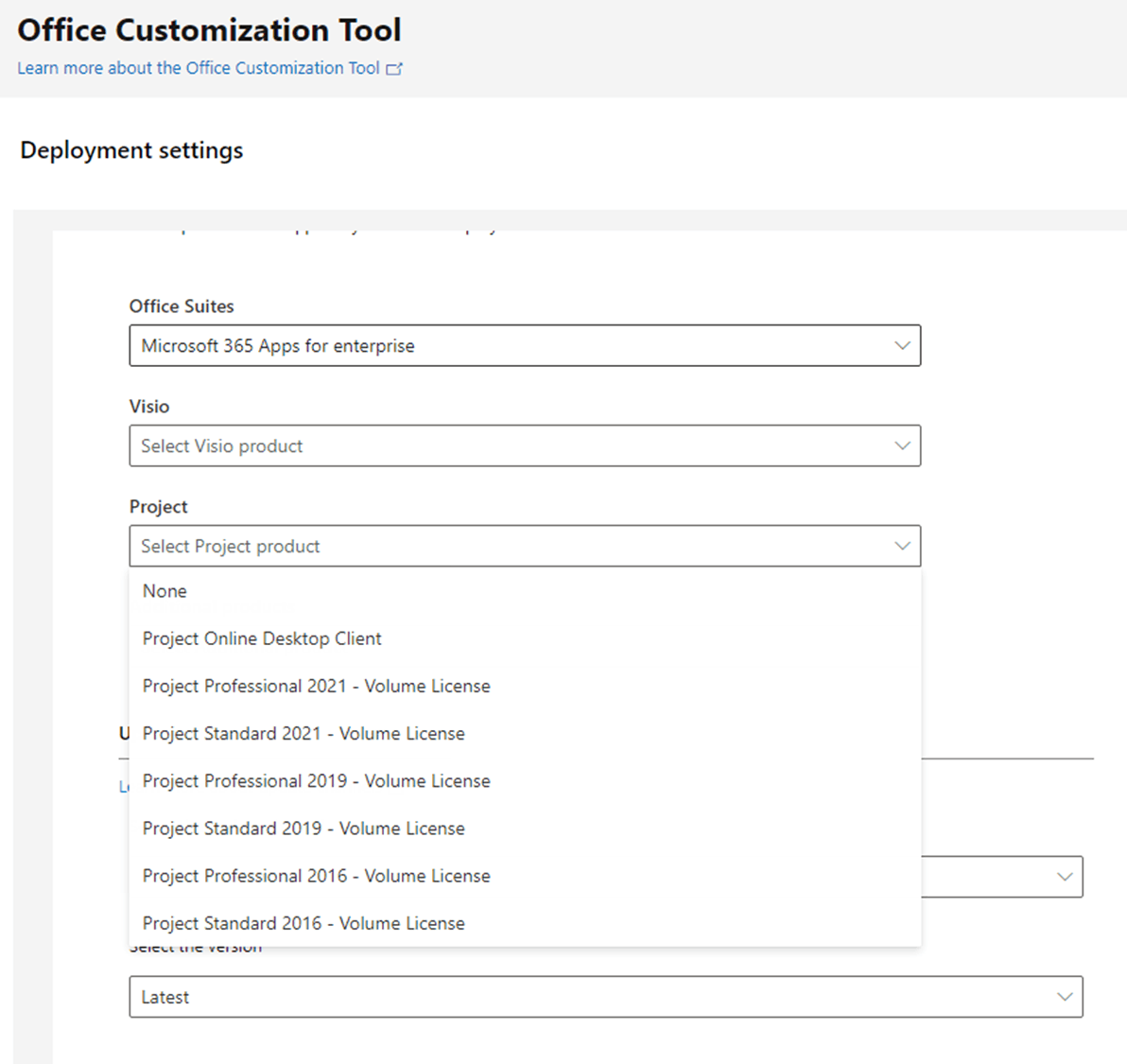
    Have you tired to install Office via Office Deployment Tool(ODT)? if no, please try to use Office Deployment Tool (for reference: Overview of the Office Deployment Tool)and check if you got the same behaviour. Here you can build your own configuration from here: https://config.office.com/deploymentsettings 
    Image

    Your understanding and patience will be highly appreciated. I hope that you are keeping safe and well!

    Sincerely, 

    Waqas Muhammad

    Was this answer helpful?

    0 comments No comments