Hi Fifi Klein,
Thanks for posting in the community.
From your situation, we need to do some tests first on our side, we'll appreciate it if you can understand that it will take some time to give you more effective suggestions according to the test result. We will update our reply as soon as possible.
Thanks again for your understanding and cooperation.
Best Regards,
George
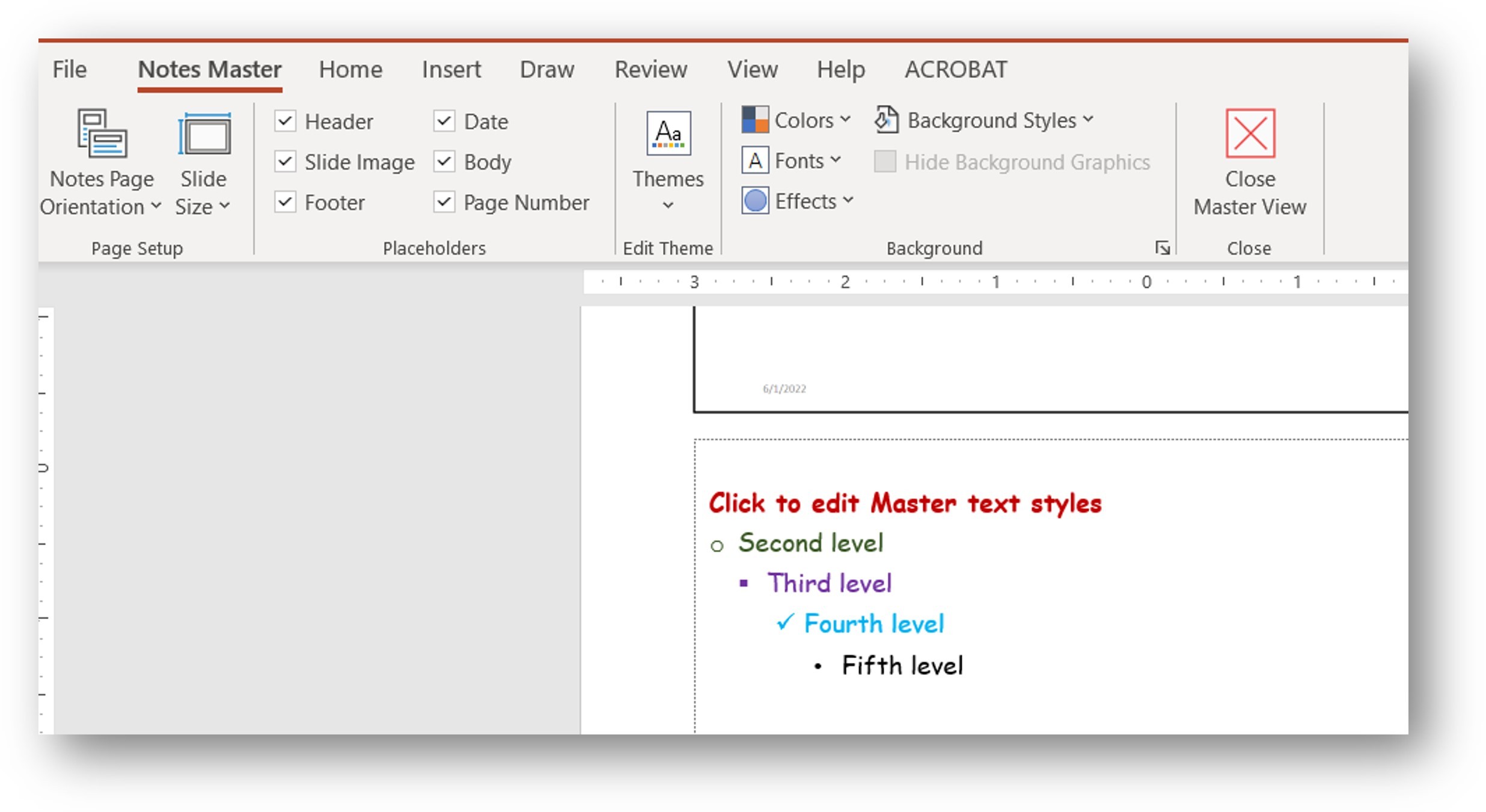
Hi George -- thank you very much for your reply. I've prepared a 4-slide presentation that shows the problem. How can I upload it to you? What "online drive" are you referring to? My Google Drive? Or is their a Microsoft drive? In the meanwhile, this is my Notes Master; the first level is not a bullet:
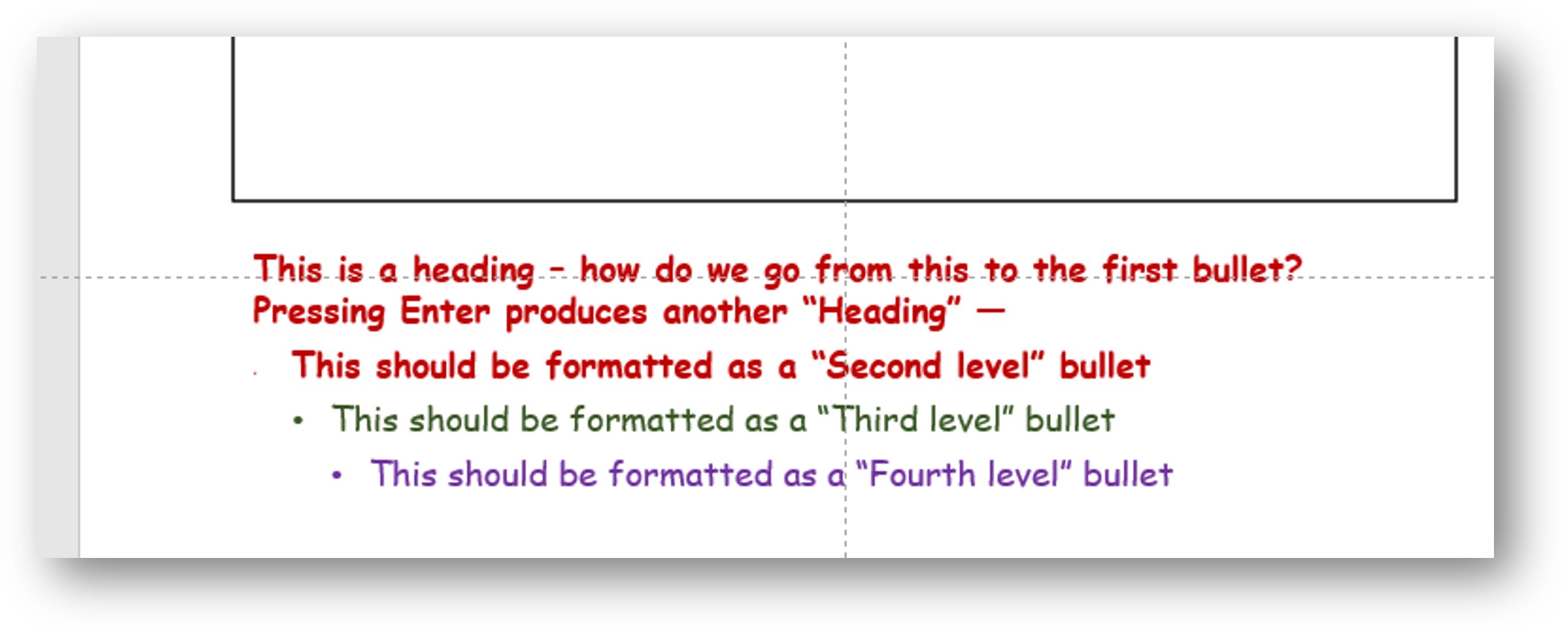
This is in Notes Page view -- the problem is getting from the first level (non-bullet text) to the second level (a bullet):
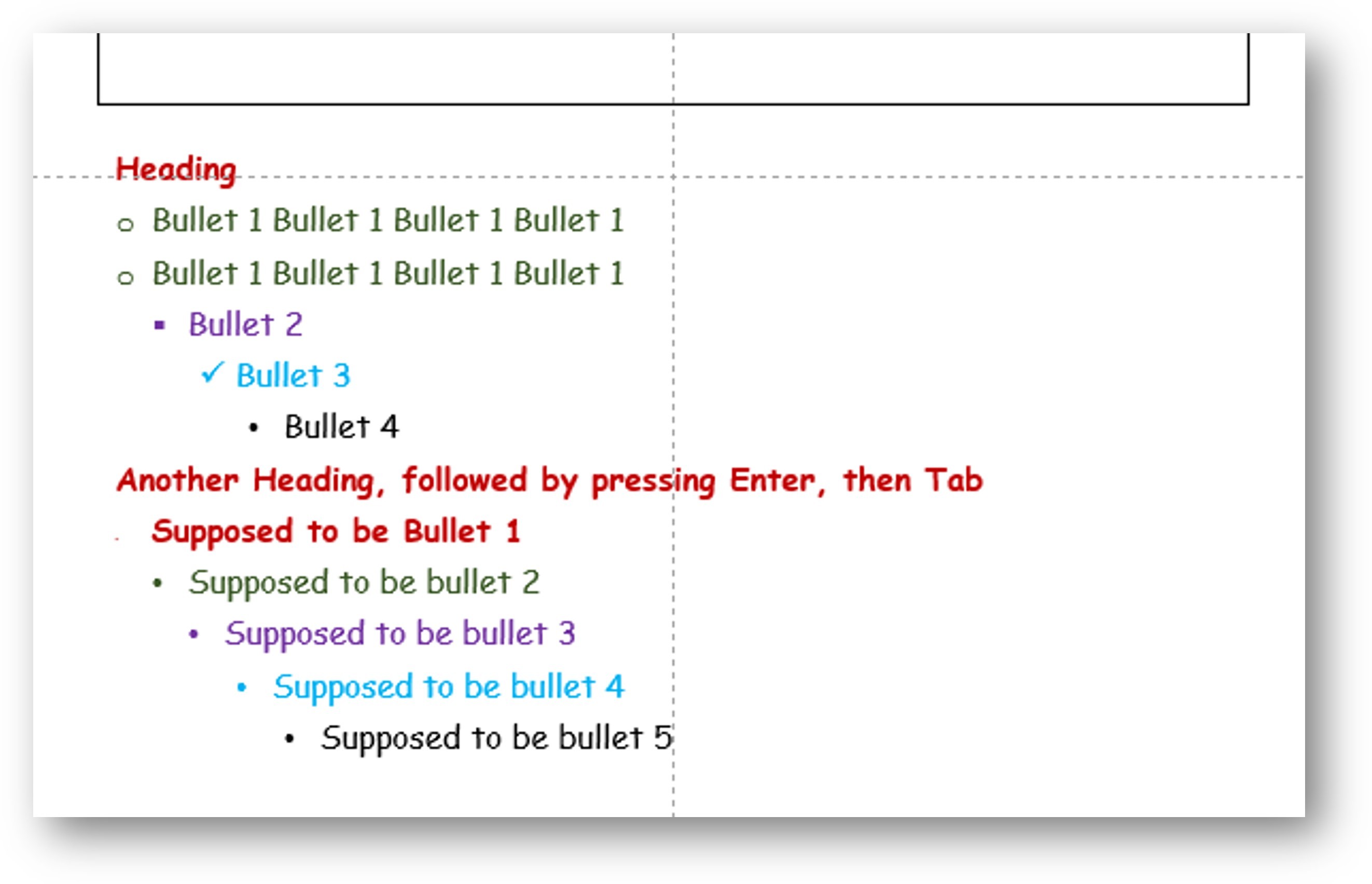
A "mickey mouse" way is to reapply the Notes Master after typing -- inefficient since this would have to be done whenever new text was added. In the example below, I reapplied the Notes Master before typing "Another Heading, followed by ....":
I'm perfectly happy to wait for a solution as long as it takes. I've been using PowerPoint since it was a PowerPuppy and I'm a big fan. My hope is that I'm missing some simple best practice for this glitch. Workarounds are fine for me, but when I send a template to someone else, they should be able to use it without tricks.
Fifi
' cx='32' cy='32' r='32' /%3E%3Ctext x='50%25' y='55%25' dominant-baseline='middle' text-anchor='middle' fill='%23FFF' %3EA%3C/text%3E%3C/svg%3E)
