Right, the malware called chrome <sarcasm> .
I've run in to this problem too, Edge opening PDF's instead of my preferred viewer app. There was a second, hidden, setting that was redirecting files to Edge. Sorry, I've lost those instructions. Hopefully you won't need them.
.
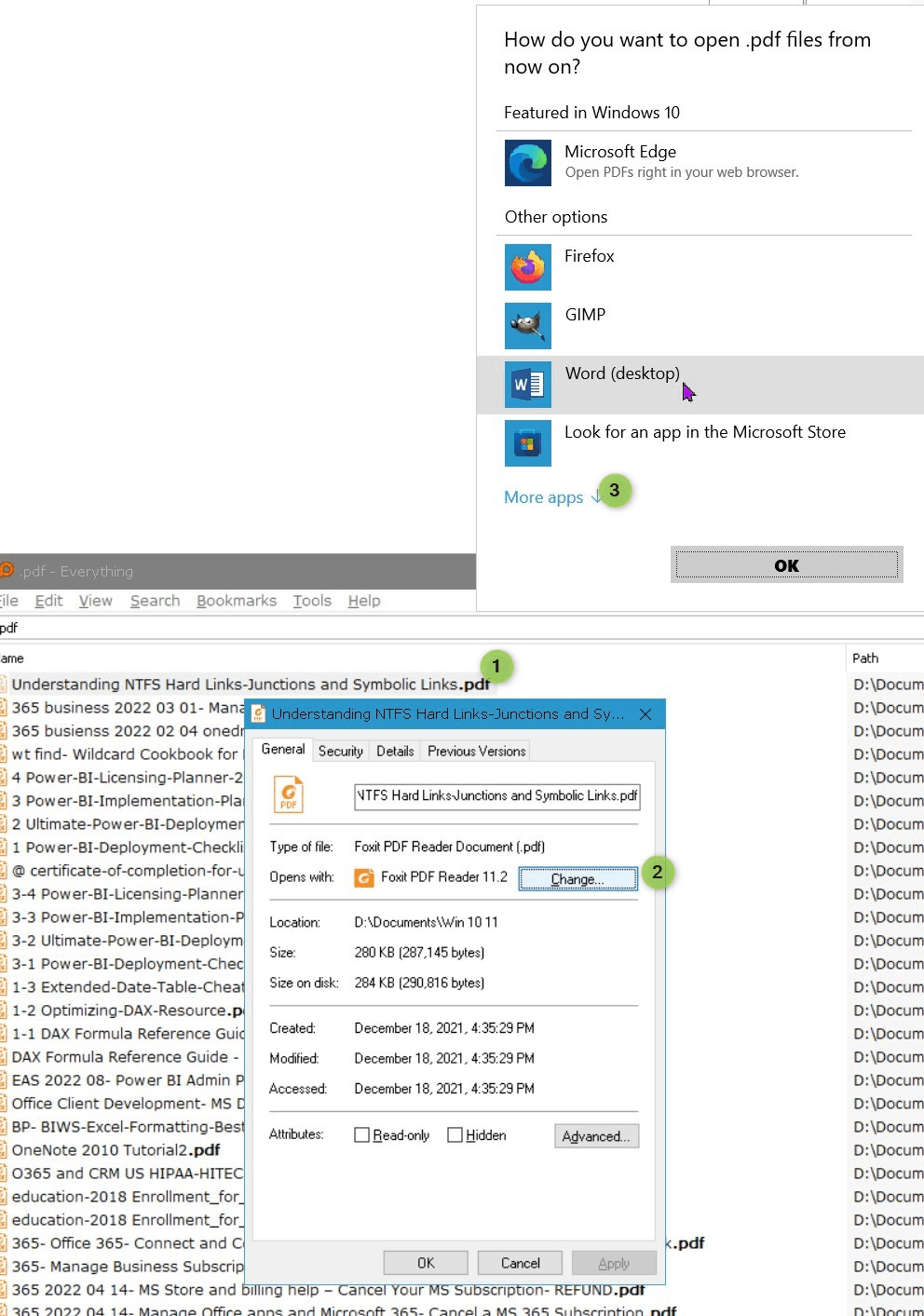
In File Explorer, find your PDF #1 > right click on it > Select Properties > General Tab if it does not say Adobe, click on the "Change ..." button #2, then select Adobe from the list or click on "More Apps ..." hyperlink #3 to find Adobe on your computer.
Note the even here ms features (that malware known as) Edge for PDFs ...
This article describes another way
https://support.freedomscientific.com/support/technicalsupport/bulletin/1689
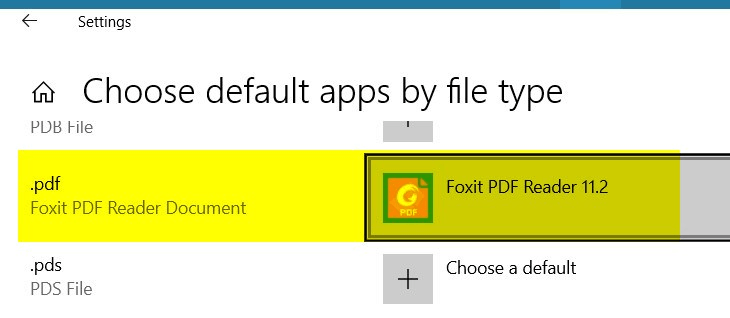
Or you can go to Start menu > Default Apps > Choose Default Apps by File type > find PDF
.
If .pdf does not say adobe acrobat, click on the the app to the right and find adodbe to add there in the "Choose an app dialog
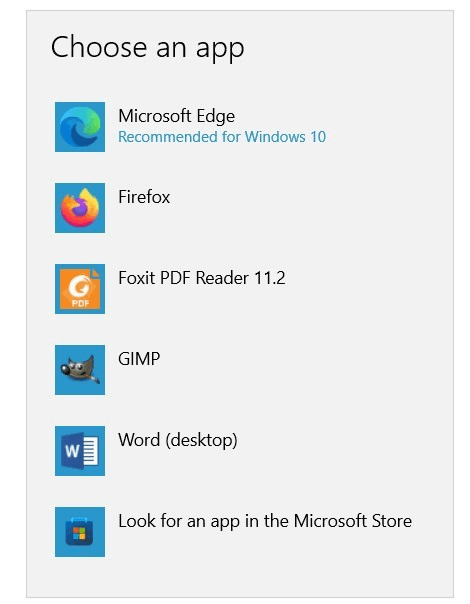
Notice how for PDF, MS recommends (that malware) Edge.
' cx='32' cy='32' r='32' /%3E%3Ctext x='50%25' y='55%25' dominant-baseline='middle' text-anchor='middle' fill='%23FFF' %3EA%3C/text%3E%3C/svg%3E)
