Losing Hyperlinks when converting a PowerPoint to PDF on MacBook

Anonymous
2022-05-06T01:49:06+00:00

I tried converting a PowerPoint doc to a PDF a few different ways:

Save as>PDF

Print>save as PDF

Print>save as Adobe PDF

and a few other ways suggested online.

I lose my hyperlinks every time.

I have about a thousand links in this large document. Please help me figure out a way to convert to PDF and preserve my links.

Thanks,

Aliya

Microsoft 365 and Office | PowerPoint | For home | MacOS

Locked Question. This question was migrated from the Microsoft Support Community. You can vote on whether it's helpful, but you can't add comments or replies or follow the question.

0 comments No comments
{count} votes

13 answers

Sort by: Most helpful
  1. Anonymous
    2022-05-06T09:38:33+00:00

    Hello Aliya,

    Thank you for posting in this forum.

    Your description indicates that you have converted a PowerPoint doc to a PDF in different ways and that you lose hyperlinks every time, and you are wondering if there is a way to convert to PDF while preserving hyperlinks.

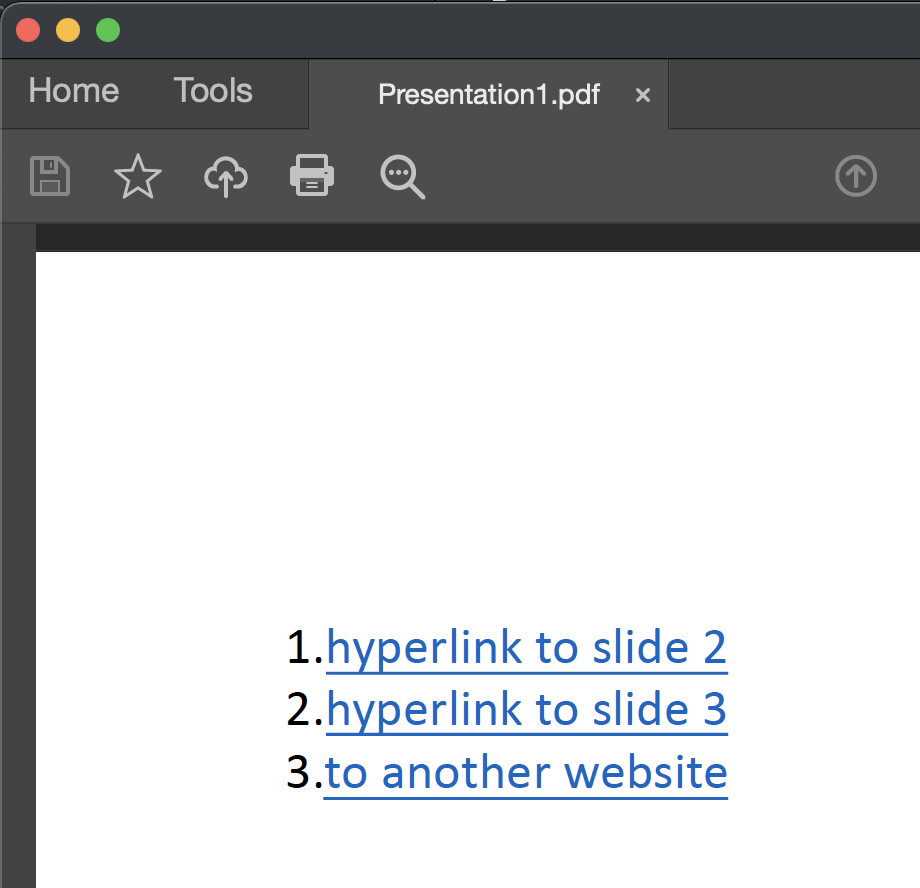
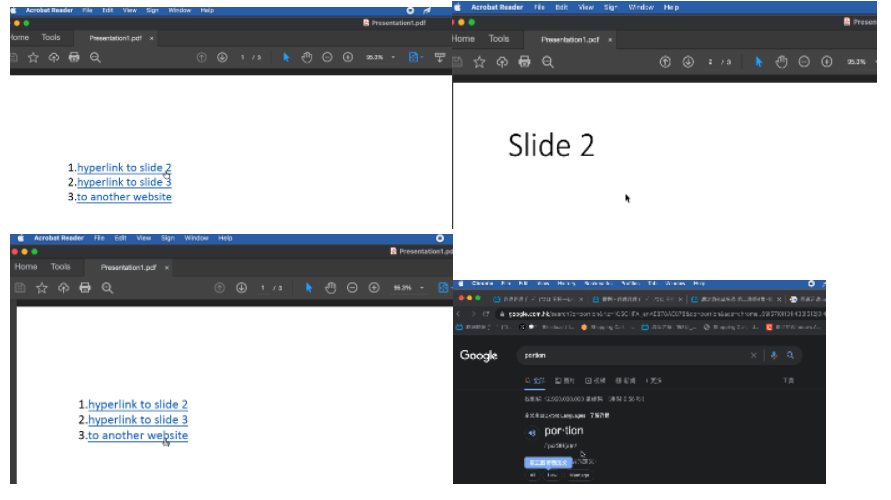
    upon investigation and testing with the latest version of office 16.60, we also used the exact steps you provided, and we did not encounter the same problem as you can see:
    We are here to assist you in troubleshooting this issue. We need to confirm these details to be able to help you accordingly:

    1. May I know if all PowerPoint files have the same problem? If this issue only occurs on a specific file, you can create a new file, then copy the content from the problematic file to the new one to check if the same problem will occur. Let us know if the issue is for all PowerPoint files.
    2. What version of Office are you using? Office for Mac version: click Word on the top menu > About Word.
    3. What version of mac are you using  ?     macOS: click the apple icon on the top menu > About this Mac.  It would be my pleasure to assist and follow up on your response. Best regards,Claire
    0 comments No comments
  2. Jim G 133.9K Reputation points MVP Volunteer Moderator
    2022-05-06T16:21:39+00:00

    Hi

    It appears you have Adobe Acrobat installed on your system. If you do, at the far right of the Home tab of the Ribbon you will see this button. Use it to generate your PDF.

    0 comments No comments
  3. Anonymous
    2022-05-08T07:46:35+00:00

    Hello Claire,

    Thank you for the response.

    1. I created a new, shorter pdf and used Adobe to generate/create the file. It converted perfectly and the links worked. I went back to my original file, and copied and pasted everything into a new file. I even stuck with the simpler fonts just to make sure they were all embedded properly. Then, I tried to create the file through Adobe. I also tried the "export" as well as "save as" methods. Neither of them worked. I get this message:" Adobe PDF Conversion could not be completed. This could be due to a network error or if there is no valid Acrobat online service membership."

    But the smaller file worked perfectly.

    1. I am using 16.41 version of Office
    2. My Mac version is 10.15.7

    Regards,

    Nataliya

    0 comments No comments
  4. Anonymous
    2022-05-08T07:47:39+00:00

    Jim,

    Thank you for the response. I did try this method. Please refer to my response above.

    All the best,

    Nataliya (Aliya)

    0 comments No comments
  5. Jim G 133.9K Reputation points MVP Volunteer Moderator
    2022-05-08T17:14:37+00:00

    Hi

    Your install of Office is very far behind. You should take care to keep Office and Adobe applications up to date so that they work together properly.

    Download a copy of the current version of AutoUpdate from this link, install and then run AutoUpdate to bring your installation to current update level, then restart your Mac. If the updater does not open automatically after download, double-click the downloaded .pkg file. Click this link to download the updater. The update is free.

    https://go.microsoft.com/fwlink/p/?linkid=830196

    0 comments No comments
