Dear crinitic,
Greetings! Thank you for posting in the Microsoft forum.
As you have included speaker notes, the only thing I can think of is inserting comments. Refer: Add, change, hide, or delete comments in a presentation (microsoft.com)
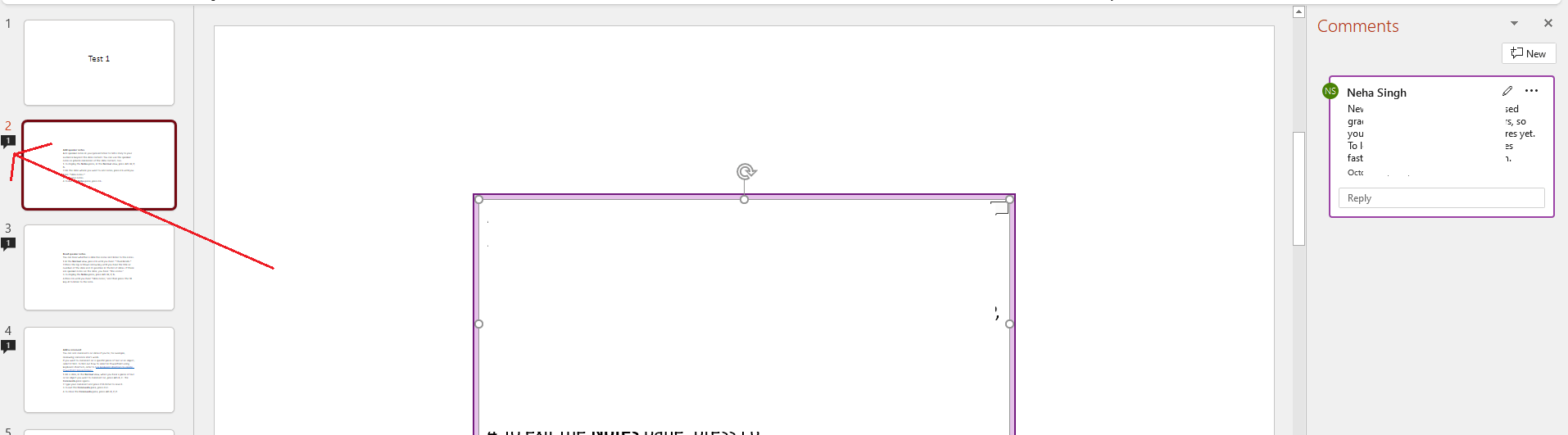
The slide with comments will show a small comment icon under the slide number (shown in the screenshot below) and clicking the icon can make comment appear and disappear on the slide.
You can also print the comments in the slide:
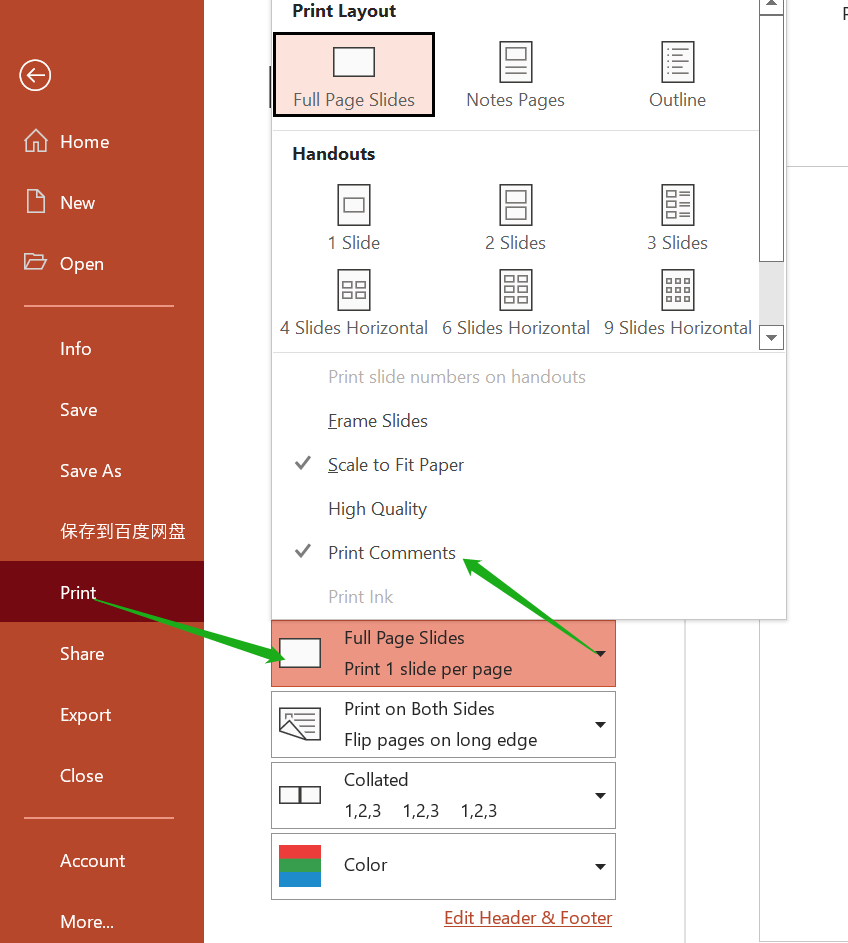
- Select the File tab at the top-left of the window.
- Choose the Print tab.
- Click the Full Page Slides button.
- Check the option next to Print Comments.
- Click the Print button.
If you need any help, let us know. We will look forward to your reply. Stay safe and stay healthy.
Sincerely,
Neha Singh | Microsoft Community Moderator
' cx='32' cy='32' r='32' /%3E%3Ctext x='50%25' y='55%25' dominant-baseline='middle' text-anchor='middle' fill='%23FFF' %3EA%3C/text%3E%3C/svg%3E)

' cx='32' cy='32' r='32' /%3E%3Ctext x='50%25' y='55%25' dominant-baseline='middle' text-anchor='middle' fill='%23FFF' %3ESR%3C/text%3E%3C/svg%3E)