Microsoft 365 and Office | SharePoint | For business | Windows
A group of Microsoft Products and technologies used for sharing and managing content, knowledge, and applications.

This browser is no longer supported.
Upgrade to Microsoft Edge to take advantage of the latest features, security updates, and technical support.
' cx='32' cy='32' r='32' /%3E%3Ctext x='50%25' y='55%25' dominant-baseline='middle' text-anchor='middle' fill='%23FFF' %3ESM%3C/text%3E%3C/svg%3E)
What will replace the Internet Explorer function to move multiple files at once? How can I move multiple files from one folder to another?

As this is a public community, to protect your data, please remember to erase your private message when you post, such as tenant, and I have covered the tenant in your screenshot.
JulieWang, yes I have progressed and managed! Thank you very much for the excellent feedback!
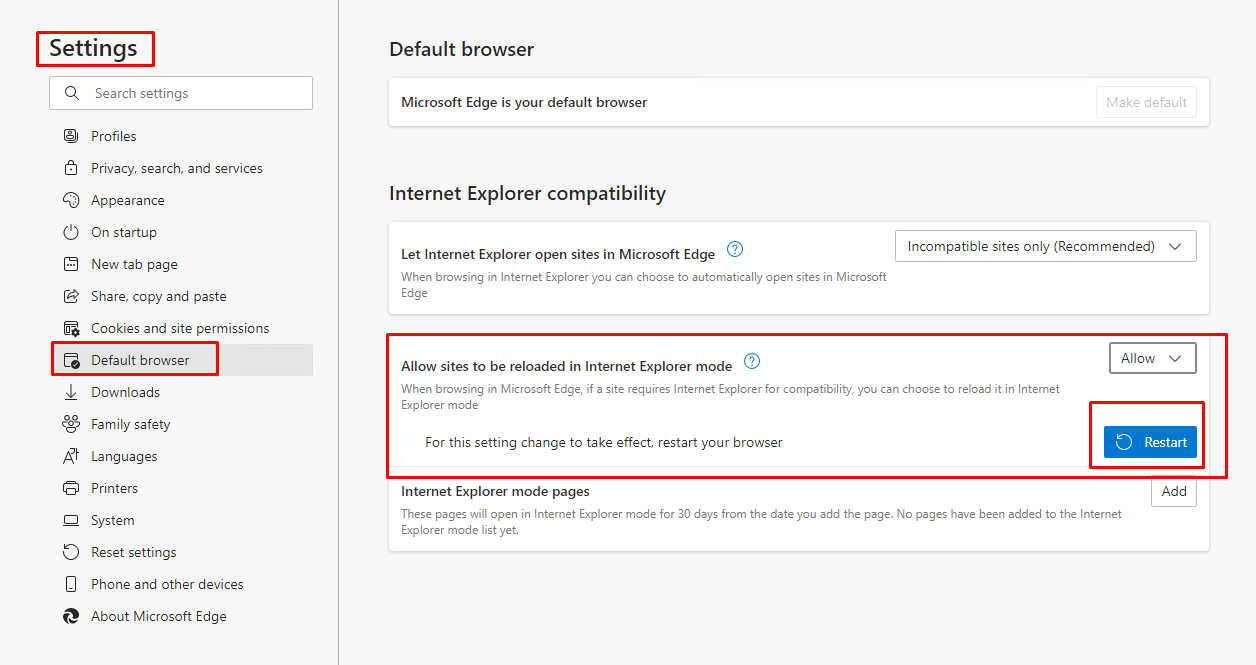
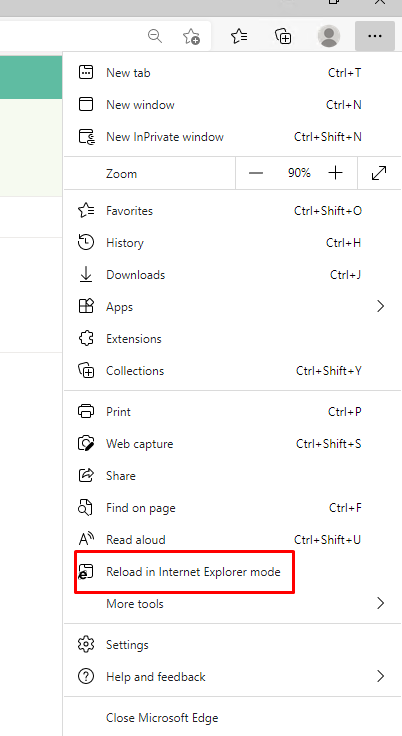
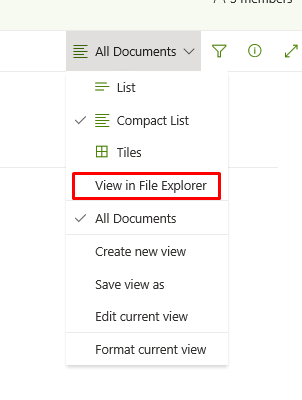
We could enable and use IE Mode in Microsoft Edge to make the open with explorer works again.
Try following steps to enable it:
If an Answer is helpful, please click "Accept Answer" and upvote it.
Note: Please follow the steps in our documentation to enable e-mail notifications if you want to receive the related email notification for this thread.
Do you have any progress on this issue?
Please remember to update this thread if you need further assistance.