' cx='32' cy='32' r='32' /%3E%3Ctext x='50%25' y='55%25' dominant-baseline='middle' text-anchor='middle' fill='%23FFF' %3EE%3C/text%3E%3C/svg%3E)

 ]
]

Hi, @Ed7
Thank you for posting in Microsoft Q&A forum.
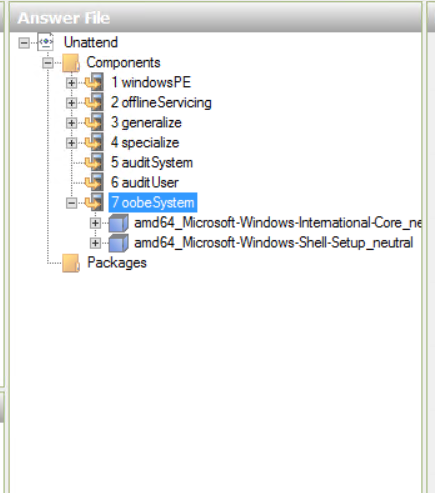
I haven't tried this but I think we can edit its answer file Unattend.xml to customize a deployment task and the related image, Right-click the deployment task sequence, select Properties, select the OS Info tab, and then click Edit Unattend.xml to open it in the Windows System Image Manager (WSIM).
For your reference:
https://win10.guru/windows-deployment-with-mdt-part-3-customize-deployment/
(Please note: Information posted in the given link is hosted by a third party. Microsoft does not guarantee the accuracy and effectiveness of information.)
For what you can do with an answer file and a more complete reference on this key deployment element, we may refer to:
https://learn.microsoft.com/en-us/windows-hardware/customize/desktop/unattend/components-b-unattend
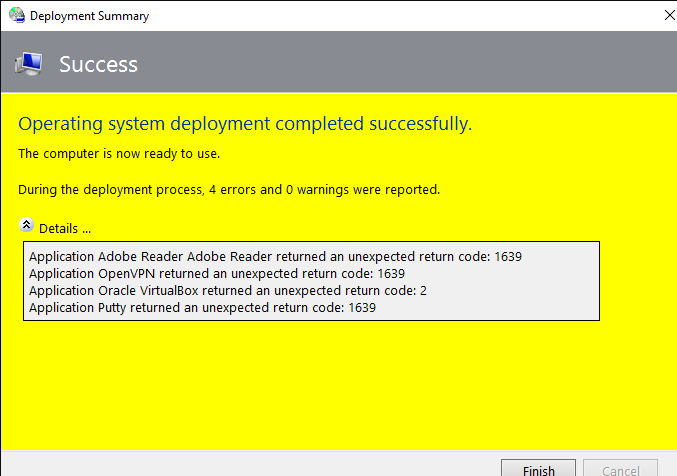
For the application installation, return code 1639 means invalid command line argument.
If the response is helpful, please click "Accept Answer" and upvote it.
Note: Please follow the steps in our documentation to enable e-mail notifications if you want to receive the related email notification for this thread.