Developer technologies | Windows Presentation Foundation
A part of the .NET Framework that provides a unified programming model for building line-of-business desktop applications on Windows.
This browser is no longer supported.
Upgrade to Microsoft Edge to take advantage of the latest features, security updates, and technical support.
' cx='32' cy='32' r='32' /%3E%3Ctext x='50%25' y='55%25' dominant-baseline='middle' text-anchor='middle' fill='%23FFF' %3EMF%3C/text%3E%3C/svg%3E)
Hello,
<DataGrid Grid.Column="1"
              ItemsSource="{Binding View2}"
              IsReadOnly="True"
              AutoGenerateColumns="False" Margin="54,669,429,22" FontSize="18">
            <DataGrid.Columns>
                <DataGridTextColumn Header="Slot Nummer" Binding="{Binding SlotNo}"/>
                <DataGridTextColumn Header="Materialnummer" Binding="{Binding Number}"/>
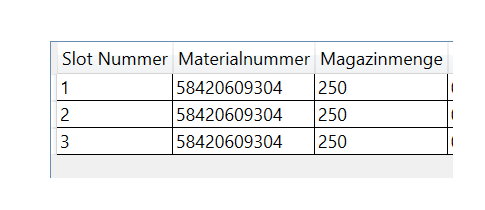
How do I get cells as text alignment in the middle.
And how can I make the active line green from the code behind?
Thanks for answers in advance.
Best regards Markus

Hi Markus,
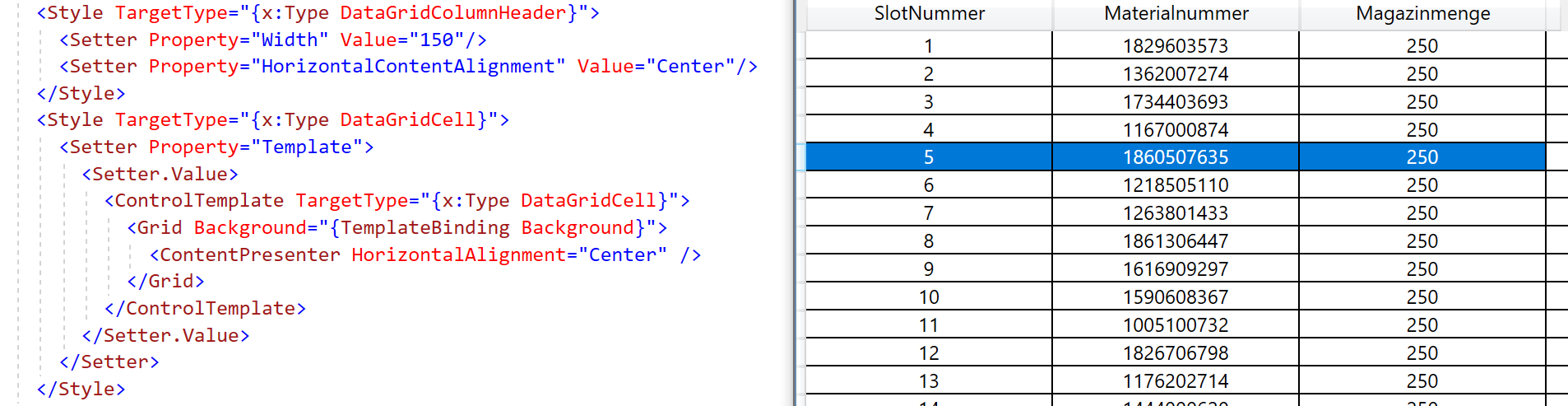
You can set the style for DataGridColumnHeader and DataGridCell without Key. The style then affects all cells.
Helpful, thanks!
Hi Markus,
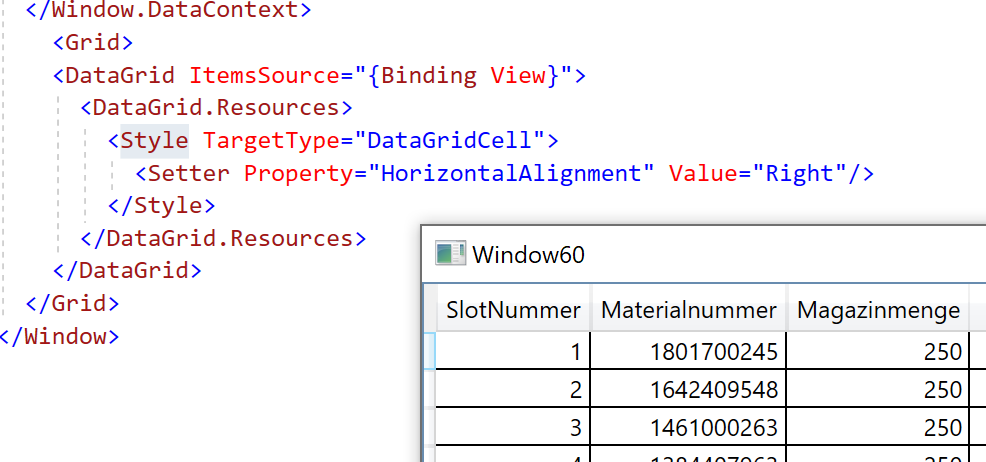
You can set the style for DataGridCell without Key. The style then affects all cells.
Hello Peter,
Do you have another idea?
The goal is CENTER for all cells, include the HeaderColumns. With RIGHT I can no longer select a line completely, seems to be deactivated.

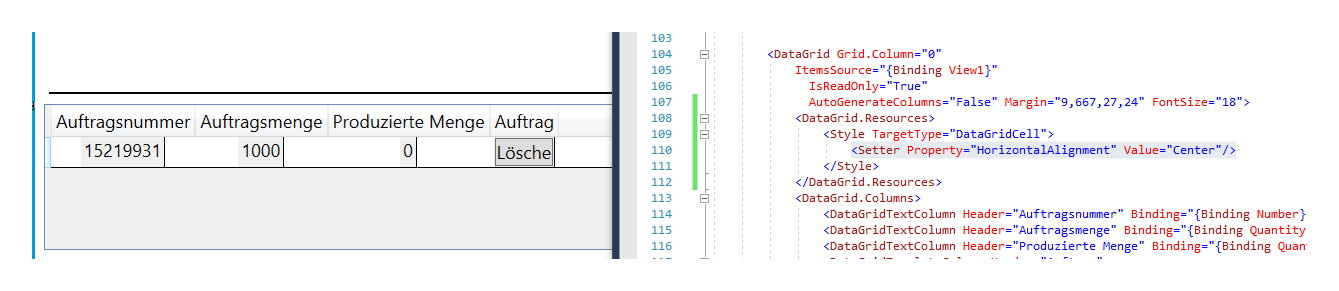
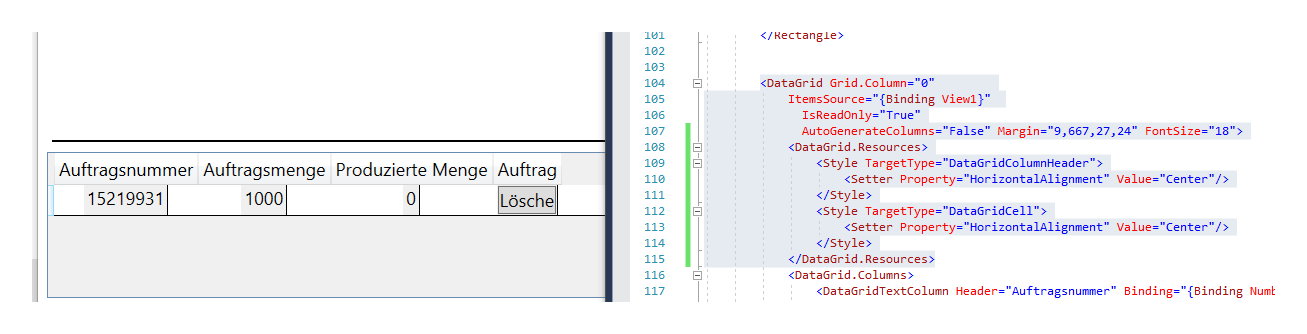

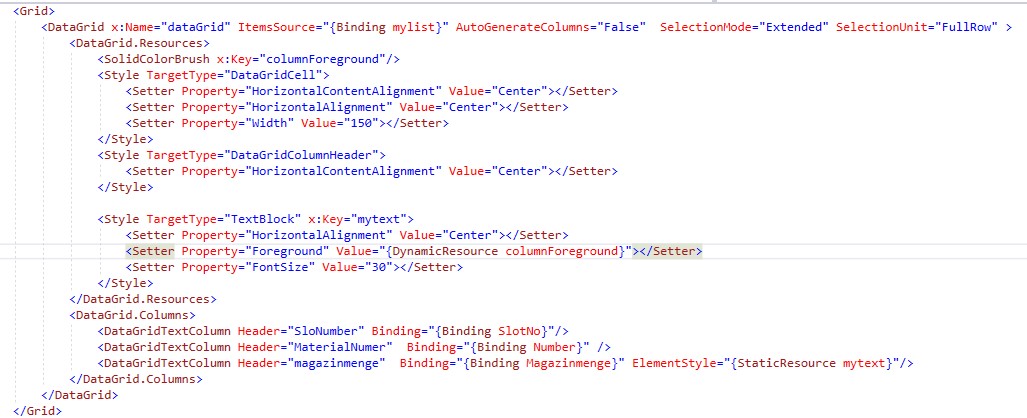
1.Set SelectionUnit="FullRow" for your DataGrid to make it selected by row.
2.Use ElementStyle="{StaticResource mytext}" for the DataGridTextColumn to make the active text to Green in the code:
In the cs code add : this.dataGrid.Resources["columnForeground"] = Brushes.Green;
Here is the xaml code:
Helpful, thanks!