Dear Aileen Smith,
Good day!! Thanks for posting your concern in this Microsoft Community.
As per the description shared, I understand your concern and would like to convey that I have tested the behavior at my end where I noticed the Restrict Access under the Protect Presentation is not having the same UI as explained in this article: Restrict changes to PowerPoint presentations - Microsoft Support
However, when I click on the Restricted Access, I get the below UI:
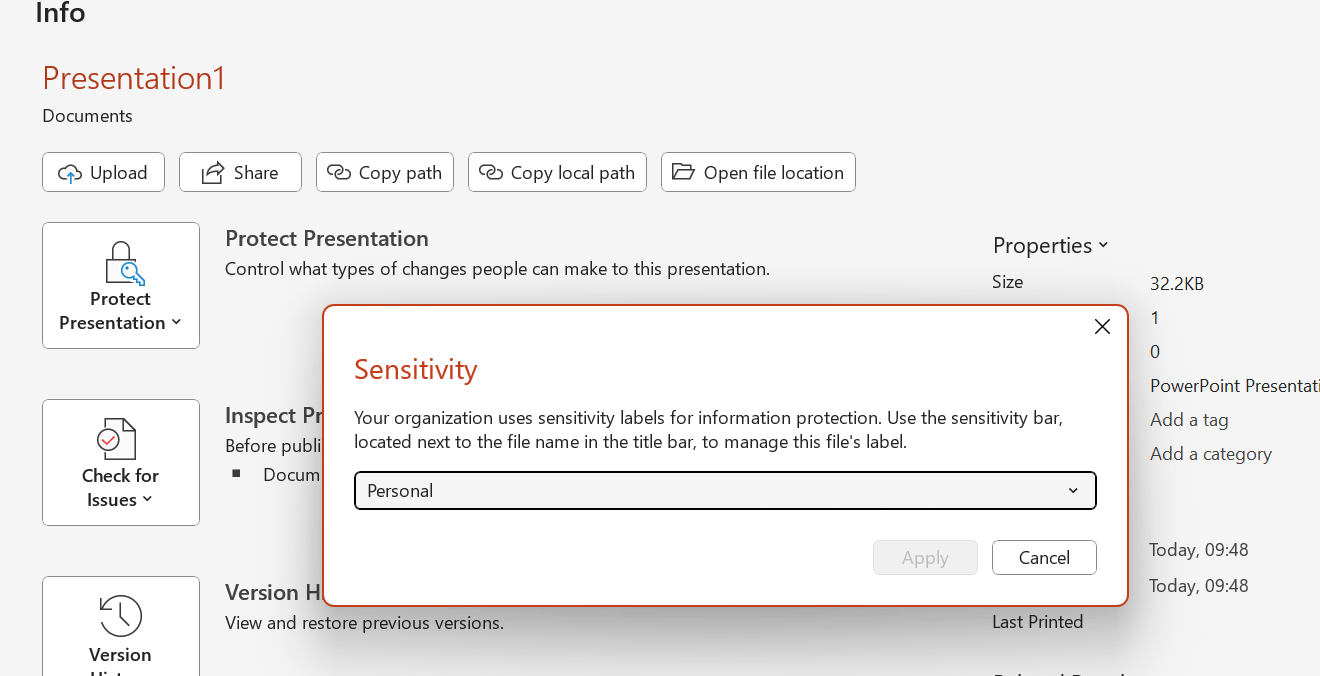
Where changing the Sensitivity Label to Highly Confidential and Specific People, and applying it to the presentation will give the same UI as explained in the above article:
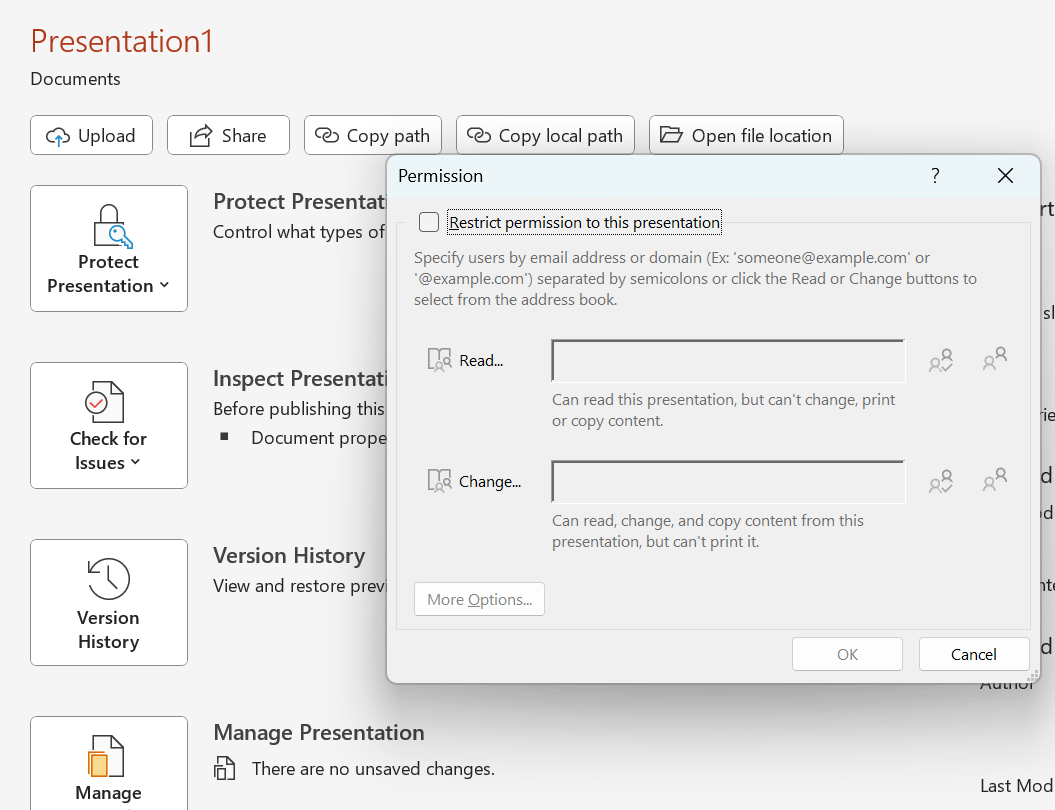
Since you mentioned the Restricted Access is not available at your end, can you please share the screenshot of the PowerPoint Account page? Open the PowerPoint app> Account> Take a screenshot and share it with us.
Appreciate your patience and understanding. Have a great day!!
Sincerely,
Mia | Microsoft Moderator
' cx='32' cy='32' r='32' /%3E%3Ctext x='50%25' y='55%25' dominant-baseline='middle' text-anchor='middle' fill='%23FFF' %3EA%3C/text%3E%3C/svg%3E)
