Exchange | Exchange Server | Management
The administration and maintenance of Microsoft Exchange Server to ensure secure, reliable, and efficient email and collaboration services across an organization.
This browser is no longer supported.
Upgrade to Microsoft Edge to take advantage of the latest features, security updates, and technical support.
' cx='32' cy='32' r='32' /%3E%3Ctext x='50%25' y='55%25' dominant-baseline='middle' text-anchor='middle' fill='%23FFF' %3EKK%3C/text%3E%3C/svg%3E)
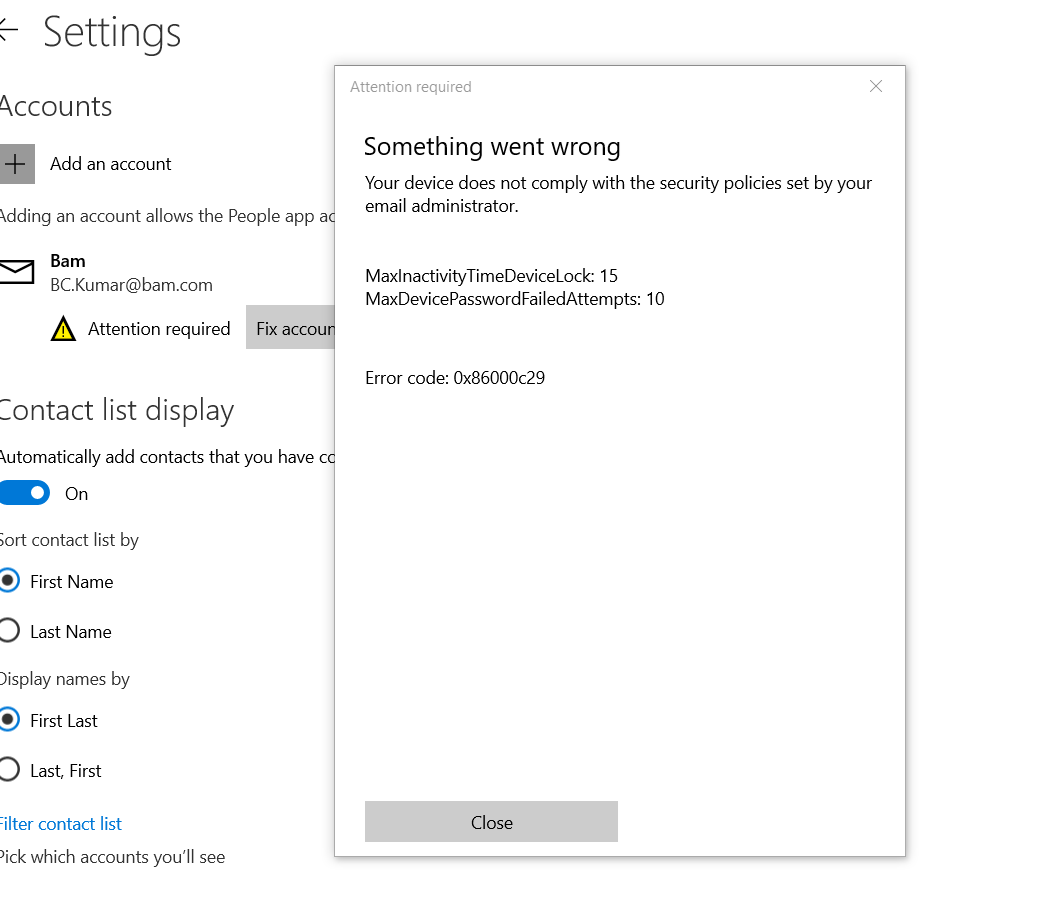
Has anyone encountered this error message before in one drive. it happens when a user is trying to share a file.

' cx='32' cy='32' r='32' /%3E%3Ctext x='50%25' y='55%25' dominant-baseline='middle' text-anchor='middle' fill='%23FFF' %3ECM%3C/text%3E%3C/svg%3E)
Hi @Kasapatu, Kelvin ,
Per my research, MaxInactivityTimeDeviceLock policie specifies the maximum amount of time (in minutes) allowed after the device is idle that will cause the device to become PIN or password locked. Users can select any existing timeout value less than the specified maximum time in the Settings app. And MaxDevicePasswordFailedAttempts policie is the number of authentication failures allowed before the device will be wiped. A value of 0 disables device wipe functionality.
You could check these policies in Administrative tools > Local Security Policy > Local Policies > Security Options
For Reference: Policy CSP - DeviceLock
If an Answer is helpful, please click "Accept Answer" and upvote it.
Note: Please follow the steps in our documentation to enable e-mail notifications if you want to receive the related email notification for this thread.
Hi @Kasapatu, Kelvin ,
I'm checking how the things are going on about this issue. Is there any progress on this issue?