Azure SQL Database
An Azure relational database service.
This browser is no longer supported.
Upgrade to Microsoft Edge to take advantage of the latest features, security updates, and technical support.
' cx='32' cy='32' r='32' /%3E%3Ctext x='50%25' y='55%25' dominant-baseline='middle' text-anchor='middle' fill='%23FFF' %3EAP%3C/text%3E%3C/svg%3E)
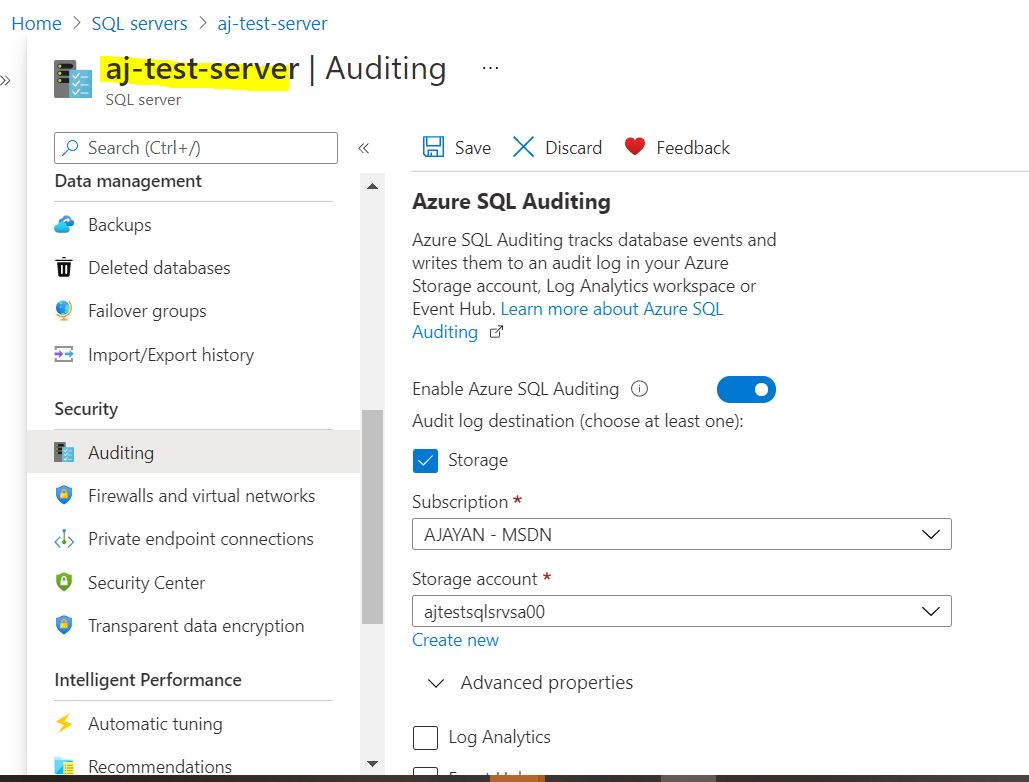
Azure SQL Audit enabled at Server level but Azure SQL DBs shows that Server-level Auditing: Disabled. look like it is GUI issue.
SQL Server Audit configuration:
SQL DB Audit configuration:


Hi @Ajayan Poorakkadavath Thank you for posting your question on Microsoft Q&A. I tried to repo this issue on my end and also noticing the same thing. It may be a bug or something broke the GUI. I am working internally with our the Azure SQL team to find out more. I will give an update shortly.
Thank you for your patience.
Regards,
Oury

Auditing can be enabled at both levels - server and database. If you enable at the server level, it will be enabled for all databases. You can read more here, in the "Define server-level vs. database-level auditing policy" section. HTH
Hi @Ajayan Poorakkadavath
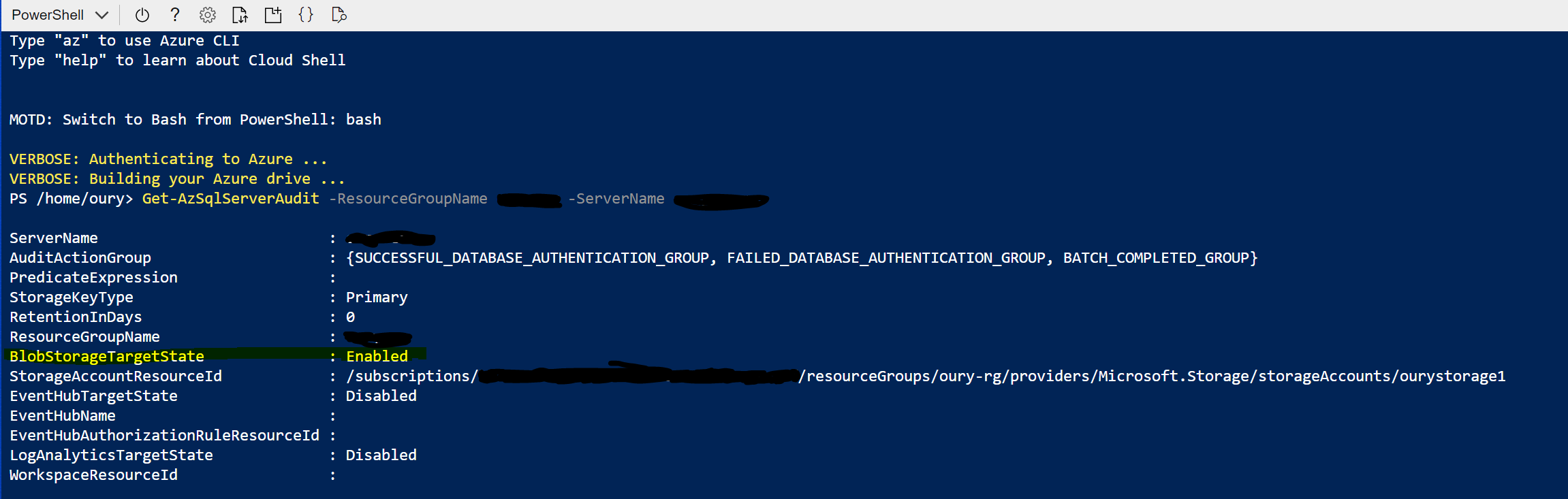
The portal only shows disabled, but in fact the SERVER AUDIT works just fine (and may actually be ENABLED).
At least it has been working for me since the “disabled” attribute was showing incorrectly on the portal.
If you run this in cloud shell:
Get-AzSqlServerAudit -ResourceGroupName <myResourceGroup> -ServerName <myServerName>
You can see the live – ENABLED server Audit.
We are working with the Product Group to get the issue fix. Thank you for bringing this into our attention.
Regards,
Oury
Hi @Ajayan Poorakkadavath This is a known issue and our Product Group is working for a fix. As a workaround , I will suggest to use Shell for now to verify whether auditing is enabled until this got resolved.
Regards,
Oury
Hi @Ajayan Poorakkadavath Our Product Group are actively working on this issue. I will notify you once a fix will be implemented.
Regards,
Oury
Hi @Ajayan Poorakkadavath Our Product Group has implemented a fix. Please check and let us know if it is working from your end.

Regards,
Oury