Azure IoT Hub
An Azure service that enables bidirectional communication between internet of things (IoT) devices and applications.
This browser is no longer supported.
Upgrade to Microsoft Edge to take advantage of the latest features, security updates, and technical support.
' cx='32' cy='32' r='32' /%3E%3Ctext x='50%25' y='55%25' dominant-baseline='middle' text-anchor='middle' fill='%23FFF' %3EAA%3C/text%3E%3C/svg%3E)
Hi,
As per notice from Azure IOTHub's underlying DNS record is changed for IoT Hub resulting in a change of IP address. All our devices were using the DNS to connect to the IOT Hub but there were disconnected and we have to manually reconnect. We have multiple devices configured on the customer end so it is not straightforward to get access to the device and because of that, we are losing data.
What can be the reason for this and is there any way to re-connect without making any changes in the devices?
Regards,
Ali Qureshi
' cx='32' cy='32' r='32' /%3E%3Ctext x='50%25' y='55%25' dominant-baseline='middle' text-anchor='middle' fill='%23FFF' %3EQ%3C/text%3E%3C/svg%3E)
Hello @Ali Akbar Qureshi , Sorry for the inconvenience caused in this matter.
As we are aware of this update, as mentioned by the product Team,
IoT Hub will be updating the underlying infrastructure and will go through an internal service update. This update will improve the availability, reliability, and security of the service. The update will change the underlying DNS record for IoT Hub resulting in a change of IP address. The work will be performed in phases across Azure regions beginning July 15, 2021 and conclude approximately on August 30, 2021. We expect that most Azure IoT Hub customers will NOT be impacted; however, customers may be impacted if they explicitly took a dependency on the assigned IP address of your IoT Hub instance.
Posted a blog post, just FYI.
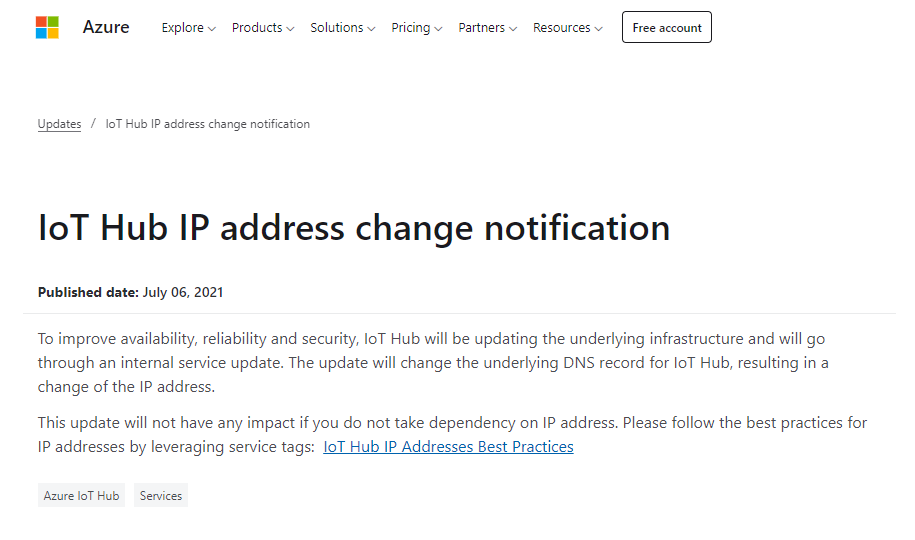
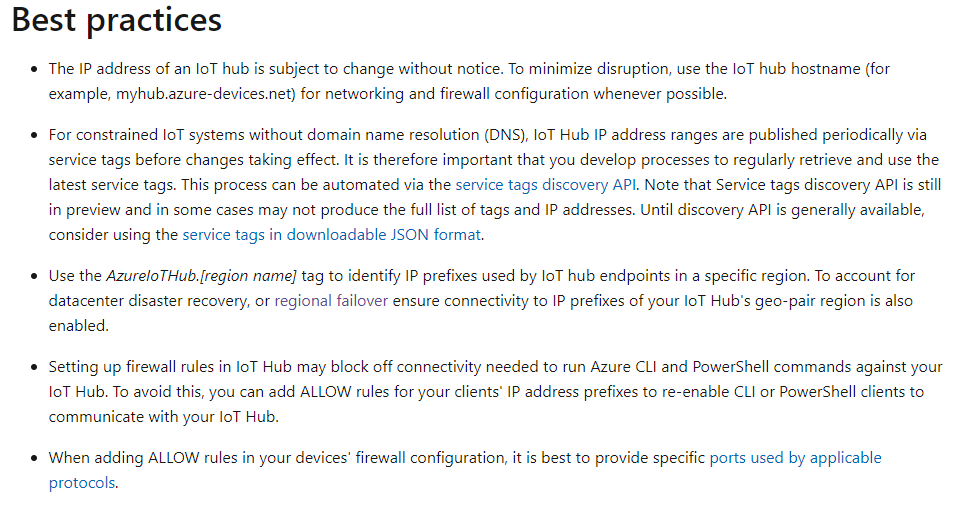
Please visit the documentation on : IoT Hub IP Addresses Best Practices
Limitations and workarounds
IoT Hub IP filter feature has a limit of 100 rules. This limit and can be raised via requests through Azure Customer Support.
Your configured IP filtering rules are only applied on your IoT Hub IP endpoints and not on your IoT hub's built-in Event Hub endpoint. If you also require IP filtering to be applied on the Event Hub where your messages are stored, you may do so bringing your own Event Hub resource where you can configure your desired IP filtering rules directly. To do so, you need to provision your own Event Hub resource and set up message routing to send your messages to that resource instead of your IoT Hub's built-in Event Hub. Finally, as discussed in the table above, to enable message routing functionality you also need to allow connectivity from IoT Hub's IP address prefixes to your provisioned Event Hub resource.
When routing to a storage account, allowing traffic from IoT Hub's IP address prefixes is only possible when the storage account is in a different region as your IoT Hub.
Please comment in the below section for further discussion and we would be happy to help you further in this matter.
I did receive this notification and am aware of this update. But in the notification, it was mentioned that it will not have any impact if we do not have a dependency on IP. So in our case, we are using the DNS and not IP but it still disconnected.
Regards,
Ali Qureshi