Share via

Pasted Text ignores default Proofing Language

Anonymous
2023-11-06T17:45:41+00:00

I often receive content from colleagues with different proofing languages assigned to the text, even though they might be using English as the default without realizing it's not being applied. The usual solution is to select the text and set the proofing language manually (Review > Language > Set Proofing Language ...).

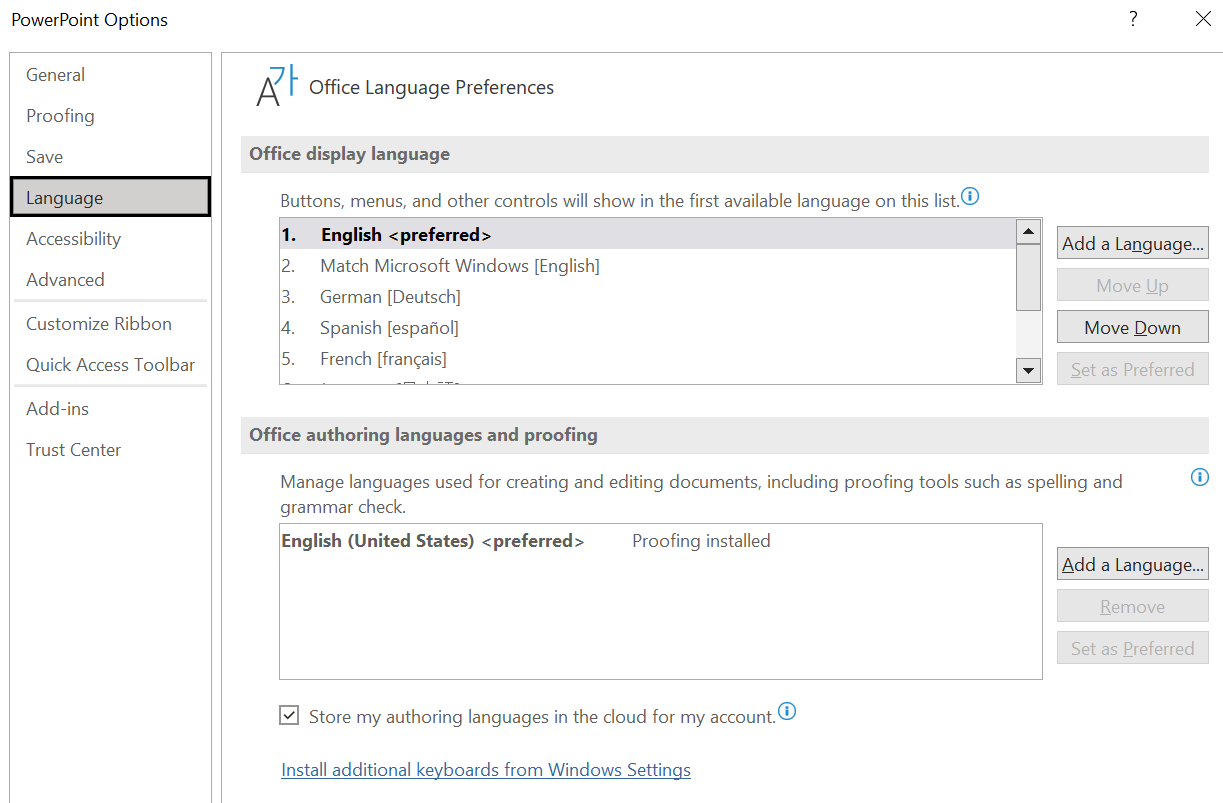
Is there a way to make content I paste into my PowerPoint always use my preferred language settings? Alternatively, can I set the proofing language for the entire PowerPoint? I've attached a screenshot to illustrate that I have English as my preferred language, but it doesn't seem to work in this context. Any advice would be greatly appreciated. Thank you.
Microsoft 365 and Office | PowerPoint | For business | Windows

Locked Question. This question was migrated from the Microsoft Support Community. You can vote on whether it's helpful, but you can't add comments or replies or follow the question.

0 comments No comments

2 answers

Sort by: Most helpful
  1. Steve Rindsberg 99,166 Reputation points MVP Volunteer Moderator
    2023-11-07T18:58:07+00:00

    There are two add-ins I know of that will automatically convert the entire presentation to any language you wish:

    Lingo from PPTAlchemy: http://www.pptalchemy.co.uk/Real_Lingo.html

    LanguageSelector from PPTools https://www.pptools.com/languageselector/

    The authors of both are PowerPoint MVPs and frequently answer questions here on Answers.

    LanguageSelector is one of my addins.

    Was this answer helpful?

    0 comments No comments
  2. Anonymous
    2023-11-07T07:00:51+00:00

    Dear Blue_Salmon,

    Thank you for reaching out to the Microsoft community. We are delighted to offer our assistance.

    Choose the option paste as plain text will help you change the proofing to the default language:

    Image

    Image

    Hope you keep safe and healthy always.

    Sincerely,

    Sean | Microsoft Community Moderator

    Was this answer helpful?

    0 comments No comments