Microsoft 365 and Office | SharePoint | For business | Other
A group of Microsoft Products and technologies used for sharing and managing content, knowledge, and applications.

This browser is no longer supported.
Upgrade to Microsoft Edge to take advantage of the latest features, security updates, and technical support.
' cx='32' cy='32' r='32' /%3E%3Ctext x='50%25' y='55%25' dominant-baseline='middle' text-anchor='middle' fill='%23FFF' %3EA%3C/text%3E%3C/svg%3E)
My SP Admin says he cannot delete a site that i created. Why would that be?
Locked Question. This question was migrated from the Microsoft Support Community. You can vote on whether it's helpful, but you can't add comments or replies or follow the question.
Dear user,
Good morning!
Thanks for posting in the Microsoft Community. We're happy to help. We're looking into your situation and will update you soon.
Please appreciate your patience and understanding and thank you for your time and cooperation.
Sincerely.
Microsoft Community Moderato
Dear Hank Church1,
Good day! Thank you for posting to Microsoft Community. We are happy to help you.
From your description It seems you cannot delete a site that you created behavior from your side.
Limited information is present on this query. apologized situation you encountered, we do understand the inconvenience caused and apologize for it. Can your provide bellow information.?
Delete a SharePoint site or subsite - Microsoft Support
Your understanding and patience will be highly appreciated.
If there is any misunderstanding, please feel free to correct me.
Have a nice day!
Best regards
Here is the error message (he and I are both Admins for the site, and both get this message about the compliance policy. Not sure where to change that compliance policy.
Dear Hank Church1,
Good day! Thank you for your reply
It seams you get compliance policy is currently blocking this site deletion” Error in SharePoint Online
To delete a site collection, we should exclude it from retention policies. Follow these steps to exclude a site collection from the retention policy in SharePoint Online.
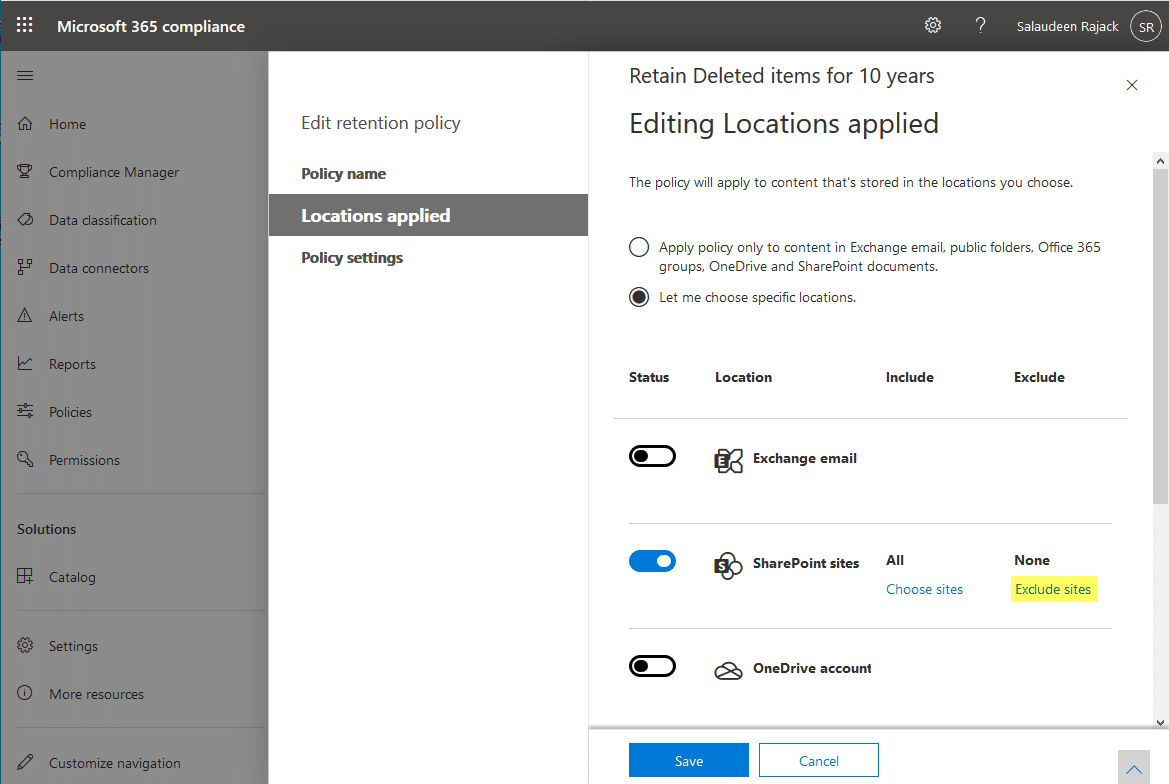
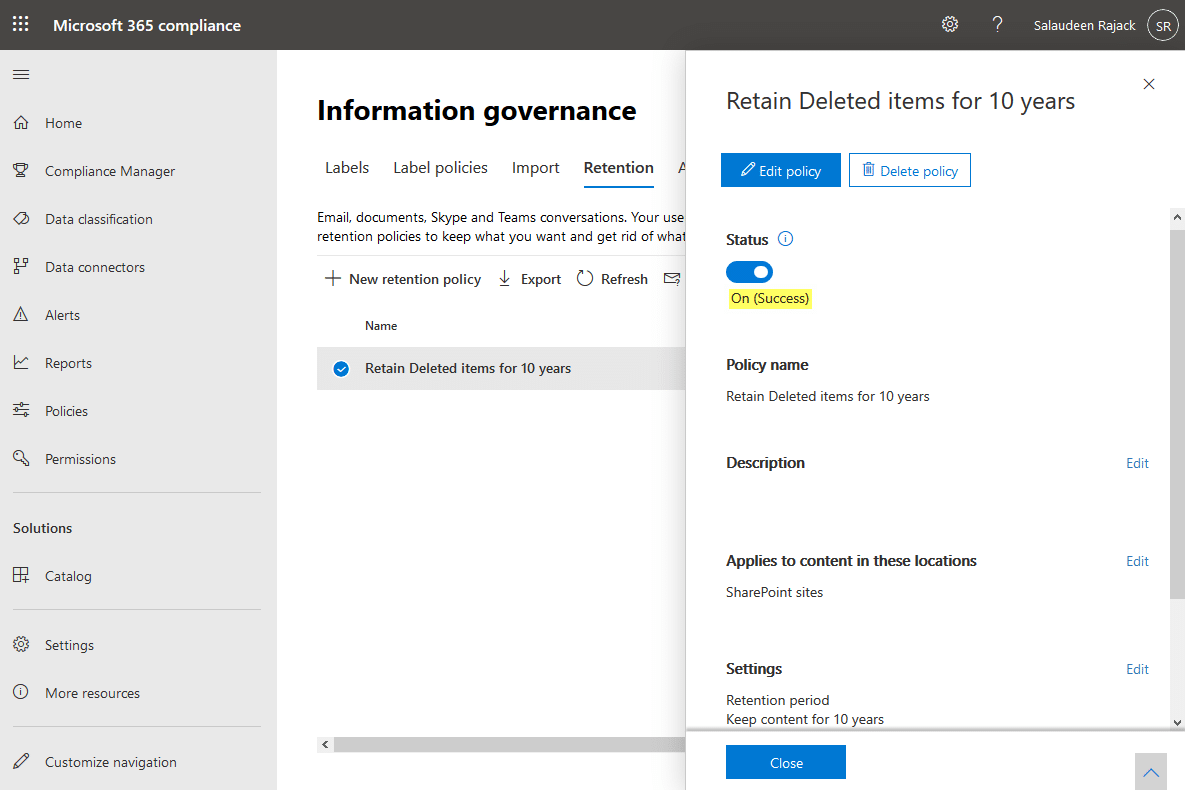
Now, try to delete the site! This time it should proceed without any errors.
Your understanding and patience will be highly appreciated.
If there is any misunderstanding, please feel free to correct me.
Have a nice day!