Hello Sophia656
Thank you for posting to the Microsoft community.
I'm sorry to hear that you're having trouble opening your PowerPoint file. This error message usually appears when there is an issue with the file's content, such as corrupted data or unsupported media.
Here are some steps you can take to try and resolve the issue:
- Try opening the file in Safe Mode: Open PowerPoint, then hold down the Ctrl key while clicking on the file you want to open. This will open the file in Safe Mode, which disables any add-ins or customizations that may be causing the issue.
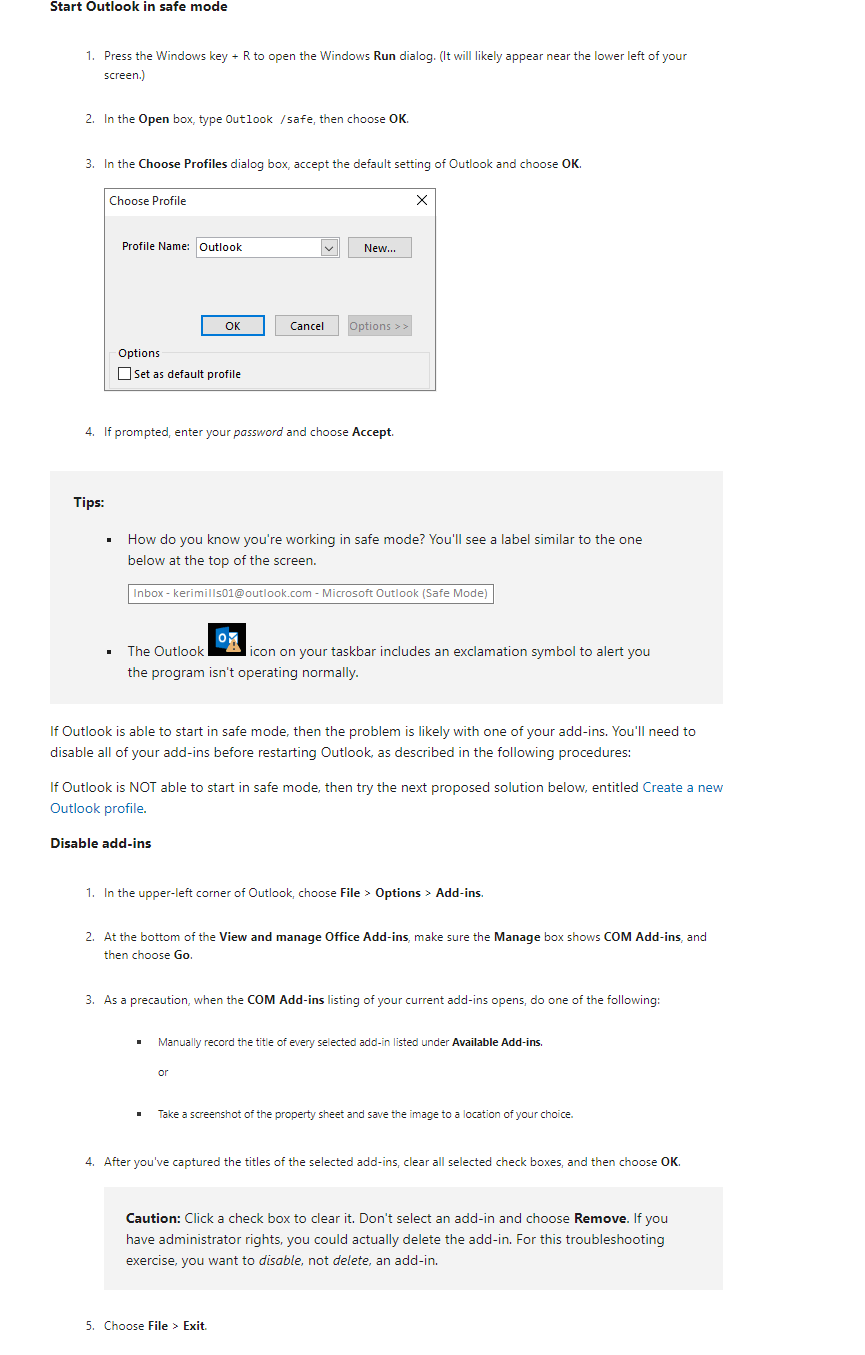
I can’t start Microsoft Outlook or receive the error “Cannot start Microsoft Outlook. Cannot open the Outlook Window” - Microsoft Support
- Check for updates: Make sure that your version of PowerPoint is up to date. To do this, click on File > Account > Update Options > Update Now. If there are any updates available, install them and then try opening the file again.
- Repair the file: PowerPoint has a built-in repair tool that can fix issues with corrupted files. To use this tool, open PowerPoint, then click on File > Open. Select the file you want to repair, then click on the arrow next to the Open button and select Open and Repair.
- Try opening the file on a different computer: If none of the above steps work, try opening the file on a different computer to see if the issue is with the file itself or with your computer.
If none of these steps work, you may need to recreate the file from scratch or contact Microsoft support for further assistance.
I hope this helps! Let me know if you have any other questions.
We look forward to your response.
Truly Yours,FatimaMicrosoft Moderator
' cx='32' cy='32' r='32' /%3E%3Ctext x='50%25' y='55%25' dominant-baseline='middle' text-anchor='middle' fill='%23FFF' %3EA%3C/text%3E%3C/svg%3E)
