Server Manager Visualization/Columns disappeared.

IT EABH 96 Reputation points
2021-08-24T19:06:21.637+00:00

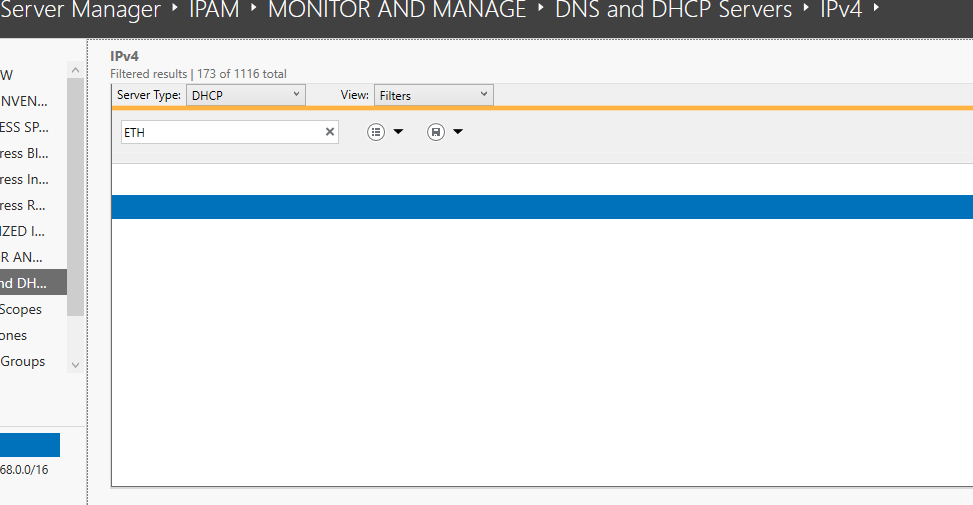
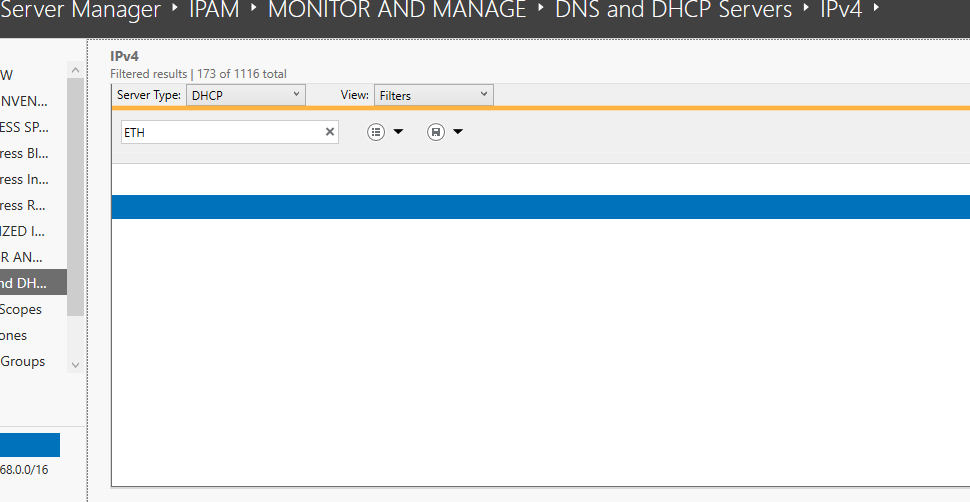
All the columns are gone when I try to view the Filters in the DHCP server. I cannot add them or do anything. Everything else in the Server Manager tool works just fine.

Is there a way to reset the server manager or fix this?

126098-image.png

126117-servermanager.png

Windows for business | Windows Server | User experience | Other
Windows for business | Windows Client for IT Pros | User experience | Other
0 comments No comments
{count} votes

Answer accepted by question author
  1. IT EABH 96 Reputation points
    2021-08-25T13:04:08.647+00:00

    Thank you for the reply PRAKASH.

    I actually just found out how to reset the Server Manager configuration. There is a user.config file inside the folder C:\Users\%Username%\AppData\Local\Microsoft_Corporation\ServerManager.exe_StrongName_m3xk0k0ucj0oj3ai2hibnhnv4xobnimj

    Deleted that file and executed Server Manager again.

    0 comments No comments

1 additional answer

Sort by: Most helpful
  1. Limitless Technology 40,076 Reputation points
    2021-08-25T10:46:47.233+00:00

    Hello,

    Thank you for your question.

    This is not the direct solution however, a possible work around.
    Try recreating the affected user profile on the server in question.

    Log on to the server with an administrator account.

    Rename your existing user profile say, User to User.old or whatever you like

    Reboot the server

    Log on with your account again which will create a new user profile for you on the server.

    P.S. Do remember to backup the relevant data before renaming the existing user profile.

    See if that works.

    If the reply was helpful, please don’t forget to upvote or accept as answer.

    Thanks,

    PRAKASH T

    0 comments No comments

Your answer

Answers can be marked as 'Accepted' by the question author and 'Recommended' by moderators, which helps users know the answer solved the author's problem.