Azure IoT Hub
An Azure service that enables bidirectional communication between internet of things (IoT) devices and applications.
This browser is no longer supported.
Upgrade to Microsoft Edge to take advantage of the latest features, security updates, and technical support.

Hi,
I am sending MQTT data from my device to my IoT Hub and would like to visualize the data for demonstration purposes.
I am following this tutorial and I am getting stuck because the dataset I create in my output (in the stream analytics job) is not present in Power BI.
Any ideas as to what I should do?
Also the data I sent is not json formatted. The data is sent raw via the paho MQTT library in C. Is that an issue?
Can MQTT data be visualized this way???
thanks
' cx='32' cy='32' r='32' /%3E%3Ctext x='50%25' y='55%25' dominant-baseline='middle' text-anchor='middle' fill='%23FFF' %3EA%3C/text%3E%3C/svg%3E)
The product group for Power Bi actively monitors questions over at
https://community.powerbi.com/
--please don't forget to upvote and Accept as answer if the reply is helpful--
Thanks a lot for the reply.
It seems however that this tutorial is from 2018 and many details have changed since then, making the whole procedure unnecessarily difficult.
I am a bit confused with all this stuff to be honest.
Isn't there an easier way to just read the telemetry data? Is the Logic App necessary, or the email part??
Where do I use the C# code you provided?
At this point I prefer to just see the raw data than visualize it if that's easier.
thanks and sorry for not being able to get this all
Also, I never get any telemetry in my hub 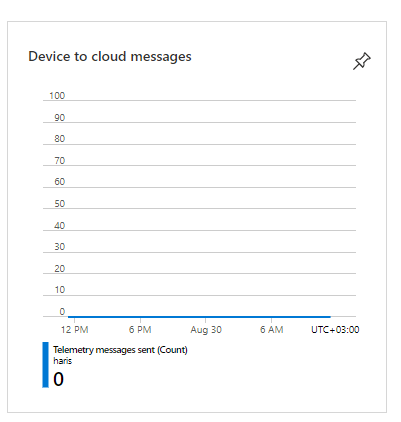
Does this mean that there is a problem other than not being able to read the data?
Also, are you saying that I need to sent my telemetry data from my device in JSON format?
As I said I'm using C language. and not C#.
thanks
' cx='32' cy='32' r='32' /%3E%3Ctext x='50%25' y='55%25' dominant-baseline='middle' text-anchor='middle' fill='%23FFF' %3EQ%3C/text%3E%3C/svg%3E)
Hi @Haris Papageorge ,
How is your data sent to IoTHub?, do you see the data coming into IoTHub?
Please use Web Simulator to send quick Test Telemetry data to your IoT-Hub: https://azure-samples.github.io/raspberry-pi-web-simulator/
Hi @QuantumCache ,
My data is sent through my end node device in raw format (meaning just a big MQTT string) via the paho MQTT library in C.
That is my goal, to see the data coming into IoTHub to determine if there is an issue.
i am receiving a CONNACK message from azure so I am assuming it works ok.
thanks
As I said, I am getting a CONNACK message from the IoTHub.
However when I try and send a publish message with QOS 1 the TCP communication fails.
I am waiting for a PUBACK but the TCP line is dropped.
Also, when I create another device in the same IoTHub to subscribe to a topic via MQTTfx client, the published message from my original device does NOT show up in the subscription of the topic.
When I try to publish a message with the MQTTfx as a client (it connects fine with IoTHub with the SSL certificates) the broker connection is lost and communications is stopped immediately...
I love Azure but just a heads up: all this is done seamlessly in aws. There is a test mqtt client embedded there and you instantly can see your published messages. My device works in AWS so It should be working in Azure also.
thanks
Hello @NickWeliodro-9668
Thanks for posting this issue. You may be interested in checking the telemetry received in the IoTHub side. Please try the steps similar in another document such as: https://learn.microsoft.com/en-us/azure/iot-hub/tutorial-routing-view-message-routing-results
Step 1: Code to send the telemetry in the UTF8 encoded , .JSON format.
Check the encoding of the telemetry message sent.
C# code to send the encoded message as utf-8 instead of utf-32.
Below are the properties I have used. Please try these in your code as well.
message.ContentEncoding = "utf-8";
message.ContentType = "application/json";

So when you read the telemetry messages from any tool, such as VS code or Device explorer, you will see the below format telemetry .
[{"deviceId":"Contoso-Test-Device","temperature":21.319264327790247,"humidity":68.288192045077778,"pointInfo":"This is a normal message."}]Properties:
'level': 'normal'
Step 2: Provide the right info in the ASA job , Input
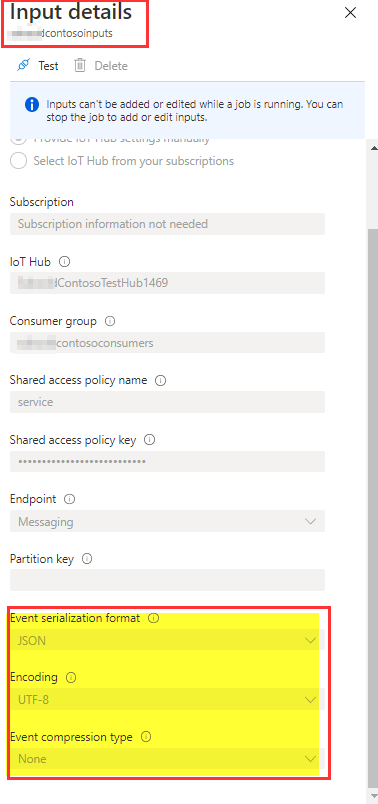
Step 3: Check the Dataset created in the PowerBi app.

Finally, I was able to create a PowerBi report with the Dataset.
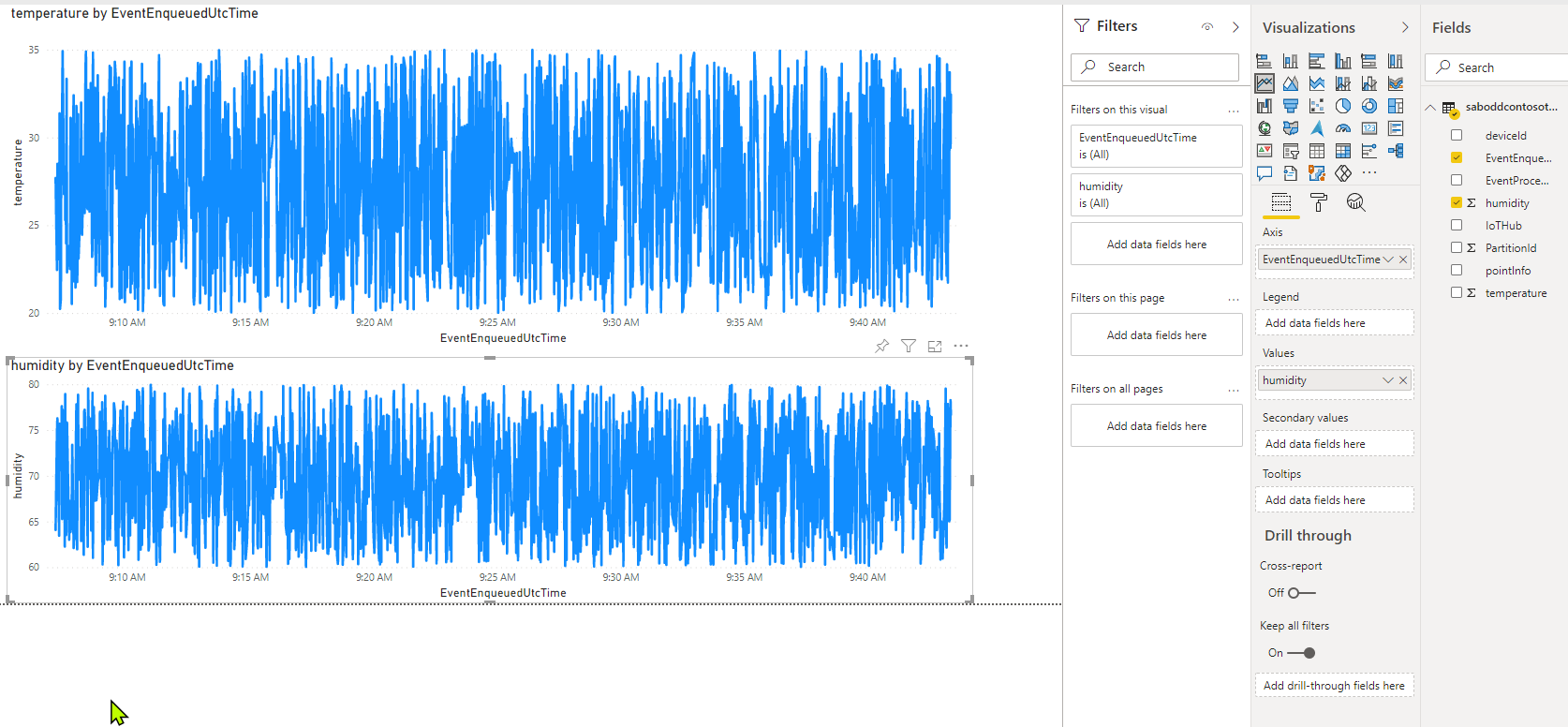
Please comment in the below section for further help in this matter.
Is there any firewall blocking in your Network? Can you use another network for testing purposes?
Could you please use the Azure IoT Explorer to check if the Telemetry is reaching IoTHub?

Thanks for helping.
There is no firewall blocking as I successfully make a TCP connection with the azure hub and even get a connack back.
My device telemetry doesn't show up on IoT explorer

What could be wrong?
EDIT!!
Ok that's embarrassing... i was using an incorrect way of formulating the MQTT topic.
It works now
Again thank you very much for helping out so much.