Share via

My black default line for process mapping changes to blue randomly

Anonymous
2024-03-20T20:45:52+00:00

After about 15 uses of my black default line, I'll input a new line and it'll be blue. I have to turn it back to black, then reset it as the default line.

Why does this change back to blue every so often + how can I stop this from happening? I use a lot of lines in my flows so I end up having to do this way more than I'd like. Thanks.

Microsoft 365 and Office | PowerPoint | For business | Windows

Locked Question. This question was migrated from the Microsoft Support Community. You can vote on whether it's helpful, but you can't add comments or replies or follow the question.

0 comments No comments

5 answers

Sort by: Most helpful
  1. Anonymous
    2024-06-17T23:42:43+00:00

    It looks like this issue occurs when I'm using connectors from my Quick Access Toolbar. Does that help any?

    Was this answer helpful?

    0 comments No comments
  2. Anonymous
    2024-04-22T21:08:56+00:00

    My company doesn't allow our files to be shared via OneDrive outside the organization, so the share link option won't work.

    I can send you the file via email though; please provide me with an email address.

    Thanks

    Was this answer helpful?

    0 comments No comments
  3. Anonymous
    2024-03-26T13:44:04+00:00

    Dear LeighAnnB,

    To help you better, could you please send a sample file for us via OneDrive link so that we can investigate it for you? 

    Appreciate your cooperation in advance.

    Sincerely,

    Jazlyn | Microsoft Community Moderator

    Was this answer helpful?

    0 comments No comments
  4. Anonymous
    2024-03-21T17:40:40+00:00

    Thanks for your response.

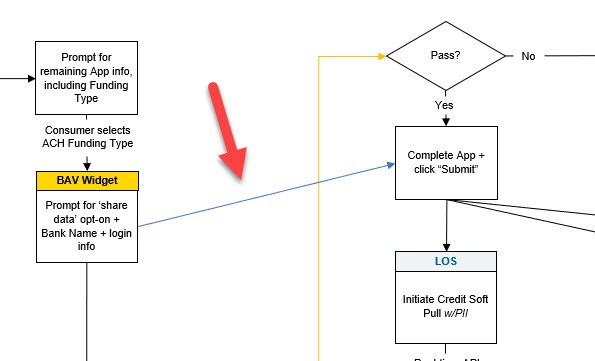
    I'm not using SmartArt graphic, just building my flows from a template I created; see the attached. I've included a red arrow to show you where the blue line just appeared as I was adding a new line (using the Insert Shapes function). My default line is set to black, and will work for about 15 instances, but then it'll come up blue, and I have to change to black, and reset it as the default line. Not the end of the world, but when I'm building a large flow, and have a hundred lines, it gets annoying.

    Thanks for your help!
    Was this answer helpful?

    0 comments No comments
  5. Anonymous
    2024-03-21T09:55:07+00:00

    Dear LeighAnnB,

    Good day! Thank you for posting your query in our community.

    To help you better, could you please provide more information for us?

    1. You mentioned "process mapping" and "a lot of lines in my flows", may I confirm whether you create smartart graphic in PowerPoint?
    2. Please provide a screenshot of your problem for us.
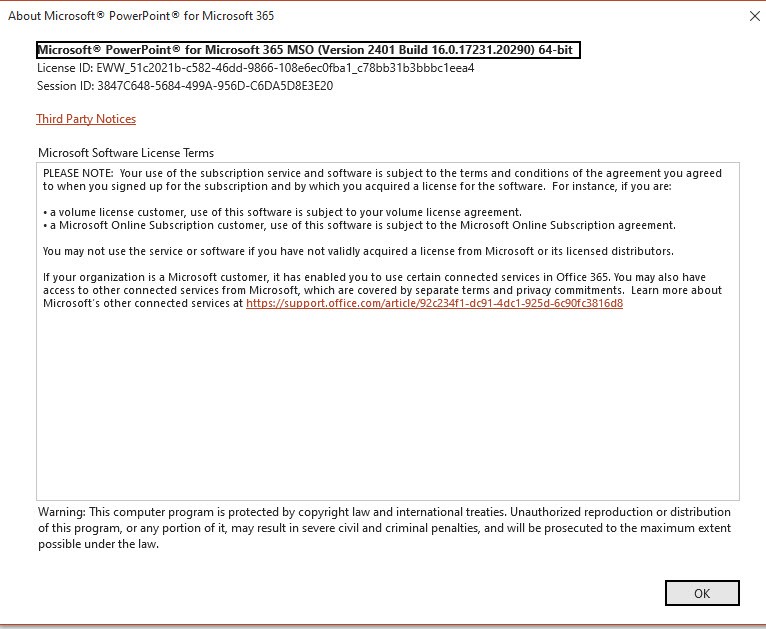
    3. And please provide a screenshot of your Office Product Information(open PowerPoint>File>Account>capture a screenshot of the Product Information column).

    Appreciate your cooperation in advance.

    Sincerely,

    Jazlyn | Microsoft Community Moderator

    Was this answer helpful?

    0 comments No comments