Azure Logic Apps
An Azure service that automates the access and use of data across clouds without writing code.
This browser is no longer supported.
Upgrade to Microsoft Edge to take advantage of the latest features, security updates, and technical support.
' cx='32' cy='32' r='32' /%3E%3Ctext x='50%25' y='55%25' dominant-baseline='middle' text-anchor='middle' fill='%23FFF' %3EA%3C/text%3E%3C/svg%3E)
Getting The following Error Message for an app with an HTTP trigger :
"InvalidTemplate. Unable to process template language expressions in action 'Send_an_email_(V2)' inputs at line '1' and column '1896': 'The template language expression 'body('Vendor')['username']' cannot be evaluated because property 'username' doesn't exist, available properties are '@odata.context, value'. Please see https://aka.ms/logicexpressions for usage details.'."
GetRow Output is as follows:
{
"@odata.context": "https://logic-apis-northcentralus.azure-apim.net/",
"value": [
{
"@odata.etag": "",
"ItemInternalId": "b377fb05-ccdc-4d44-b8a1-a58278b5a304",
"vendorname": "Nexus ",
"currency": "Test",
"companyname": "Nexus",
"nameoncheck": "Test",
"terms": "Test",
"firstname": "Test",
"lastname": "Test",
"phone": "Test",
"email": "Test",
"firstname2": "Test",
"lastname2": "Test",
"phone2": "Test",
"email2": "Test",
"logfirstname": "Test",
"loglastname": "Test",
"logphone": "Test",
"loggemail": "Test",
"finfirstname": "Test",
"finlastname": "Test",
"finphone": "Test",
"finemail": "Test",
"notes": "Hello",
"addr1": "Test",
"addr2": "Test",
"addr3": "Test",
"city": "Test",
"state": "Test",
"zip": "Test",
"country": "Test",
"shipaddr1": "Test",
"shipaddr2": "Test",
"shipcity": "Test",
"shipstate": "Test",
"shipzip": "Test",
"shipcountry": "Test",
"direct": "True",
"contact": "email",
"wine": "True",
"spirits": "False",
"na": "False",
"timestamp": "2021-08-26T23:36:38.6800000",
"listid": "Pending",
"username": "email",
"id": 1
}
]
}
Any insight would be appreciated. Thank you.
An Azure service that automates the access and use of data across clouds without writing code.
Answer accepted by question author

@AFWright In your output I can see your output have the json value which has array of value.
So to get the value for username field you need to define the postion for which you want to retrive the value in array.
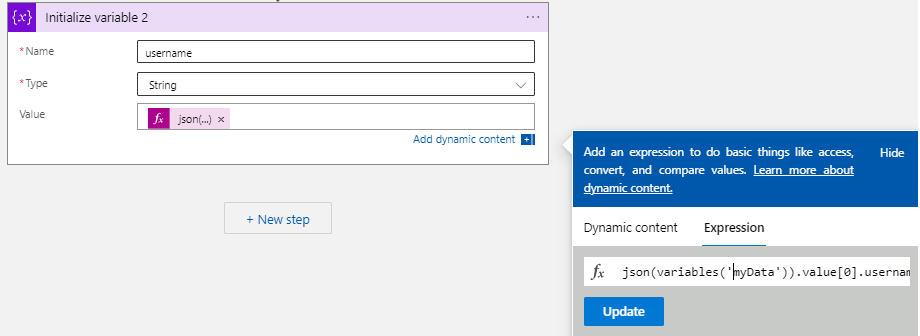
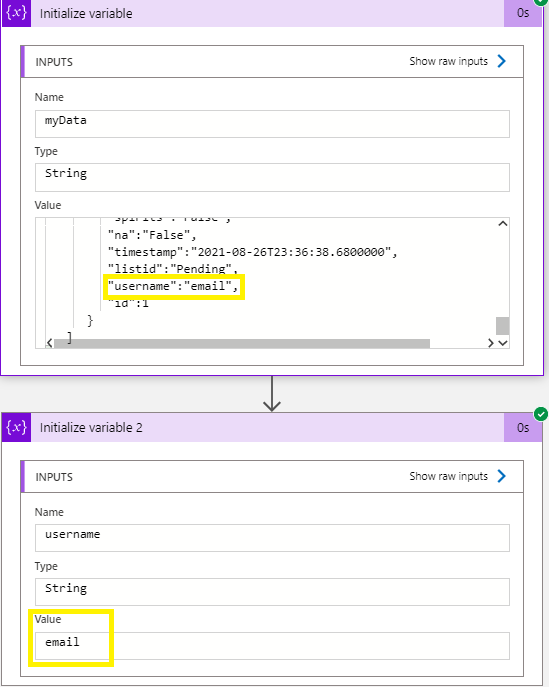
For testing I have used your json output and define it in the string variable and used the output of the string variable to get the username field. I have converted the string to array first then get the first element of value and then get the username value. You can refer to functions in expressions for Azure Logic Apps for different expression that are supported.
json(variables('myData')).value[0].username
So according to your requirement to can iterate through the array list to get the desire output.
Thank you for the response, MayankBargali.
I will attempt your suggestion. I did discover something after posting the original question.
Here are two snapshots from the app runs of two nearly identical Logic Apps. Notice how the get row formatting is different. First one is the working version and the second one isn't:
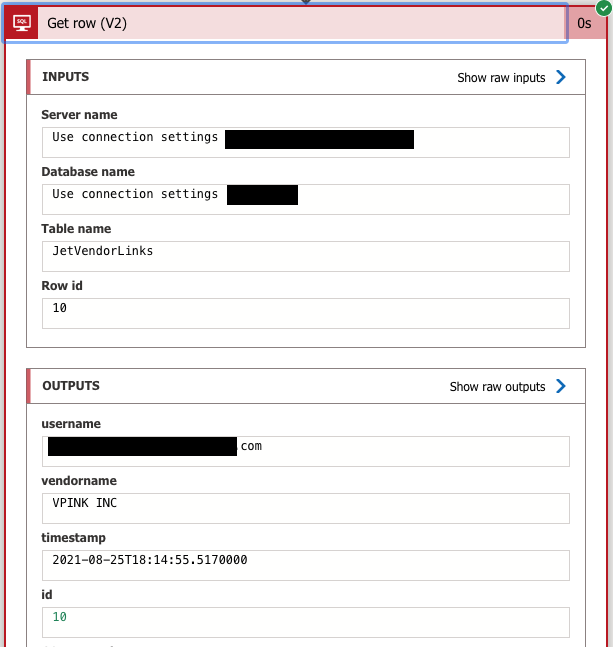
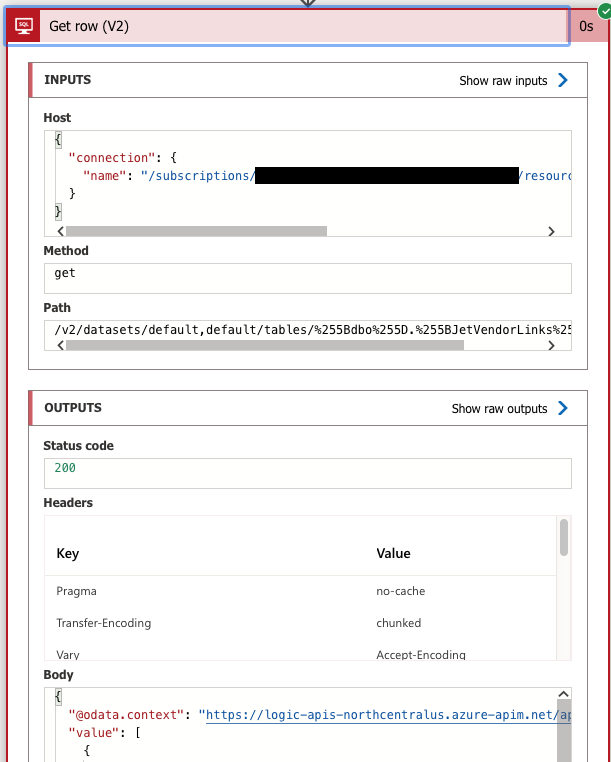
Hoping you could provide more info based on the specific case scenario below.
@AFWright The return output is dynamic for the Get rows (V2) as mentioned in the SQL connector document based on the input paramter. Looks like there was issue/or the image was removed while posting the comment as I don't see your second screenshoot. But in case if the input are different then it is expected behaviour as the output can be dynamic. Feel free to post a new query for this issue if you still oberve that the input are same but the output are different.
If the above answer helped please feel free to "Accept it as Answer" so it can help other community member facing the similar issue.