
RDP Issue with login
' cx='32' cy='32' r='32' /%3E%3Ctext x='50%25' y='55%25' dominant-baseline='middle' text-anchor='middle' fill='%23FFF' %3EHD%3C/text%3E%3C/svg%3E)
Henrique da Costa
6
Reputation points
Hi,
I have a very weird issue.
Whenever we try to RDP into a computer using the email address as the username, the RDP will connect but then we'll get a login error saying wrong username and password. All computers are Windows 10 PRO
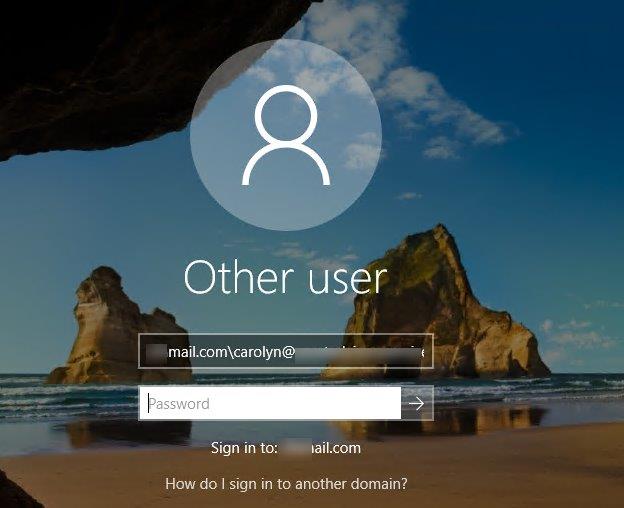
It'll display the username but it's adding the domain name before the e-mail, so it shows up as domain\user@tiedtlaw email .com - we if we switch it to the email, it'll login fine after that.
We tried to RDP into 3 different computers and they all show the same error. Others users don't have this issue, its just this one user. User is on online exchange.
In RDP, if we try to sign in with the user's sam name, it'll go through just fine. This only happens if we try using the user's e-mail address.
Windows for business | Windows Client for IT Pros | User experience | Remote desktop services and terminal services
Sign in to answer