Share via

Microsoft planner glitch

Anonymous
2024-05-07T13:38:43+00:00

When will the “assigned to me “ be sorted/fixed in the new planner . If I use the premium project planner “ assigned to me “ does not populate / work … is there an end date to this problem . It is hard to tell if it’s my laptop ot this problem has still not been fixed for everyone ? If you provide an end dost to this issue then I will know one way or another

Thank you

Ange

Microsoft 365 and Office | Project | For business | Windows

Locked Question. This question was migrated from the Microsoft Support Community. You can vote on whether it's helpful, but you can't add comments or replies or follow the question.

0 comments No comments

2 answers

Sort by: Most helpful
  1. Anonymous
    2024-05-08T10:34:05+00:00

    Hi Mia

    My tasks that were created in the premium planner (project for the Web) are not appearing in "Assigned to me"

    Task created in the planner, "testing the on for tasks follow-up" as per screen shot do not appear anywhere.

    Any tasks created in basic planner appears in my "Assigned to me" but not anything from the preium planner, hope you can assist , thank you very much for getting back to me.

    Was this answer helpful?

    0 comments No comments
  2. Anonymous
    2024-05-08T06:51:05+00:00

    Dear respected Ange,

    Good day! Thanks for posting in our community.

    We went through your post carefully and deployed some tests with Planner in online and Teams and it seems like the Assigned to me tab is working correctly.
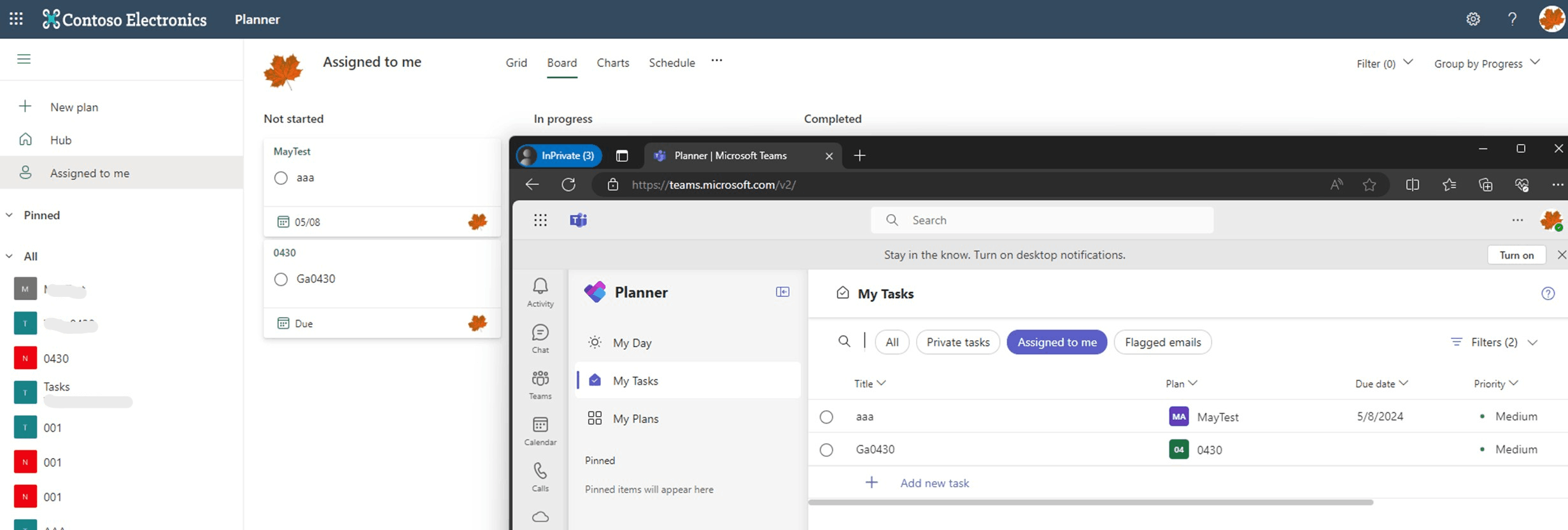
    As we failed to upload to reproduce it on our machines, to offer you the correct guide to resolve this, could you please share us some more details as troubleshooting steps below?

    1. If all tasks assigned to you are not showing in Assigned to me tab or just some specific ones?
    2. If other users in your tenant can see the same behavior?

    We appreciate your kind patience and understanding that sometime the initial reply may not resolve the concern immediately or there may have some misunderstanding about your scenario, but we would like to hear the updates from your side and let's figure out the further suggestions.

    We'll be here for you to wait for your updates. I appreciate your time and effort on checking these above and thank you for your time and cooperation. I hope that you are keeping safe and well! 

    Sincerely,

    Mia | Microsoft Community Moderator

    Was this answer helpful?

    0 comments No comments