Developer technologies | Windows Presentation Foundation
A part of the .NET Framework that provides a unified programming model for building line-of-business desktop applications on Windows.
This browser is no longer supported.
Upgrade to Microsoft Edge to take advantage of the latest features, security updates, and technical support.
' cx='32' cy='32' r='32' /%3E%3Ctext x='50%25' y='55%25' dominant-baseline='middle' text-anchor='middle' fill='%23FFF' %3EG%3C/text%3E%3C/svg%3E)
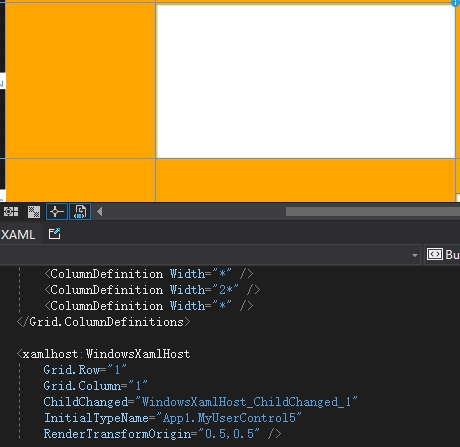
when WPF use WindowsXamlHost it default quadrilateral and background is white
can we make it triangle?
' cx='32' cy='32' r='32' /%3E%3Ctext x='50%25' y='55%25' dominant-baseline='middle' text-anchor='middle' fill='%23FFF' %3EA%3C/text%3E%3C/svg%3E)
Hi @GuoLearn ,
Could you please share the result picture you want to get? or just rotate the shape you showed. And please share your completed code via text instead of image. It would be better to resolve the issue.
Best regards,
Zhanglong
Yes , just rotate the shape I showed ,but it seems very difficult,
so i want to cut the big quadrilateral to a letter one ,
I apologized i can't show you code,because it is just a idea,so i show you image,
Like this,
The big Yellow one is the WindowsXamlHost,
I want to know if there have any way to cut the four corner yellow,
Then the orange one is what I need ,and it is like something rotate 45 angle.
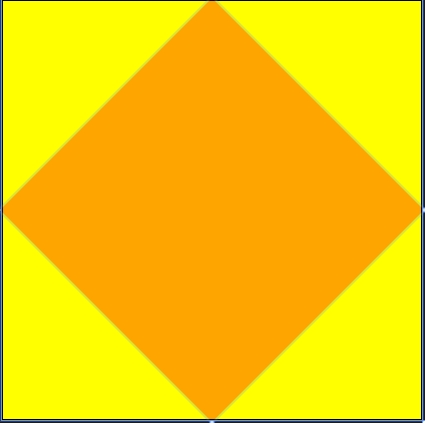
Then be left over:
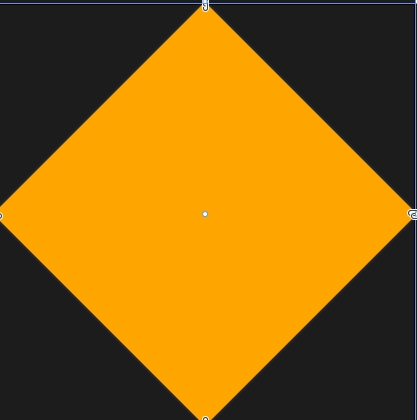

A way to change its shape is with SetWindowRgn
A test :
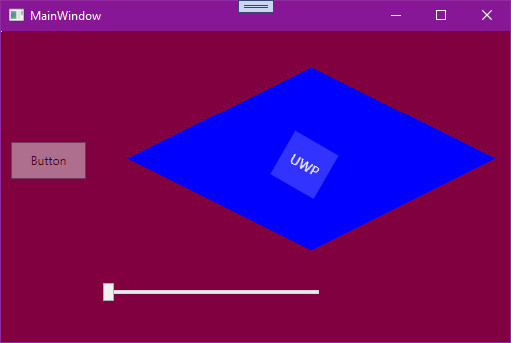
IntPtr hWndHost = windowsXamlHostControl.Handle;
POINT[] pt;
pt = new POINT[5];
pt[0].x = (int)windowsXamlHostControl.Width/2;
pt[0].y = 0;
pt[1].x = (int)windowsXamlHostControl.Width;
pt[1].y = (int)windowsXamlHostControl.Height / 2;
pt[2].x = (int)windowsXamlHostControl.Width / 2;
pt[2].y = (int)windowsXamlHostControl.Height;
pt[3].x = 0;
pt[3].y = (int)windowsXamlHostControl.Height / 2;
pt[4].x = (int)windowsXamlHostControl.Width / 2;
pt[4].y = 0;
IntPtr hRgn = CreatePolygonRgn(ref pt[0], 10, 1);
SetWindowRgn(hWndHost, hRgn, true);
Declarations :
[DllImport("user32.dll", SetLastError = true)]
private static extern int SetWindowRgn(IntPtr hWnd, IntPtr hRgn, bool bRedraw);

[DllImport("gdi32.dll", SetLastError = true)]
private static extern IntPtr CreateRoundRectRgn(int x1, int y1, int x2, int y2, int cx, int cy);

[DllImport("gdi32.dll", SetLastError = true)]
private static extern IntPtr CreatePolygonRgn(ref POINT lpPoint, int nCount, int nPolyFillMode);

[StructLayout(LayoutKind.Sequential)]
public struct POINT
{
    public int x;
    public int y;
    public POINT(int X, int Y)
    {
        this.x = X;
        this.y = Y;
    }
}
Thanks Millions
hi @Castorix31
IntPtr hRgn = CreatePolygonRgn(ref pt[0], 10, 1);
SetWindowRgn(hWndHost, hRgn, true);
how can we return it back,? Like, I rotate 45 angle, then i want return 0 angle,can we del hRgn?
I had try DeleteObject(hRgn),but do not success,could you help me?
The Region is removed with :
SetWindowRgn(hWndHost, IntPtr.Zero, true);
Thank you very very much