Dear Steve,
We are glad to help you and we may need some more information for confirmation.
From the description, it seems that you encounter the error message when accessing the existing PWA site to create a project. If yes, do you just access the site via the PWA site URL https://contoso.sharepoint.com/sites/pwa and encounter the No Permission error?
If yes, it may be that the PWA site permission is set to Project Permission Mode and you have no enough permission to create a project. If you aren't the site owner, I suggest you contact the site owner>Settings>PWA Settings>Additional Server Settings>check whether Project Permission Mode is checked in Permision Management. If yes, the PWA site is using Project Permission Mode.

Does the site owner just click on Share>grant the permission to the site? If yes, it doesn't grant the permissions to you in Project Permission Mode. You may first let him add you as a resource>click on Resource>New>Associate resource with a user account>set at least My Projects in Security Category>use the Administrator permission template or edit the template with the custom permission items checked>similarly use the Administrator permission template or edit the template with the custom permission items checked in Global Permissions>Save.
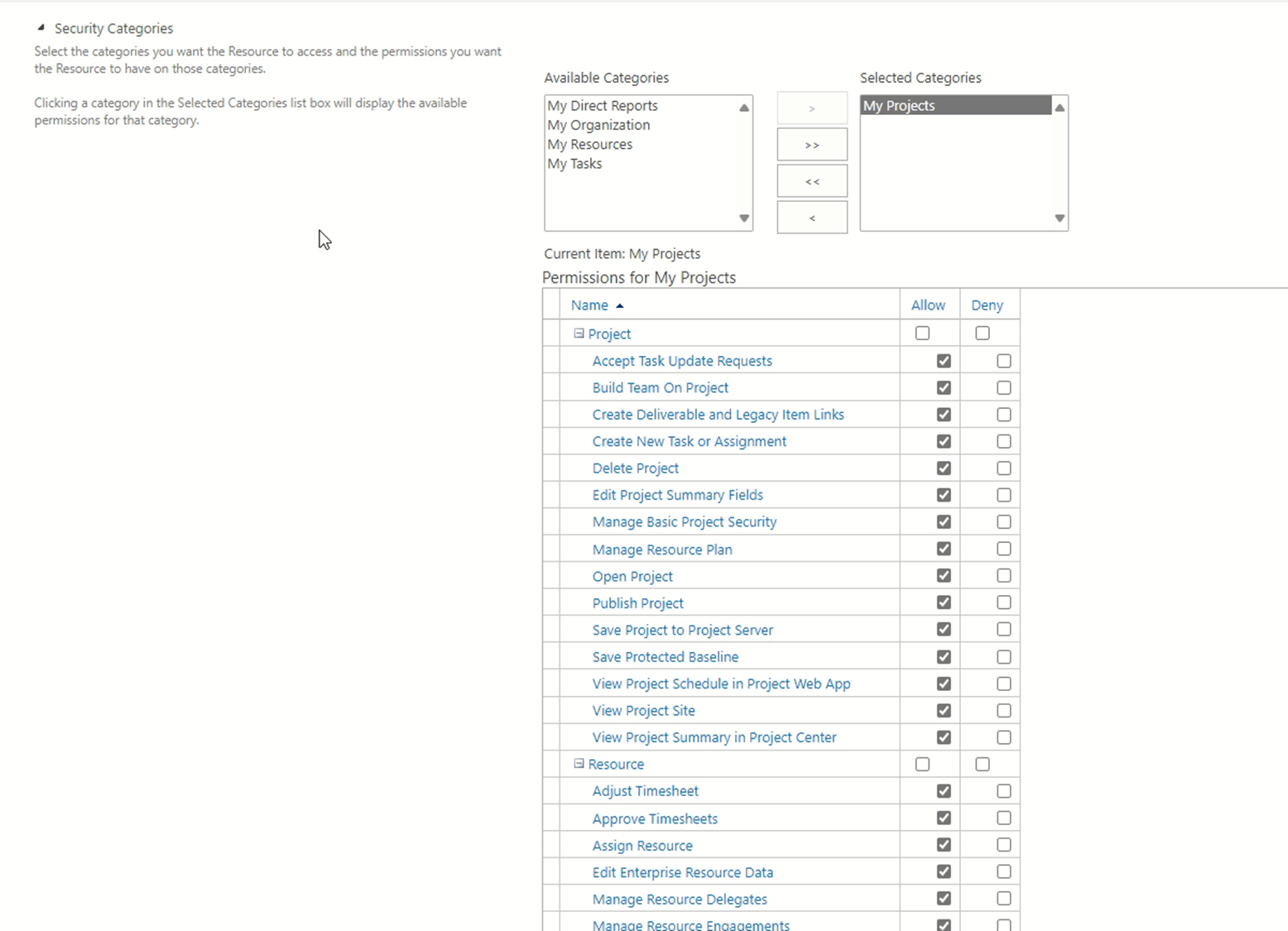
After setting it, you can access the PWA site with the site URL to see whether you can create a SharePoint task list project or an enterprise project.
Change permission management in Project Online - ProjectOnline | Microsoft Learn
Manage Project Web App permissions (Project Server permission mode) - Project Server | Microsoft Learn (also applied to Project Web App (Project Online))
Welcome to share any updates at your convenience.
Thanks for your effort and time!
Sincerely
Cliff | Microsoft Community Moderator
' cx='32' cy='32' r='32' /%3E%3Ctext x='50%25' y='55%25' dominant-baseline='middle' text-anchor='middle' fill='%23FFF' %3EA%3C/text%3E%3C/svg%3E)
