Dear Miles S,
Good day! Thank you for posting to Microsoft Community. We are happy to help you.
We are sorry to hear that you’re having trouble with restrict access grayed out in PowerPoint. I deeply understand the inconvenience caused and apologize for it.
We appreciate your understanding that sometimes the initial response may not resolve the problem immediately. However, we can work together to narrow down and resolve the situation. So, for further troubleshooting, could you please provide the information below:
- Could you please let me know if you still have the necessary permissions to modify the file in SharePoint?
- May I know if the PowerPoint app is up to date?
- Could you please let me know if you have tried clearing the cache of your Office applications?
- Could you please let me know if the presentation has any sensitivity labels applied that might be conflicting with the restriction settings? You can check this by going to File > Info and looking for any labels under Sensitivity.
If you have already tried the above suggestion, could you please provide me with the specific details below so that I can reproduce the issue and check for bugs on my end?
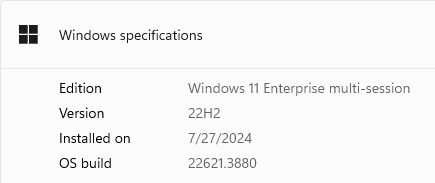
- Could you please provide me the specific OS version of the affected device you are using?
- Could you please provide me the specific PowerPoint app version you are using? What version of Office am I using? - Microsoft Support So that I can check for any bugs from my end.
Once again, I apologize for the inconvenience this has caused. We appreciate your patience and understanding and thank you for your time and cooperation.
Sincerely,
Ralph Chawatama | Microsoft Community Moderator
' cx='32' cy='32' r='32' /%3E%3Ctext x='50%25' y='55%25' dominant-baseline='middle' text-anchor='middle' fill='%23FFF' %3EA%3C/text%3E%3C/svg%3E)
