Hi Rajesh P B Nair,
Greetings. Thank you for posting the thread to our community.
Based on your description, it seems you want to insert a Loop component in a PowerPoint presentation.
As far as I know, I’m afraid and sorry to say currently, Loop component cannot be directly embed/having integration with PowerPoint and other Office apps. Many other users also have the similar feedback about it. You can only copy the link format of a Loop component and paste it into the presentation, here is my test result as reference for you:
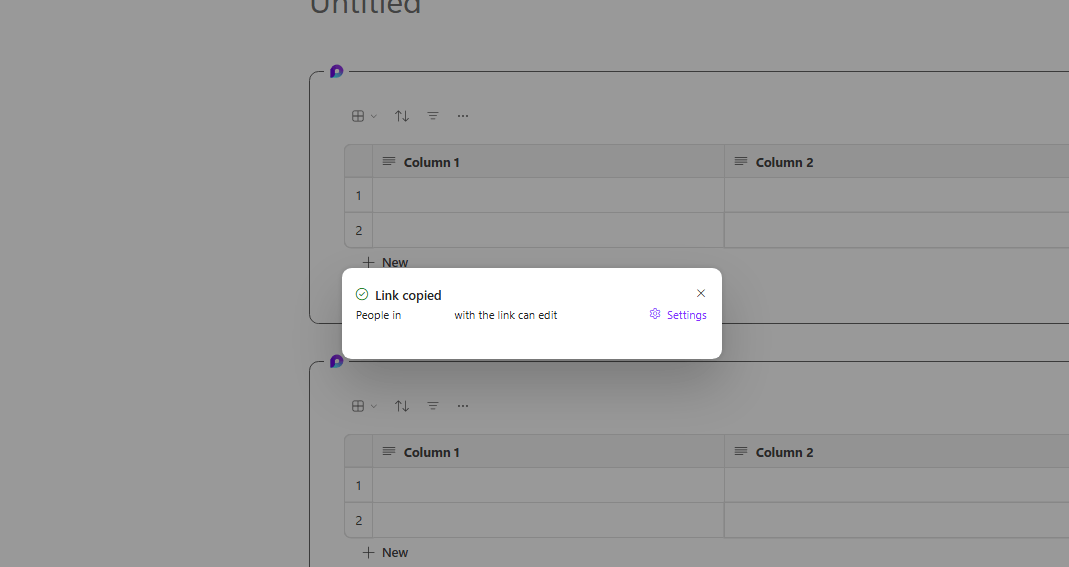
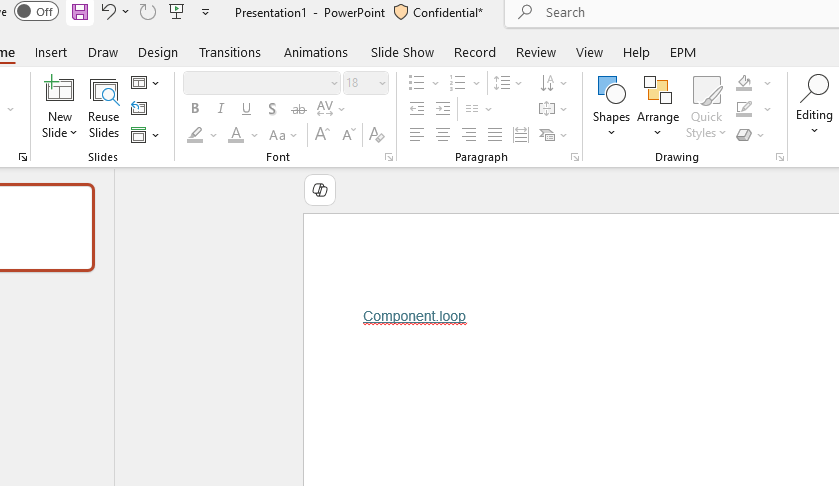
For this limitation you’ve encountered, I do understand the inconvenience and sorry about it.
Personally, I’m totally agree and understand the convenience of being able to insert a Loop component into Office apps. It is definitely a great addition to the current availabilities of Loop and Office apps integration. Due to this situation, I sincerely recommend you go to Feedback community to vote this similar feedback: Would be powerfull to add to Power point · Community or post your own feedback thread in our Feedback community: Loop · Community. Our product team is in charge of the site, and they constantly check customer reviews and feedback, The higher votes, the more attention the related team will pay on. And a lot of the features are developed and improved based on customer feedback.
Please notice and accept my apologies that as moderators in the community, we are not supported for the product design and have limited resources for the advanced info for Microsoft products. To help you send your feedback and requirement to the related development team, we have redirected you to the correct path.
Appreciate for your patience and understanding, and Hopefully Microsoft will make improvement soon.
Hope you having a nice day and wish you all the best as well!
Sincerely,
Harry | Microsoft Community Moderator
' cx='32' cy='32' r='32' /%3E%3Ctext x='50%25' y='55%25' dominant-baseline='middle' text-anchor='middle' fill='%23FFF' %3EA%3C/text%3E%3C/svg%3E)
