Hi Keagan Enoch,
I went through your post carefully and it seems like your demand is to export the Gantt Chart for a project where you require the timeline fits into one page instead of separate pages which is absolutely making sense for a better and clearer management view experience.
As per the detail you mentioned that you tried to export to PDF, I believe you are using Project Online where I can find the same Export to PDF function from three-dot button. But do feel free to correct me if you are currently using PWA (from my test, PWA only provides the Print button).
So just now I tried to deploy some tests for you to better simulate the scenario you are encountering with. And it seems like when I zoomed as 1 week, I can reproduce the same split page result but when zoom out further, it can stay in one page.
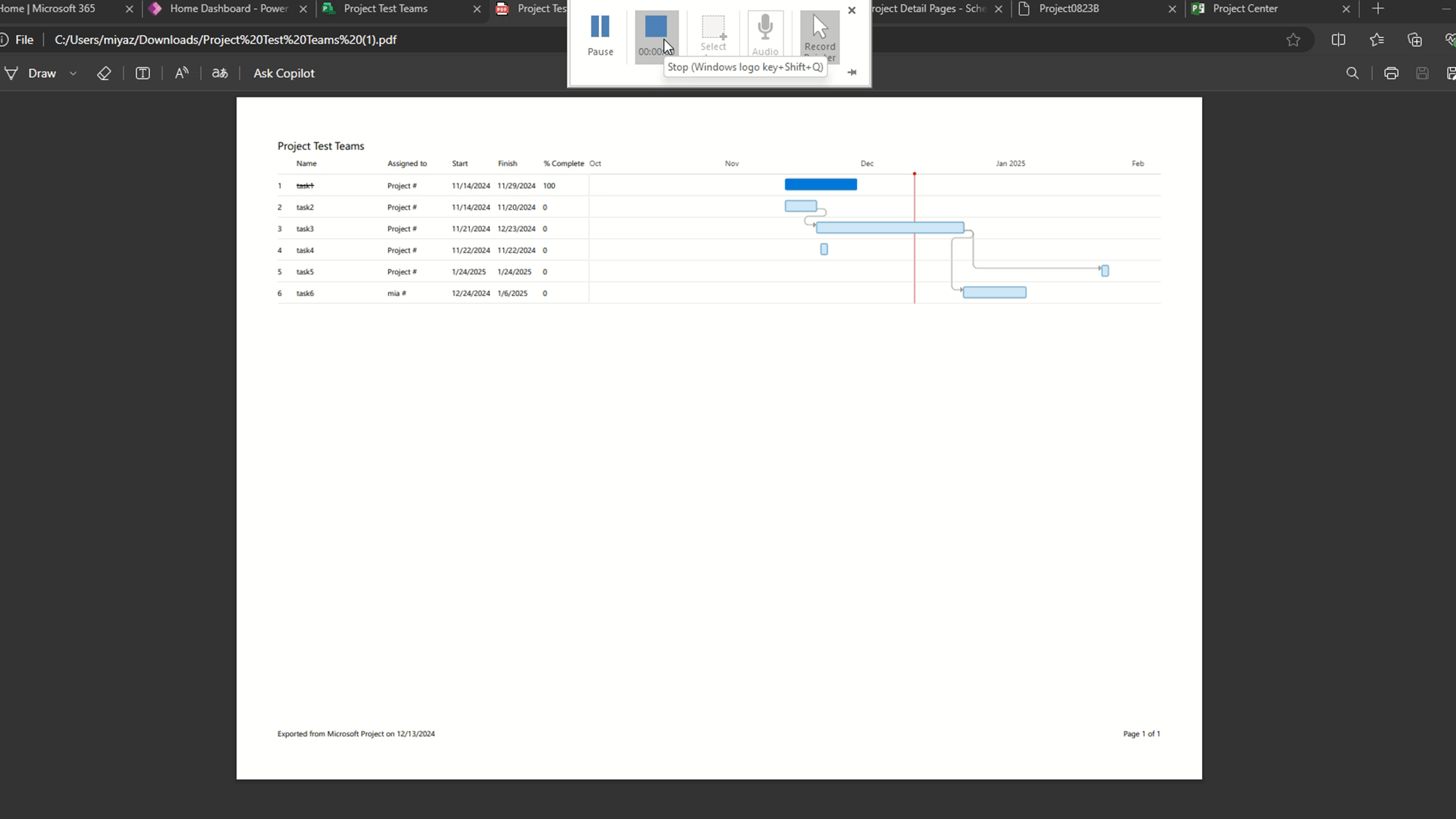
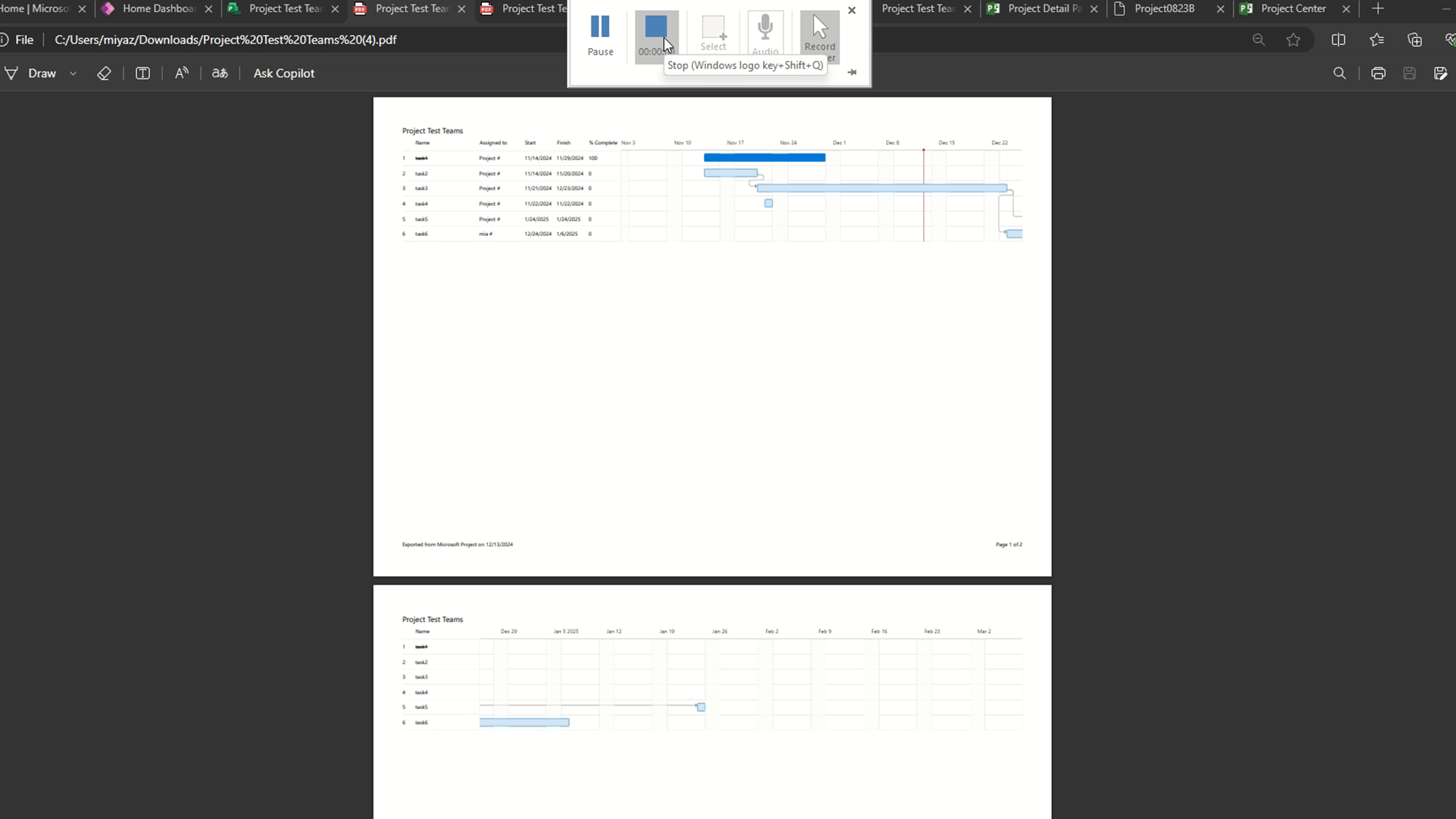
In this situation, I assume you may have a larger project and may I confirm if it will lead to a split Gantt even if you select the minimized zoom as six years? Also, for another detail you mentioned the dates are missing from left side, it seems like I can reproduce when it comes to the following spilt pages in the export PDF as it displays the task name only.
Please correct me if there also have anything else that I made mistake or misunderstanding for the scenario you are seeing with because I am glad to offer any possible support for you.
Appreciate your time and patience and I will be here waiting for your updates. Hope you a nice day and stay safe!
Best Regards,
Mia
' cx='32' cy='32' r='32' /%3E%3Ctext x='50%25' y='55%25' dominant-baseline='middle' text-anchor='middle' fill='%23FFF' %3EA%3C/text%3E%3C/svg%3E)
