Microsoft 365 and Office | SharePoint | For business | Windows
A group of Microsoft Products and technologies used for sharing and managing content, knowledge, and applications.

This browser is no longer supported.
Upgrade to Microsoft Edge to take advantage of the latest features, security updates, and technical support.
' cx='32' cy='32' r='32' /%3E%3Ctext x='50%25' y='55%25' dominant-baseline='middle' text-anchor='middle' fill='%23FFF' %3ENT%3C/text%3E%3C/svg%3E)
Hi All,
Thanks in advance, we have a query from one of our directors that OneDrive Excel(Office365) has below mentioned limitations:
Lost updates due to concurrency
Updates done by one person not reflected to othersr.
Too much time in opening the file when multiple people try to access it (even with see your own view or everyone's view)
Local sync of onedrive folder
Is there anyway where we can address these issues?? Or would Excel on Sharepoint or Teams be better??
Their requirement is "updated by multiple people (~20 concurrent users) at the same time in OneDrive Excel sheets and view in different pivots."
' cx='32' cy='32' r='32' /%3E%3Ctext x='50%25' y='55%25' dominant-baseline='middle' text-anchor='middle' fill='%23FFF' %3EMM%3C/text%3E%3C/svg%3E)
@Niranjan T Pattana Shetty Is there any progress on this issue? Please remember to accept the reply as answer if it help you.
' cx='32' cy='32' r='32' /%3E%3Ctext x='50%25' y='55%25' dominant-baseline='middle' text-anchor='middle' fill='%23FFF' %3EA%3C/text%3E%3C/svg%3E)
OneDrive is not currently supported here on QnA. They're actively answering questions in dedicated forums here.
https://techcommunity.microsoft.com/t5/onedrive-for-business/bd-p/OneDriveforBusiness
https://answers.microsoft.com/it-it/msoffice/forum/msoffice_onedrivefb
--please don't forget to Accept as answer if the reply is helpful--
But, my ask covers more than OneDrive as well.

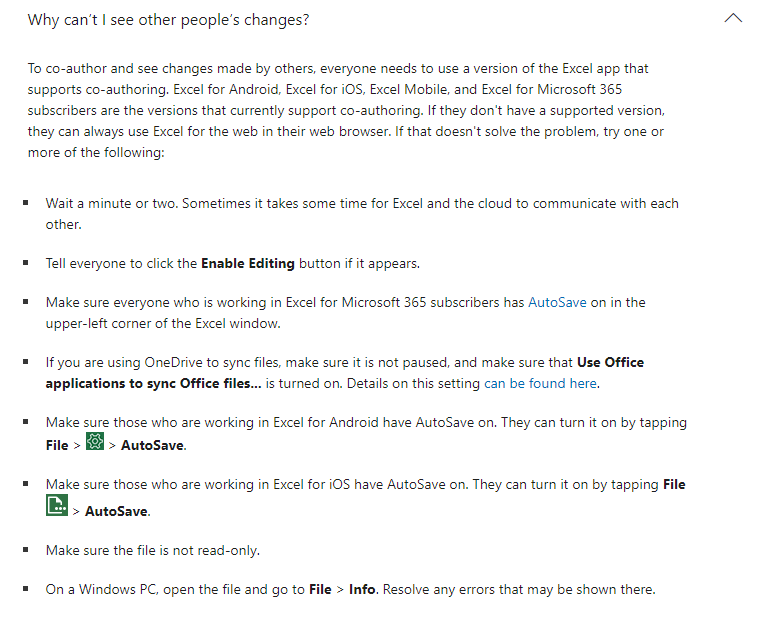
Information about limitations and requirements for Excel on the web and co-authoring are at https://support.microsoft.com/en-us/office/collaborate-on-excel-workbooks-at-the-same-time-with-co-authoring-7152aa8b-b791-414c-a3bb-3024e46fb104#PickTab=Windows.
The limitation for number of users is "classroom sized", about 30 - 50 people in a document at the same time.
For excel co-authoring, OneDrive Excel SharePoint Excel and Teams Excel are all same.
For these issues you mentioned, you could refer to the article Trevor provided: collaborate-on-excel-workbooks-at-the-same-time-with-co-authoring