Microsoft 365 and Office | Word | For business | Windows
A family of Microsoft word processing software products for creating web, email, and print documents.

This browser is no longer supported.
Upgrade to Microsoft Edge to take advantage of the latest features, security updates, and technical support.
' cx='32' cy='32' r='32' /%3E%3Ctext x='50%25' y='55%25' dominant-baseline='middle' text-anchor='middle' fill='%23FFF' %3ENC%3C/text%3E%3C/svg%3E)
Although a group policy is able to disable the Options section of the File tab in Microsoft Outlook/Word, is it possible to hide/disable the Security option via the Search bar which gives direct access for end users to access the Trust Centre options section.
IIn a similar manner, is it possible to hide/disable the 'Options' and 'Visual Basic Editor' being available in Word (and potentially other office applications) search box...

Could you please explain the "Security options"?
I search it via search bar on Word, there is a "Security" result as following image which will jump to Macro settings.

> is it possible to hide/disable the 'Options' and 'Visual Basic Editor' being available in Word (and potentially other office applications) search box
Based on my research, currently we are unable to achieve it.
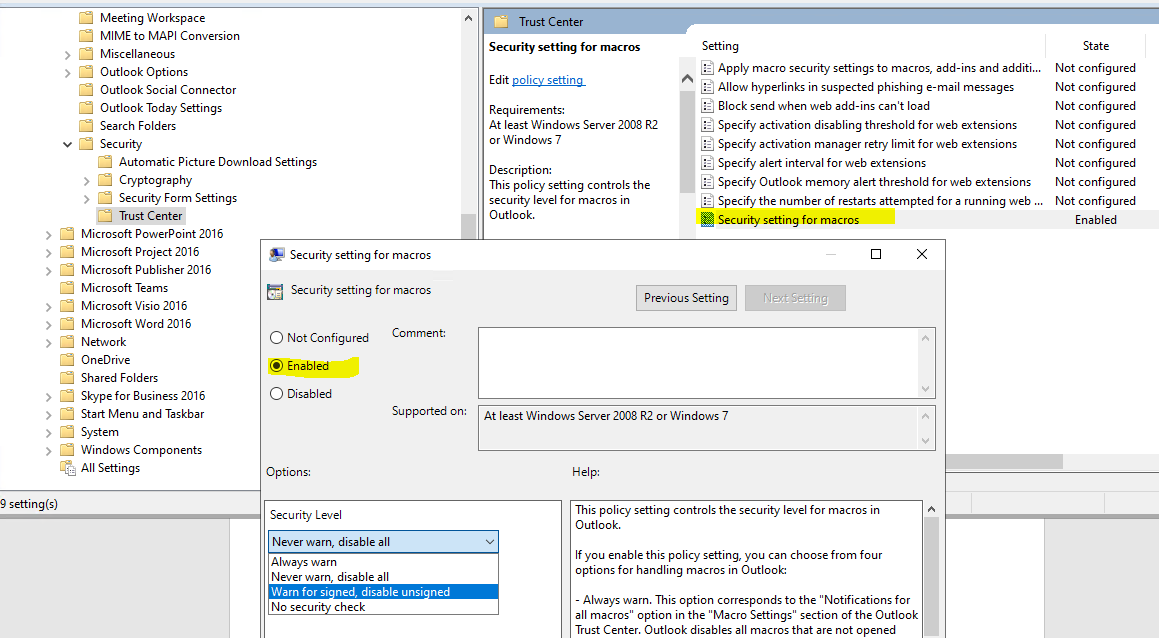
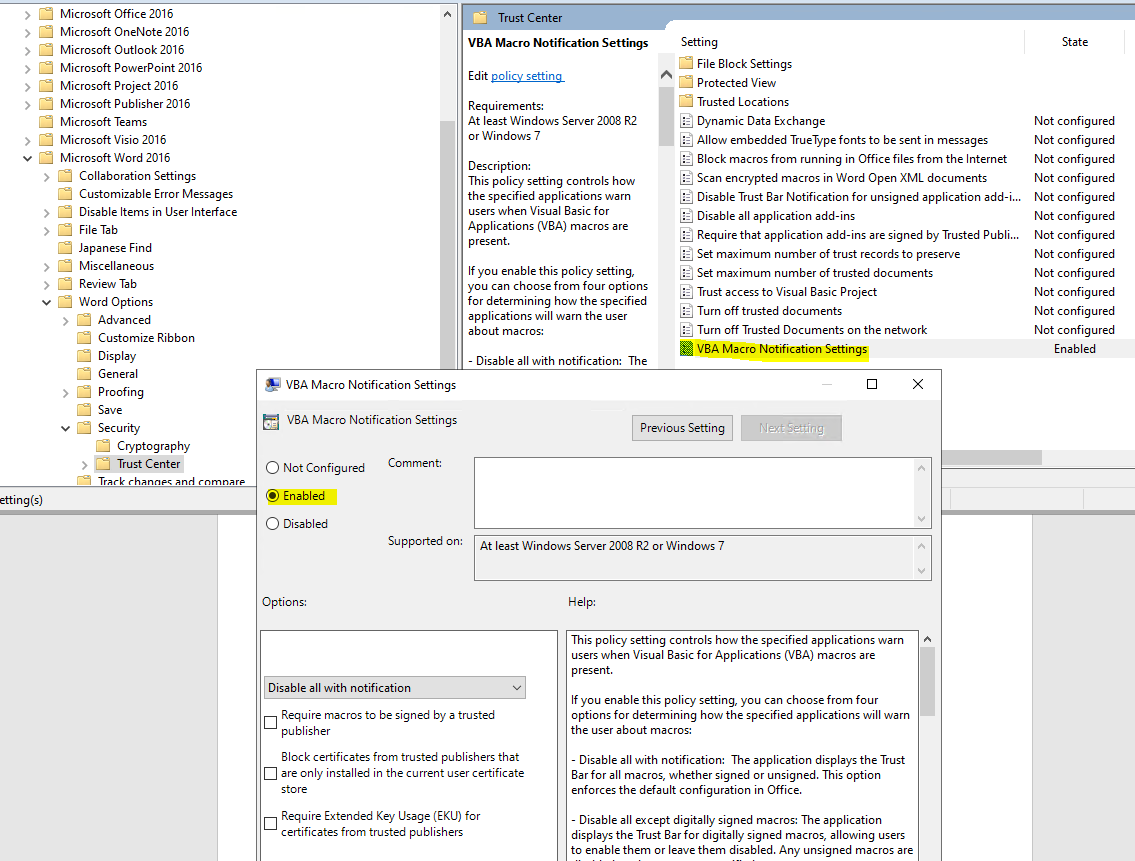
We can configure a specific function under Options via group policy, but there is no such master switch to turn off all the functions under Options.
The following information, you could have a look. Thanks for your understanding.
If an Answer is helpful, please click "Accept Answer" and upvote it.
Note: Please follow the steps in our documentation to enable e-mail notifications if you want to receive the related email notification for this thread.
@Neil C (73)
I am checking this thread, if there is any update, welcome to post back.
Thanks @Emily Hua-MSFT , although this does not sufficiently meet my requirements.
We have used group policy and the commandid to disable the options section in the "File" tab in Microsoft Office for certain users, however indeed if you search for "Security" or "Options" in the search bar with this group policy in effect, users are still able to open the "Word Options" window or "Trust Center" window which we would like to disable.
We require certain functionality of the Visual Basic for Applications app so are unable to uninstall it, however we would like to stop certain users accessing it and may have to look into AppLocker as we are unable to prevent users using the Microsoft Office search bar to launch this app.
I will carry on my investigation to these "perceived" vulnerabilities within Microsoft Office.
Many Thanks.
Neil
@Neil C (73)
Thanks for your reply, currently, there is no way to achieve your requirements fully.
we suggest you submit the feedback on thses requirements in Office apps. Your ideas will help development team to make our Office apps better for you.
Thanks for your understanding.

Hello @Neil C (73) ,
The Trust Center is where you can find security and privacy settings for Microsoft Office programs. With the consistent appearance of the ribbon in Office programs, steps to find the Trust Center are the same for each program.
The options available in the Trust Center allow you to share documents with the people you want, as well as to find and remove hidden information you may not want to disclose.
When changing privacy settings, you should make selections that will help set the level of Office privacy you want. The selections can include getting notification if a document is from a suspicious website or links to one, or making hidden markup visible when files are opened and saved.
Changing Trust Center settings can greatly reduce or increase the security of your computer, its data, data on your organization's network, and other computers on that network. We advise that you consult with your system administrator, or carefully consider the risks, before making changes to Trust Center settings.
Follow the below link to execute the task,
Hope this answers all your queries, if not please do repost back.
If an Answer is helpful, please click "Accept Answer" and upvote it : )
