Bing | Microsoft Rewards
A program that grants points for using Bing search, which users can redeem for gift cards, sweepstakes entries, or charitable donations.

This browser is no longer supported.
Upgrade to Microsoft Edge to take advantage of the latest features, security updates, and technical support.
' cx='32' cy='32' r='32' /%3E%3Ctext x='50%25' y='55%25' dominant-baseline='middle' text-anchor='middle' fill='%23FFF' %3EAM%3C/text%3E%3C/svg%3E)
Why does Bing not count the days in default search engine inspite of daily using it for seach in edge/chrome? It is 11th day today in the month of august but still it is counting ony 4 days. How will i be able to level up my activities?
' cx='32' cy='32' r='32' /%3E%3Ctext x='50%25' y='55%25' dominant-baseline='middle' text-anchor='middle' fill='%23FFF' %3EAS%3C/text%3E%3C/svg%3E)
i am using bing search as default search engine for more than 14 days but my days are not adding on the mircosoft rewards section so my remaining 1 level can clear and i can upgraded to gold member
' cx='32' cy='32' r='32' /%3E%3Ctext x='50%25' y='55%25' dominant-baseline='middle' text-anchor='middle' fill='%23FFF' %3ES%3C/text%3E%3C/svg%3E)
Same problem! Did you solve it? Mine is showing 0/14 days. It's strange because I use it daily as default!
Mr. Srinivas P,
you are advising :
Try clearing Browser cache and cookies then check if you are able to see day counter updated properly.
Try different browser like Chrome/Edge/Firefox if you are seeing the day counter updated correctly.
Confirm your time zone settings in your Microsoft account profile are correct.
All done but still the problem is there, today out of 4 days of September only 1/14 days is shown, the worst part is that this 14 day search is mandatory to reach level 2.......... many a times issue has been reported to Microsoft but have never received a reply from them.
' cx='32' cy='32' r='32' /%3E%3Ctext x='50%25' y='55%25' dominant-baseline='middle' text-anchor='middle' fill='%23FFF' %3ESP%3C/text%3E%3C/svg%3E)
Hey there!
I'm here to help.
I'm sorry that days are not updated properly in Bing Rewards page. Can you make sure you are signed into the same Microsoft account when you search on Bing. If you are not logged in, or if the account changes, your streak won’t be tracked properly.
Try clearing Browser cache and cookies then check if you are able to see day counter updated properly.
Try different browser like Chrome/Edge/Firefox if you are seeing the day counter updated correctly.
Confirm your time zone settings in your Microsoft account profile are correct.
If none of the steps helps, then try contacting Bing support here:
https://rewards.bing.com/support
I hope it helps.
I'm facing this same issue. I have already signed in, I signed out and in again, cleared cache but no luck. Edge is updated to the latest version, so I am unable to understand what is causing this.
' cx='32' cy='32' r='32' /%3E%3Ctext x='50%25' y='55%25' dominant-baseline='middle' text-anchor='middle' fill='%23FFF' %3EPB%3C/text%3E%3C/svg%3E)
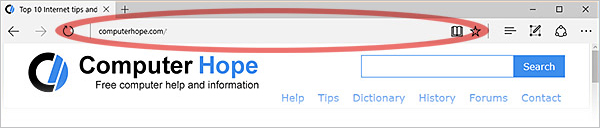
Well actually, you need to search through directly from Address bar and not from Search bar. So that will count the days.

@ABHISHEK MITTEL This problem can be resolved easily by searching directly from the address bar. My problem is with the second task. How did you complete it? I tried all solutions given by users in the forum and even by the MS Rewards support team. Still I failed to completed the second task. Please help how to complete it.