Microsoft 365 and Office | Access | Development
The creation and customization of database applications using Microsoft Access

This browser is no longer supported.
Upgrade to Microsoft Edge to take advantage of the latest features, security updates, and technical support.
' cx='32' cy='32' r='32' /%3E%3Ctext x='50%25' y='55%25' dominant-baseline='middle' text-anchor='middle' fill='%23FFF' %3EML%3C/text%3E%3C/svg%3E)
I have a form where I need to do some processing during the Unload event. In the Unload event, I then reference form data successfully 99.99% of the time, but every so often, I get an error indicating that the form may already be closed.
However, I have an error report that fires due to the above-mentioned error, where I list all the open forms, and the form where I'm running the unload event is still listed as open.
Are there any reason I should not reference a form during its Unload event?

Just FYI, earlier discussion on this topic is available at AWF.
https://www.access-programmers.co.uk/forums/threads/form-closes-before-unload-event.319483/
That was my question, which I don't think fully answers my question, hence trying here as well.
Not a problem. Just trying to provide additional information to potential responders, so they don't have to repeat what you already know.

If you assign the data in the form's controls to a globally exposed array in the form's Current event procedure, and in its AfterUpdate event procedure you'll then be able to read data from the array even if the form has closed.
What would you want to do if the form is at an empty new record? If you don't want to assign Nulls to the array, you'd need to make the assignment in the Current event procedure conditional on the NewRecord property being False.
The first thing I do in the Unload event is actually to confirm that the form is not empty, before continuing, or exiting the sub. 99% of the time this works fine, but every so often my users get the error "The expression you entered has a field, control, or property name that ... can't find". This indicates to me that the form has closed, but why does it then work most of the time?
The reason I use the Unload event is that the underlying data is a job for an engineer in the field, and to ensure the job don't go out before all editing is completed, I do the final processing on the Unload event. Is there another event that fires after the Close button has been pushed, that I can use instead of the Unload event?
If the Close button to which you refer is a command button in the form you can include code in its Click event procedure. For an illustration of how to force the user to close a form by means of a command button take a look at SaveDemo.zip in my public databases folder at:
https://onedrive.live.com/?cid=44CC60D7FEA42912&id=44CC60D7FEA42912!169
In this little demo file Save and Close buttons are enabled/disabled by code in the form's module on the basis of the current state of the record.
I was referring to the form close button in the top right corner.
Having a separate close button is currently my work-around, but my users don't like it.
One of the issues is that Access 2010 does not hide the form Close button, but just stops it working.
I just don't understand why the Unload event has worked 99.99% of the time, but on rare occasions it does not. The reason I need the Unload event to work with the form data is that I have to check that all the data that is needed have been entered. If further interaction is needed, I then cancel the Unload event.
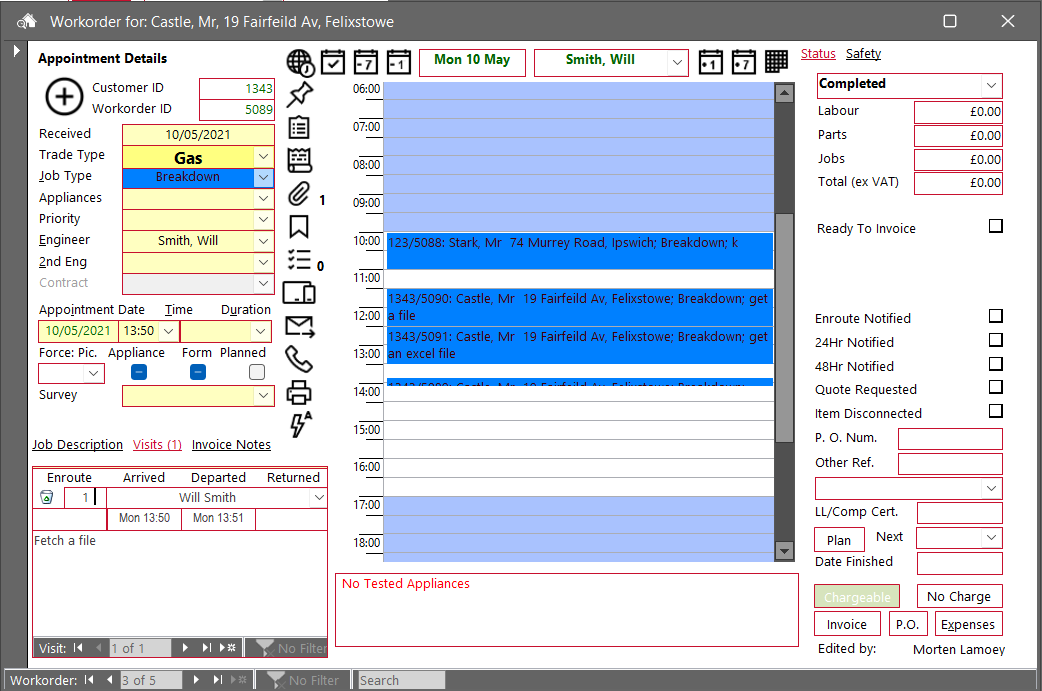
Attached is a screen dump of the form in question.
The place to validate data entry is in the form's BeforeUpdate event procedure. This has a Cancel argument whose return value can be set to True if the validation criteria are not satisfied. My SaveDemo file illustrates this also, as well as control level validation.