' cx='32' cy='32' r='32' /%3E%3Ctext x='50%25' y='55%25' dominant-baseline='middle' text-anchor='middle' fill='%23FFF' %3EZH%3C/text%3E%3C/svg%3E)

' cx='32' cy='32' r='32' /%3E%3Ctext x='50%25' y='55%25' dominant-baseline='middle' text-anchor='middle' fill='%23FFF' %3EA%3C/text%3E%3C/svg%3E)
Hi,
Welcome to our new Q&A platform.
Based on my research, add the user to "Network Configuration Operators" group is a workaround.
May I know if the user was a domain user? If yes, please add the user in Active Directory Users and Computers.
Then please logon the local admin account of his laptop and add the user in Network Configuration Operators group. And now the user would have permission to update IP address.
I tested in my environment and it worked. Here is my lab result for your reference.
My account info:

Add the user in Active Directory Users and Computers
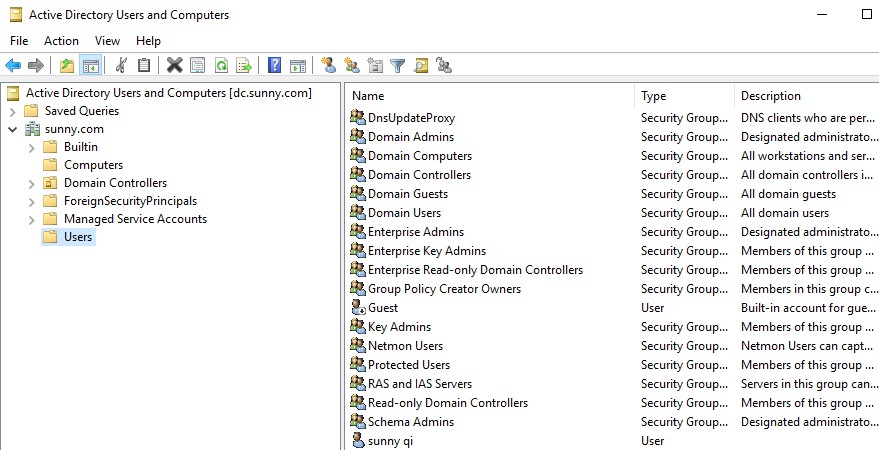
Logon the local admin account to add this user in Network Configuration Operators Properties.

Log on this user and right click corresponded network adapter, enter the password of this user and then I can update my IP in Internet Protocol Version 4 (TCP/IPv4) properties.

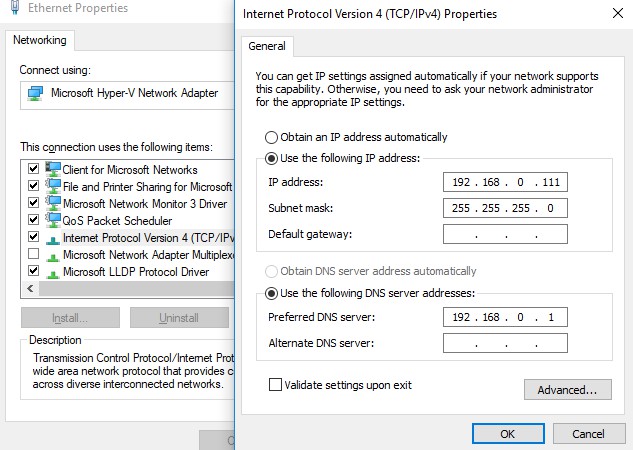
Hope my answer will help you. Thanks!
--please don't forget to Accept as answer if the reply is helpful--
Best Regards,
Sunny
' cx='32' cy='32' r='32' /%3E%3Ctext x='50%25' y='55%25' dominant-baseline='middle' text-anchor='middle' fill='%23FFF' %3ECE%3C/text%3E%3C/svg%3E)