Microsoft Graph
A Microsoft programmability model that exposes REST APIs and client libraries to access data on Microsoft 365 services.
11,447 questions
This browser is no longer supported.
Upgrade to Microsoft Edge to take advantage of the latest features, security updates, and technical support.
' cx='32' cy='32' r='32' /%3E%3Ctext x='50%25' y='55%25' dominant-baseline='middle' text-anchor='middle' fill='%23FFF' %3ERB%3C/text%3E%3C/svg%3E)
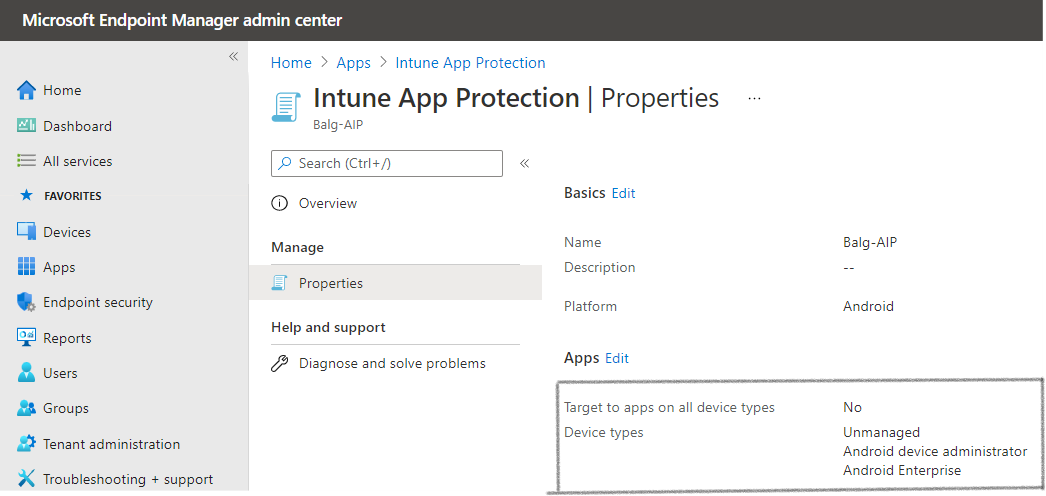
I wanted to update this specific part in Intune App Portal via Graph SDK (which was marked out in image)
Whenever I fetch the data (App protection policy) via Graph SDK, I could see the object AndroidManagedAppProtection
Which contains most of the settings seen in that Intune app policy page
But a few settings like these
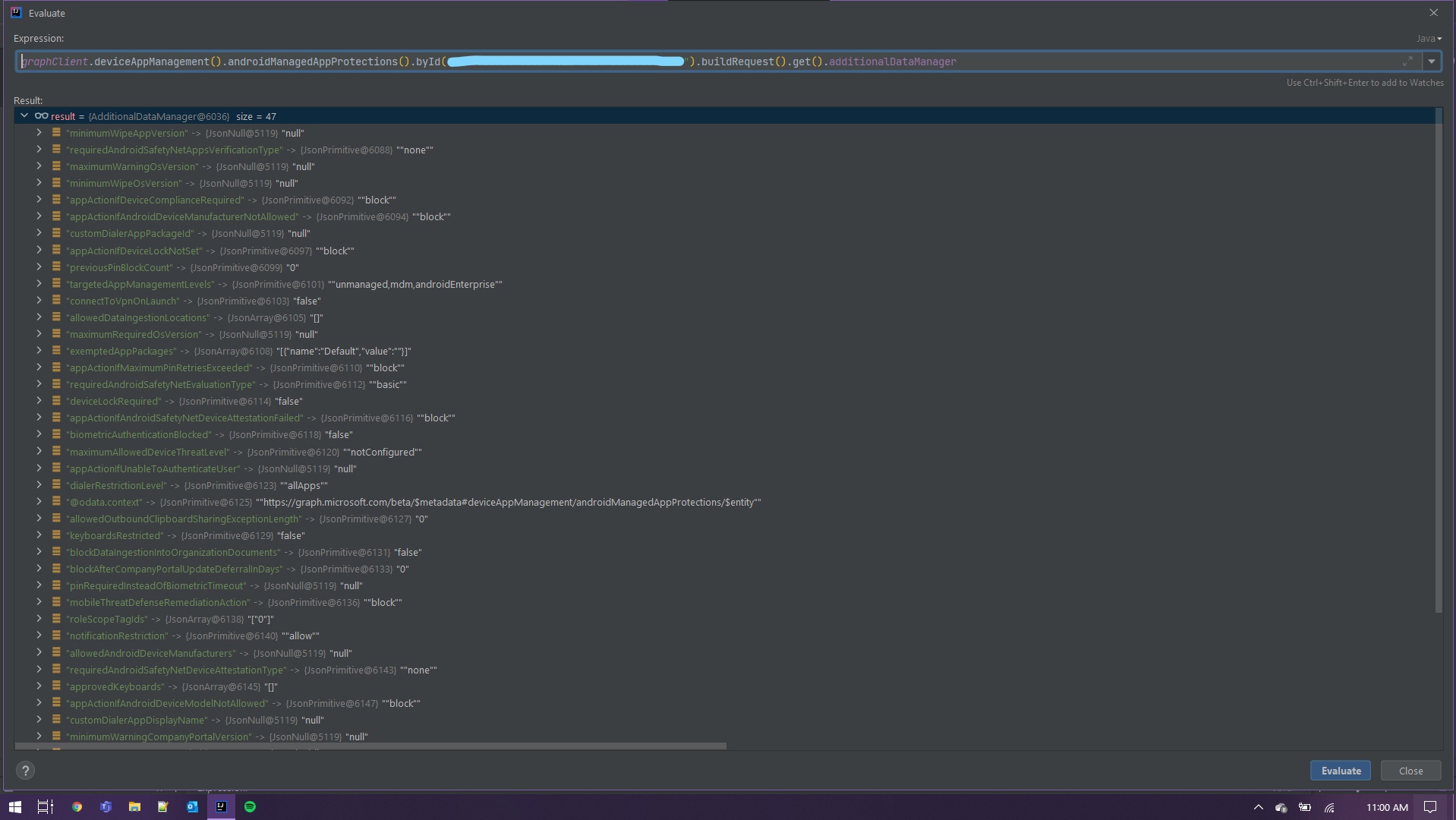
Doesn't have a specific object, hence it is coming under AdditionalDataManager under AndroidManagedAppProtection object
While posting the data from our application we need some object to set this data (targetedAppManagementLevels)
We cannot set the data in AdditionalDataManager because it is transient object hence not serializable
Am I missing anything here or how we send those data which comes under AdditionalDataManager
Around 47 settings coming under this AdditionalDataManager