First and foremost, what version of Windows is this being installed on, and what is the bitness? The big issue is, for modern Windows, this file exists and it is exclusively a forwarder to the Windows internal CRT and C++ runtime.
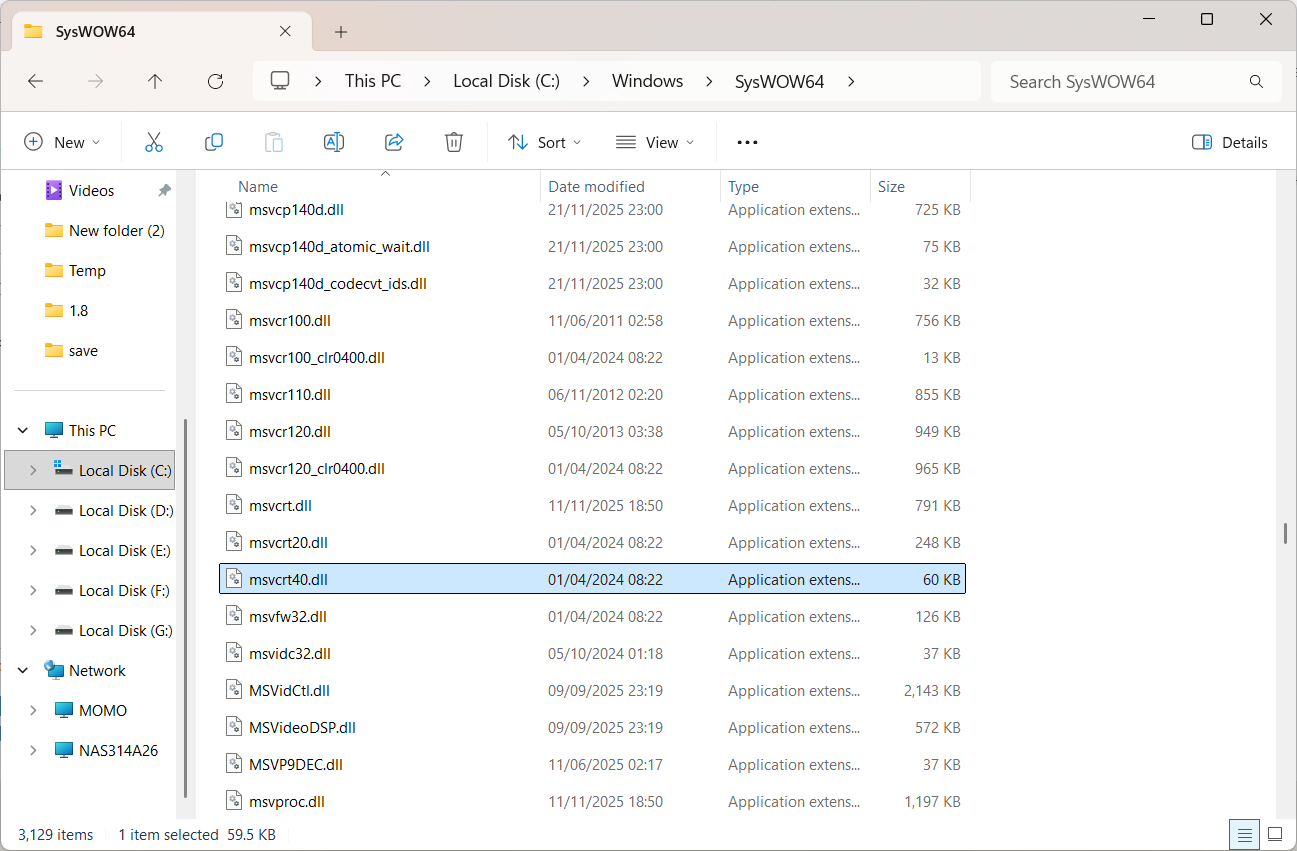
Now, I know that the screenshot that I provided is SysWOW64, but the important thing is that for 64 bit Windows, this is the 32 bit library directory. When a 32 bit process runs, Windows will redirect any access to System32 to SysWOW64, because contrary to its name, System32 is the 64 bit library directory. Since there is also only 64 bit versions of Windows 11, then this file will only exist in SysWOW64 now.
It is expected for msvcrt40.dll to not exist in System32 itself, there was never a 64 bit version of Visual C++ 4.0, so there was never a 64 bit version of the library.
So to recap, check SysWOW64 for msvcrt40.dll, it should exist. If it doesn't, then check your Windows' integrity using SFC since this indicates that files are missing. If the file exists and the software keeps complaining, then use process monitor (procmon) to check what path the application is checking. If it is checking System32, then the software is either using a custom import library for 64 bit, or it has disabled file system redirection. This is the responsibility of the software developers to fix by either providing a corresponding version of the library or checking the proper path on 64 bit Windows.
' cx='32' cy='32' r='32' /%3E%3Ctext x='50%25' y='55%25' dominant-baseline='middle' text-anchor='middle' fill='%23FFF' %3ES%3C/text%3E%3C/svg%3E)

' cx='32' cy='32' r='32' /%3E%3Ctext x='50%25' y='55%25' dominant-baseline='middle' text-anchor='middle' fill='%23FFF' %3EVD%3C/text%3E%3C/svg%3E)
' cx='32' cy='32' r='32' /%3E%3Ctext x='50%25' y='55%25' dominant-baseline='middle' text-anchor='middle' fill='%23FFF' %3EDR%3C/text%3E%3C/svg%3E)
' cx='32' cy='32' r='32' /%3E%3Ctext x='50%25' y='55%25' dominant-baseline='middle' text-anchor='middle' fill='%23FFF' %3ESA%3C/text%3E%3C/svg%3E)