Hi, I'm John! I will help you with this.
To help narrow down the issue:
- Is the child’s account already part of your Microsoft Family group, could you check here https://family.microsoft.com to verify?
- Are you using the same parent account that was originally used to give consent?
If the issue still persists, try disabling parental services temporarily, then restart your PC. After restarting, re-enable or authenticate again if prompted and check if the consent loop still appears:
- First open Task Manager by clicking Ctrl + Shift + Esc.
- Click "Services" tab.
- In the list of services, find "WpcMonSvc".
- Right-click on WpcMonSvc and click "Stop".
Next go to Services by following this steps:
- Press Windows key + R to open Run dialog.
- Type this and press Enter: services.msc
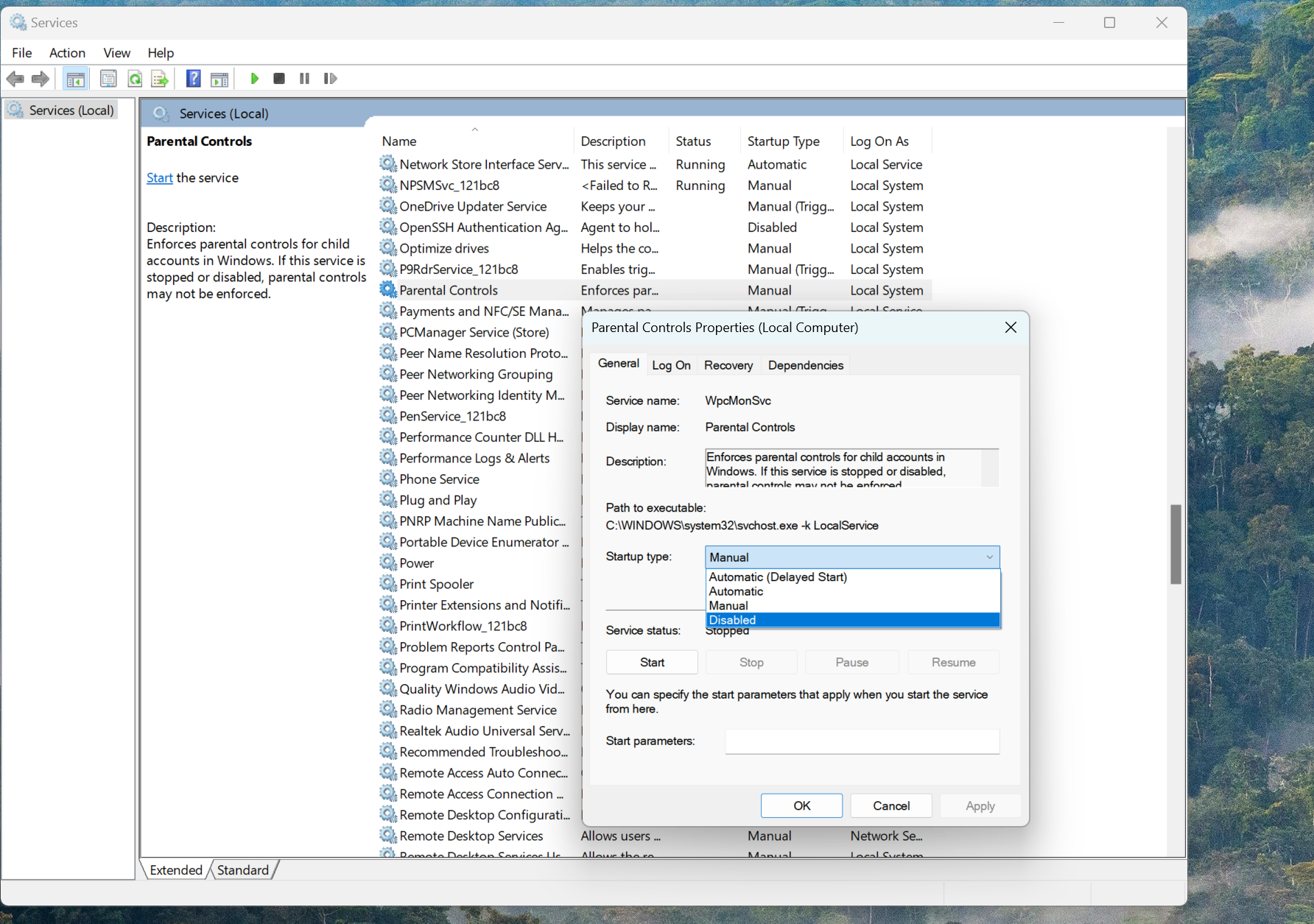
- Find "Parental Controls".
- Right-click on Parental Controls service and click "Properties"
- In Startup type, click it and change it to "Disable".
- Click "Apply" and click "OK".
- Finally, restart your computer and check if the issue persists.
- If it ask to verify again, please proceed and monitor if issue persists.
If the issue persists, please provide more details by answering my questions.
Click "Add comment" below to let me know.
Regards,
John J.D.
' cx='32' cy='32' r='32' /%3E%3Ctext x='50%25' y='55%25' dominant-baseline='middle' text-anchor='middle' fill='%23FFF' %3EKJ%3C/text%3E%3C/svg%3E)

' cx='32' cy='32' r='32' /%3E%3Ctext x='50%25' y='55%25' dominant-baseline='middle' text-anchor='middle' fill='%23FFF' %3EFP%3C/text%3E%3C/svg%3E)
