Hello @Kilian Ros,
Thank you for posting your question in the Microsoft Q&A Forum.
I want to make sure I fully understand your scenario so I can provide the most accurate solution. From the post you referenced, it seems the other user encountered an issue when sharing a file directly from Windows Explorer using the Share option. Could you please confirm if you are experiencing the same behavior when sharing from there?
It would also help to know what type of file you are trying to share, for example an image, a PDF, or a Word document?
In addition, could you let me know the account type you are using in Outlook, whether it is Exchange, IMAP, or something else? To check this, please switch back to Classic Outlook and go to File > Info > Account Information. If your account is Exchange, you will see something similar to the screenshot I’ve attached below. 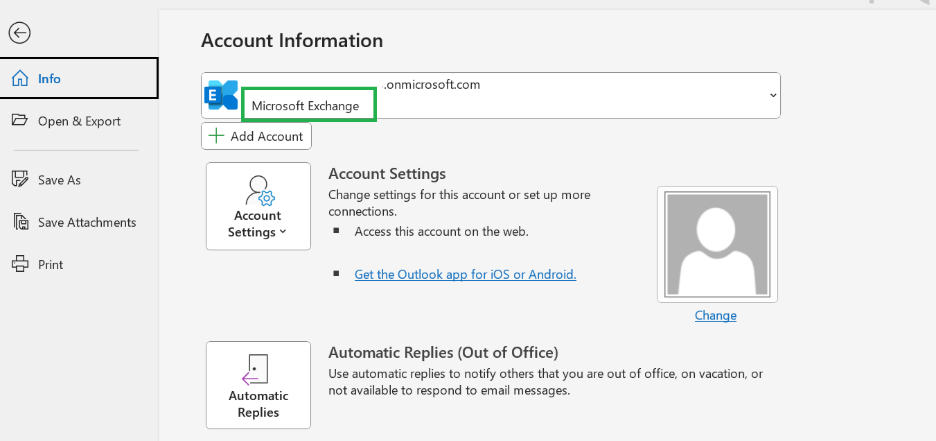
To help us reproduce and test this in our environment, I would appreciate it if you could provide a step-by-step description of how you are sharing the file so that we can follow the same process. It would also be very helpful if you could share a screenshot of the error message you are seeing.
These details will allow us to investigate thoroughly and provide the best possible answer for you. Thank you for your time and cooperation, I truly appreciate your help in clarifying these points so we can resolve this together.
Best regards,
If the answer is helpful, please click "Accepted" and kindly upvote it. If you have extra questions about this answer, please click "Comment".
Note: Please follow the steps in our documentation to enable e-mail notifications if you want to receive the related email notification for this thread.
' cx='32' cy='32' r='32' /%3E%3Ctext x='50%25' y='55%25' dominant-baseline='middle' text-anchor='middle' fill='%23FFF' %3EKR%3C/text%3E%3C/svg%3E)


' cx='32' cy='32' r='32' /%3E%3Ctext x='50%25' y='55%25' dominant-baseline='middle' text-anchor='middle' fill='%23FFF' %3EDN%3C/text%3E%3C/svg%3E)