Microsoft 365 and Office | SharePoint | For business | Windows
A group of Microsoft Products and technologies used for sharing and managing content, knowledge, and applications.

This browser is no longer supported.
Upgrade to Microsoft Edge to take advantage of the latest features, security updates, and technical support.
' cx='32' cy='32' r='32' /%3E%3Ctext x='50%25' y='55%25' dominant-baseline='middle' text-anchor='middle' fill='%23FFF' %3ESH%3C/text%3E%3C/svg%3E)
I have added a series of images in a carousel on Modern Sharepoint to create a header for an intranet page. But I can't hyperlink the images. Classic Sharepoint allows me to hyperlink carousel images, but I am now using Modern Sharepoint online. How can I do this?
I Can you please tell me the pixel size of images that can fit in the quick link filmstrip? I added one image and it was too large and didn't fit the size of the box.

Hi @SusanHassell-4960 ,
The pixel size of images:
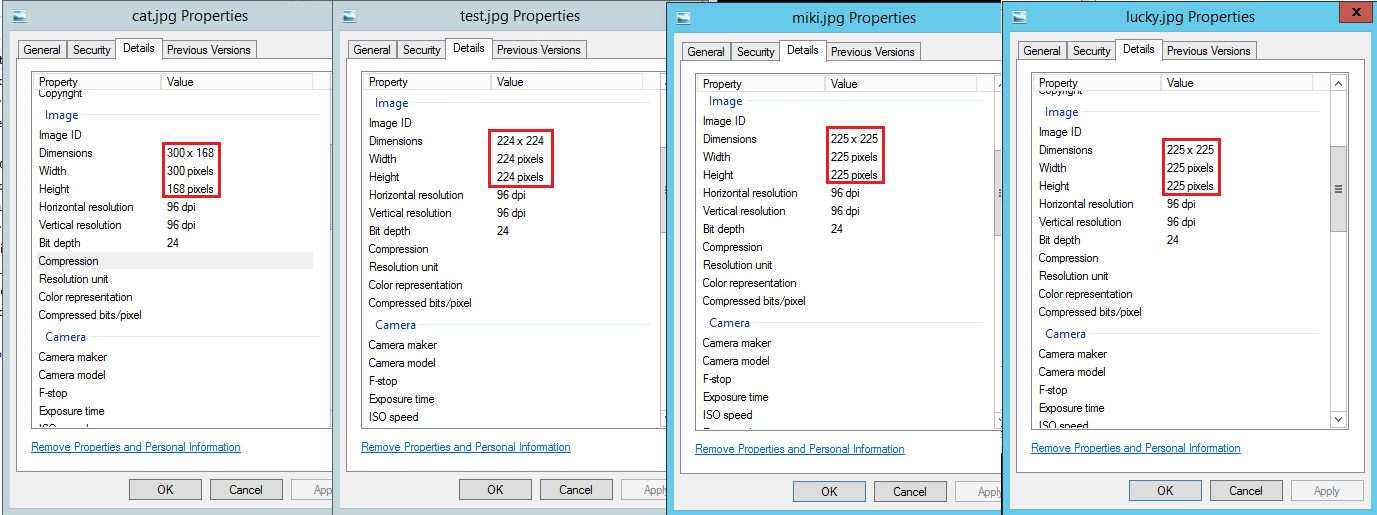
Can you tell me the size of the picture you use? I can also test in my environment.
Thanks,
Echo Du
==========================
You can directly click “Comment” option under “My Answered” to put forward your opinions and thoughts about solution that I propose.
You can see below the image on the left is cut off while the image on the right is full size. The image on the left was originally 1200x675.

What about an image that is 400 x 240? will that be completely visible in the box.
Hi @SusanHassell-4960 ,
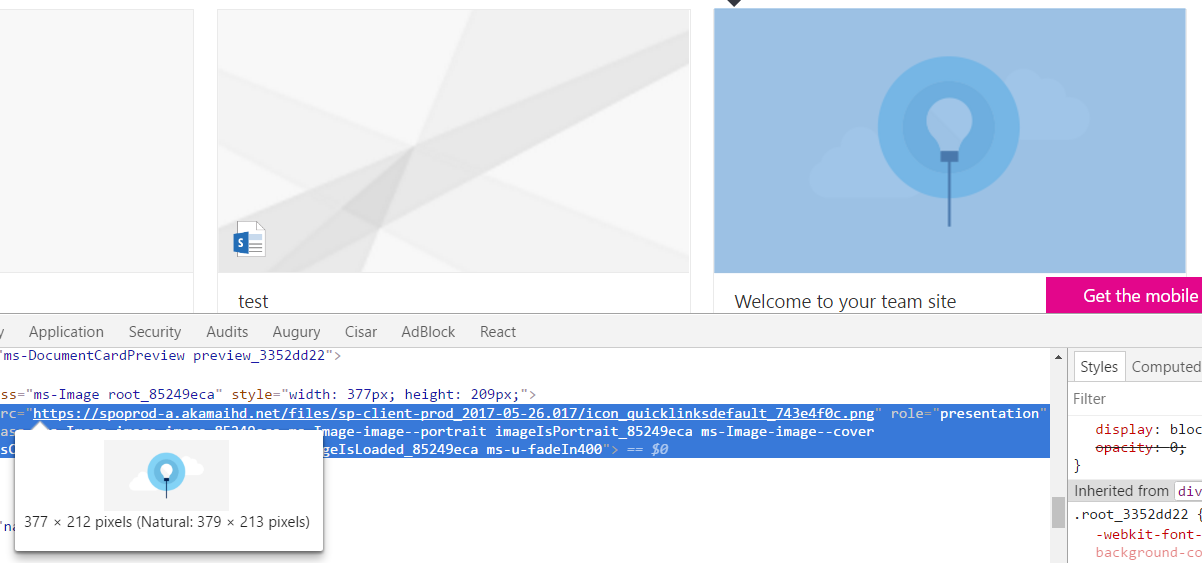
The best image size should be 379px x 213px. This you can get it from the default link comes with Quick Links web part.
Create your images to render perfect for different aspect ratios.
The natural size is in the below image is recommended.
Thanks,
Echo Du
Hello @SusanHassell-4960 ,
Currently, the Image Gallery web part does not support enhance the images with hyperlinks. Using it, we can only display images on the page.
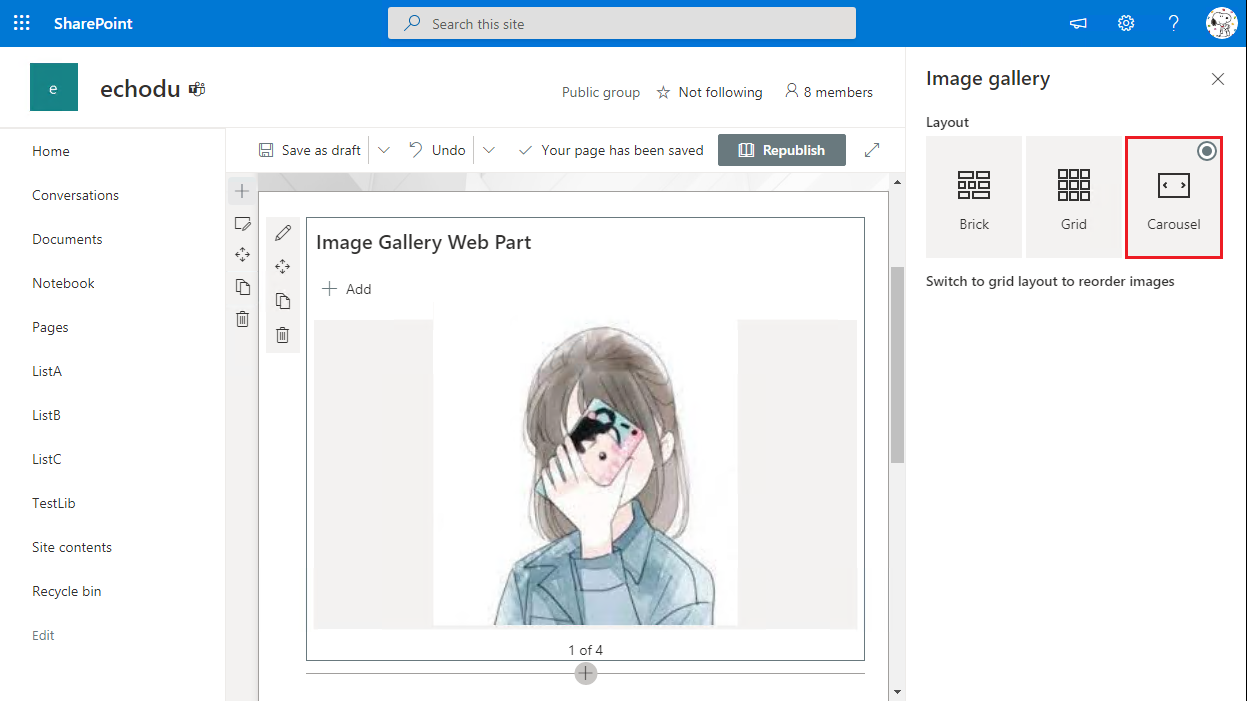
The Image web part allows users to add hyperlinks, but we can display one image with link with one Image web part.

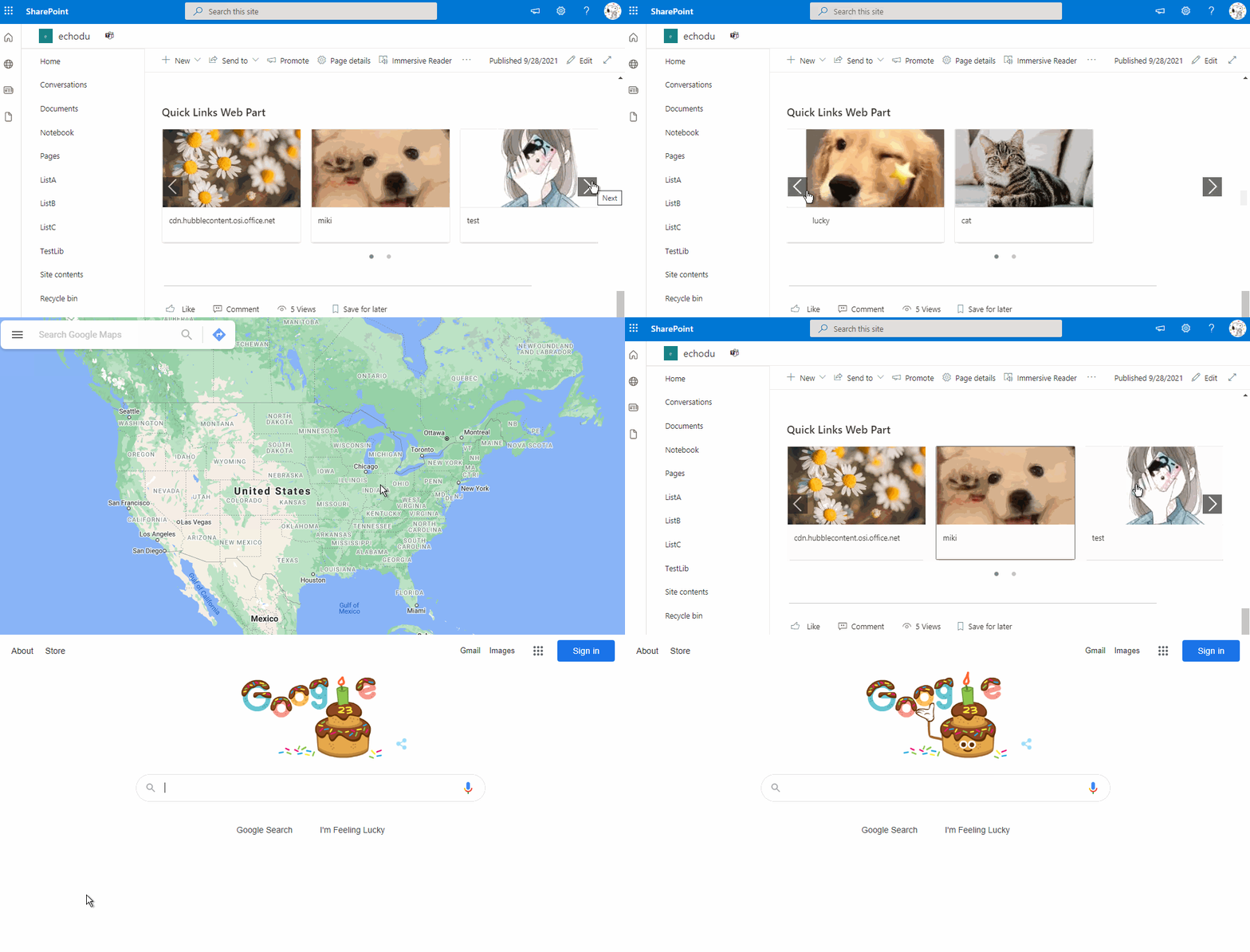
Therefore, you can use the Quick Links web part. You can choice custom image for each link. However, it does not have Carousel layout.
Please following steps:
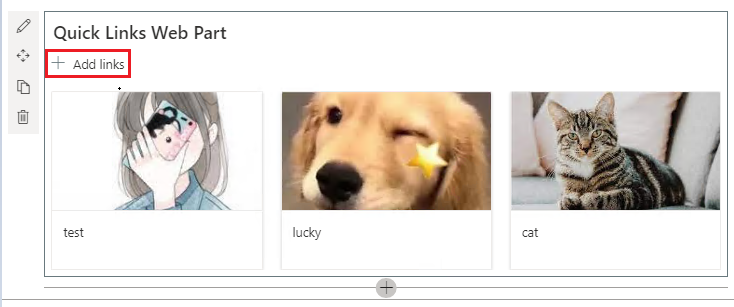
1.Add a Quick links web part
2.Click " + Add links " to upload image
3.On the Quick links panel, click "Change" button.
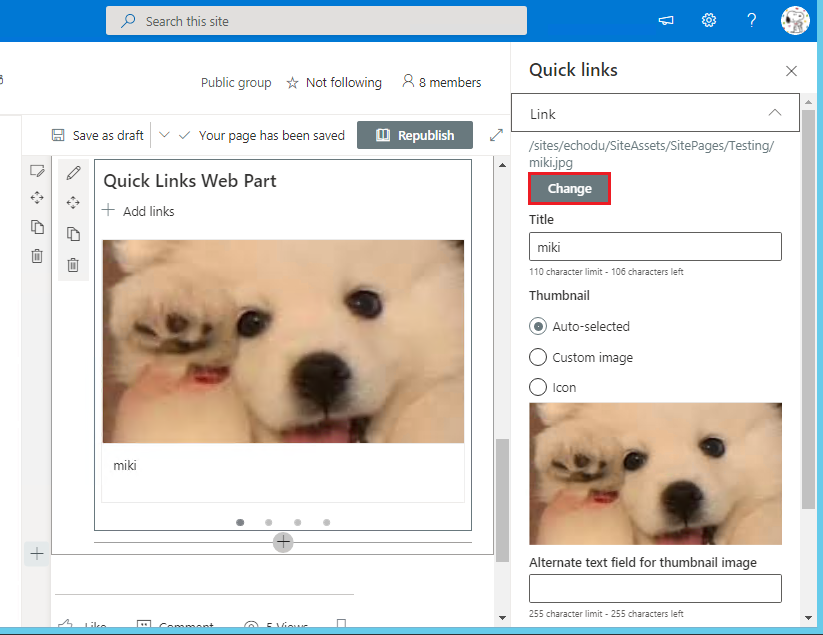
4.Then, click "From a link" and entry a link to a site, page, document, list, library (https:// or http://) or email address (mailto:)
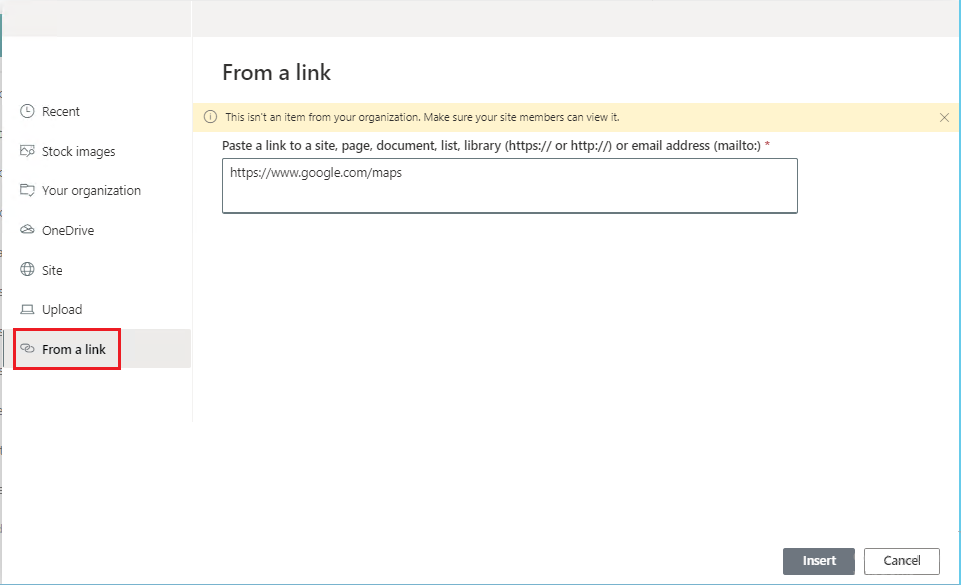
5.Go back the Quick links panel, under the "Thumbnail", select "Custome image" option and click "Change" button to select the previously uploaded image
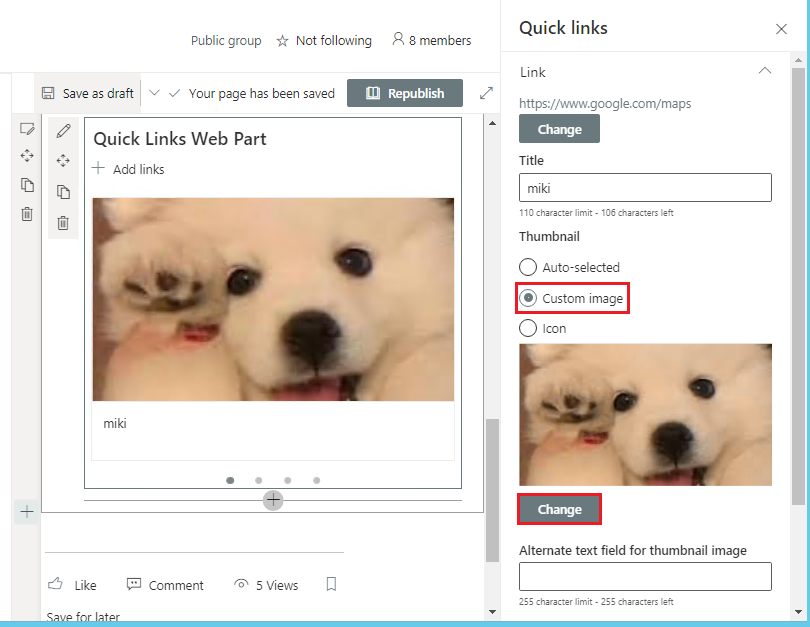
6.Of cource, you can click "Edit Web Part". On the Layout Options, you can select layout that you like. In my test, I selected Filmstrip Layout.

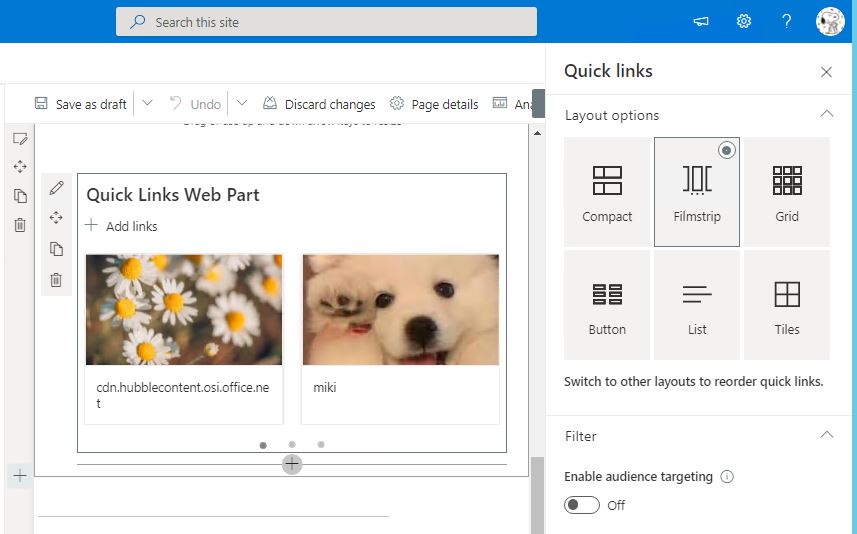
Thanks,
Echo Du
============================
Updated Answer =========================
Hi @SusanHassell-4960 ,
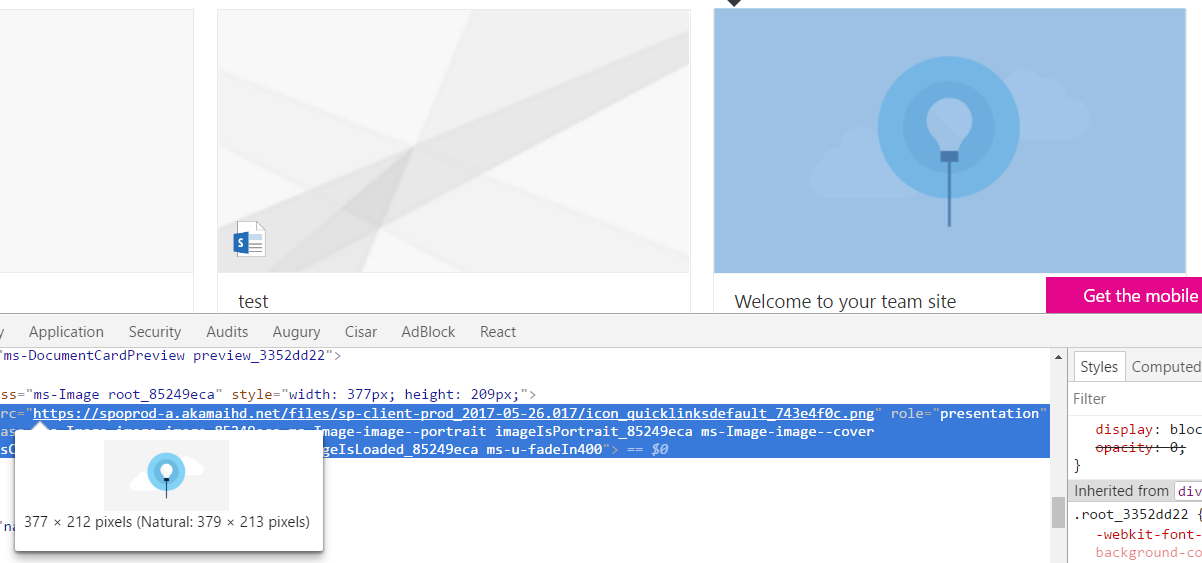
The best image size should be 379px x 213px. This you can get it from the default link comes with Quick Links web part.
Create your images to render perfect for different aspect ratios.
The natural size is in the below image is recommended.
Thanks,
Echo Du
=========================
If an Answer is helpful, please click "Accept Answer" and upvote it.
Note: Please follow the steps in our documentation to enable e-mail notifications if you want to receive the related email notification for this thread.
Hi @SusanHassell-4960 ,
Is there anything else I can help with regarding this issue?
You can comment us at any time and we will continue to follow up.
Thanks,
If the answer is helpful to you, you can accept it as answer. The behavior will help others who meet the similar issue in the future quickly find the correct answer.
Thank you so much. Microsoft should offer linkable images on the highlighted content web part, but until then, this is the workaround I have been looking for.

@SusanHassell-4960 If Echo's reply helps you, please remember to accept her reply as answer via the "Accept Answer" button, it will be beneficial to others in this forum who meet the same issue in the future.
Thanks for your understanding and cooperation.
' cx='32' cy='32' r='32' /%3E%3Ctext x='50%25' y='55%25' dominant-baseline='middle' text-anchor='middle' fill='%23FFF' %3EL%3C/text%3E%3C/svg%3E)
Hi, now is 2023. Is there any new method to this question, which is hyperlink images in carousel?